

Watch feeds
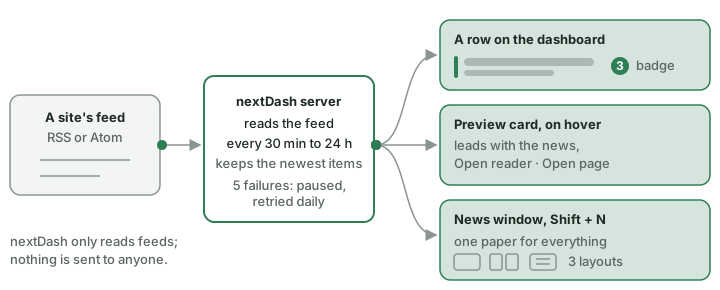
A bookmark with news gets a stripe and a badge, the preview card leads with the headline, and Shift + N opens one paper for everything you follow. Follow a site from its right-click menu; nothing is followed until you ask.
Watch feeds follows the RSS or Atom feeds of sites you choose and tells you when they publish something. Nothing is followed until you ask.
Following a site
- Start. Right-click a bookmark → Watch this feed…, or use the same button in the bookmark editor. nextDash lists the feeds the page advertises (and tries the usual addresses when the page says nothing, as it does behind a cookie wall); tick one or more, or paste an address. Choose how often to check: 30 minutes, 1, 2, 4, 6, 12 or 24 hours. Also check that this page is reachable (Periodic) is ticked by default while the bookmark's checking is off. Up to 100 feeds can be watched. When you save, nextDash reads the feed once and counts what is already there as seen, so a bookmark shows no news until the site publishes something new; until then a click opens the site as usual. A toast says so.
- The window's buttons. Stop watching (when the feed is watched) stands on the left; Save, in the accent colour, and Cancel, in the warning colour, stand together on the right. Saving leaves the dashboard where it was scrolled. The empty Watch feeds section explains how to start.
- Keys.
Shift + Nopens the news;#watches the feed of the bookmark in hand (or changes or stops it).
What you see
- News. The Watch feeds news widget (Widgets › The kinds) lists the sites with news on the dashboard. A bookmark with news gets a stripe, a bold name, the newest headline, a badge with a halo (from ten items on it reads 9+); a feed icon marks watched bookmarks (Settings → Show a feed icon on watched bookmarks, on). One row in the notifications bell (The dashboard › The notifications bell) covers all sites and is updated in place as more arrives, the browser tab shows a count, and Notify when a watched feed has news (Config → Watch feeds → Settings, on by default) sends a notification. Hovering shows the preview card that leads with the news (Open reader, Open page and a pager for up to ten items, The dashboard › The link preview card). Clicking a row with news opens a popover with six headlines, a Reader button and an open-site button; "+n more" expands it in place up to 10. On a phone there is no hover: a tap shows the headlines first (five), Reader opens the news window, and the bar on top goes to the site.
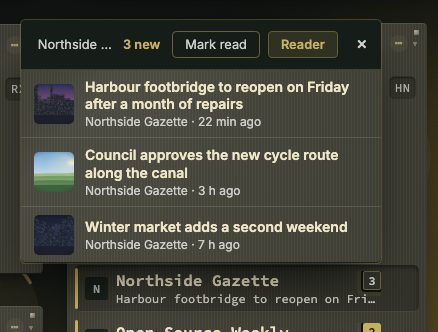
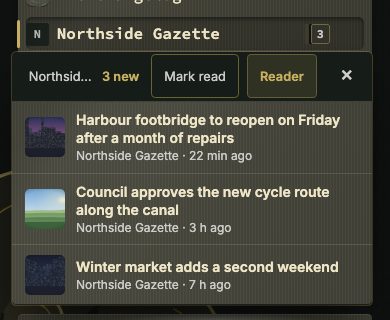
Clicking a row with news. A click, or a tap on a phone, does not open the site: it opens a popover under the row with the newest headlines, each with its picture, its site and how long ago it came. The bar on top, with the site's name and its count, goes to the site. Reader opens the news window on this site alone, and the cross closes the popover. A click on a headline opens that article. Six headlines show; +n more unfolds the rest in the same popover, up to ten. A phone has the same Reader button.
The news window
- The news window (
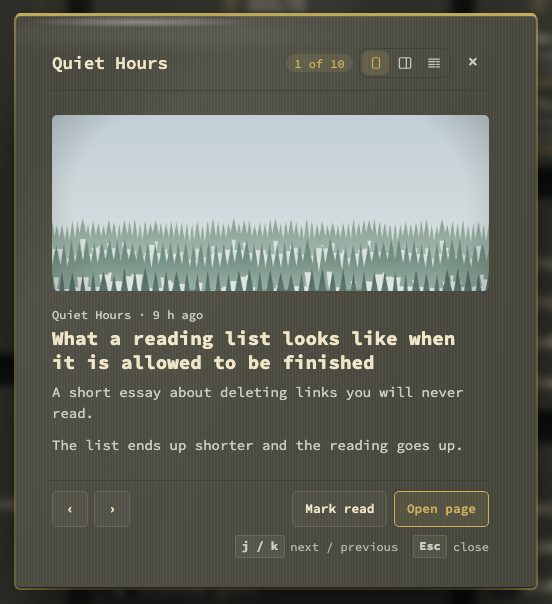
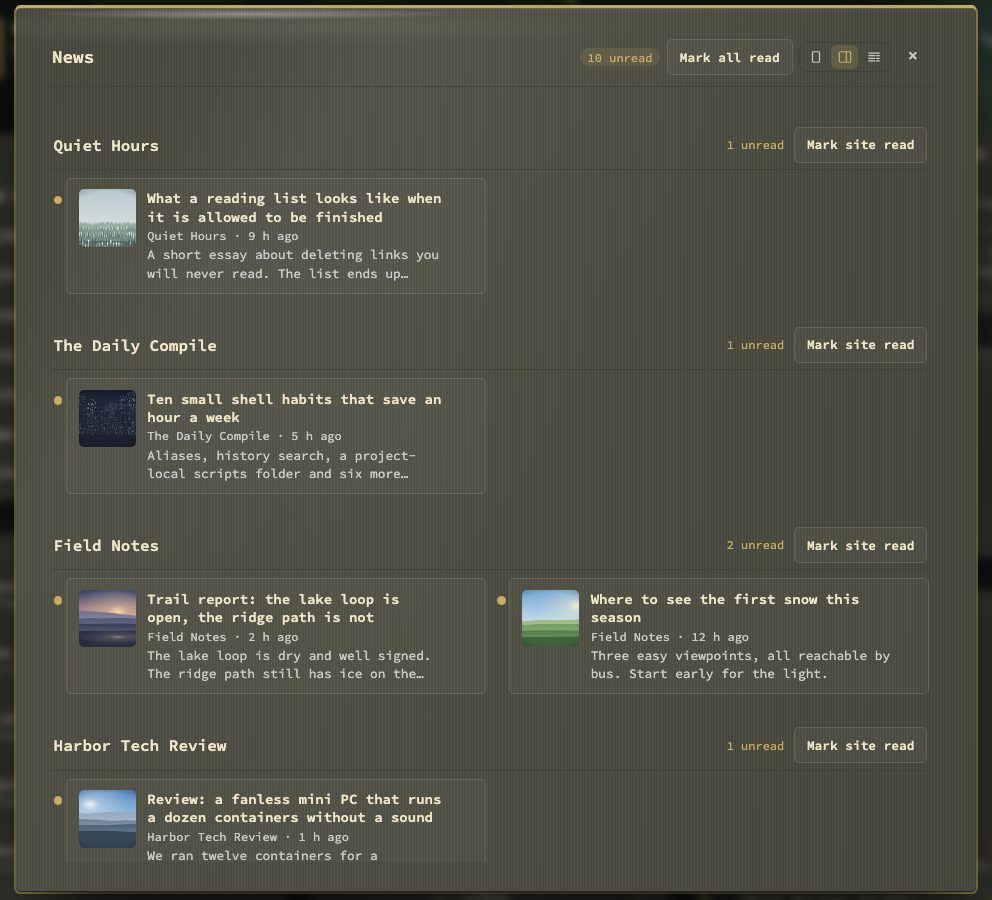
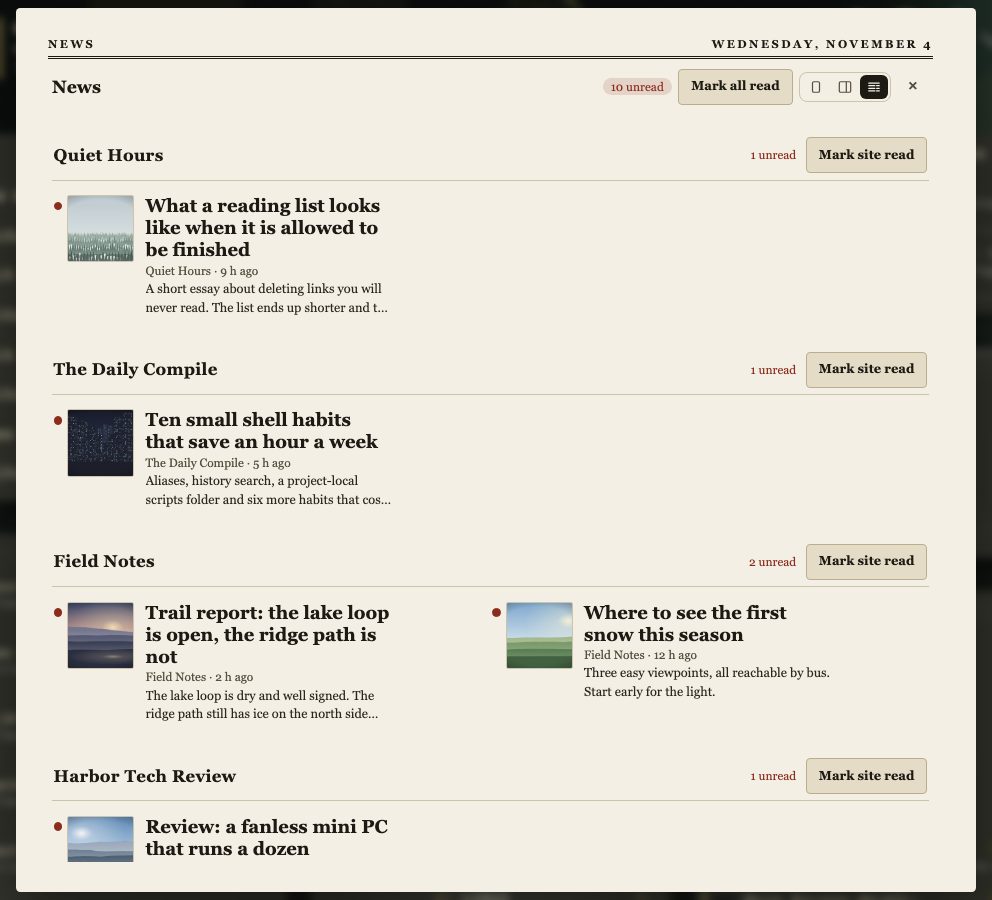
Shift + N, or the news button on a computer) is one paper for everything you watch, with read and unread per item. The news button shows only while at least one feed is followed, not paused and not given up on. Closing the window on an article and pressing the button again returns to that article, if it is still in the paper; the button starts at the front page otherwise, and so do a push notification and the bell row. Choose how it looks under Bookmarks → Watch feeds → Show news as, or with the buttons in its header: one column (one article per screen, the new ones first, and the feeds' earlier entries one by one when nothing is new), two columns or a newspaper front page.jandkmove through the news, Index goes back to the front page andEsccloses the window at once. It follows the theme and its material; only the Newspaper view keeps its own paper look.
Managing it
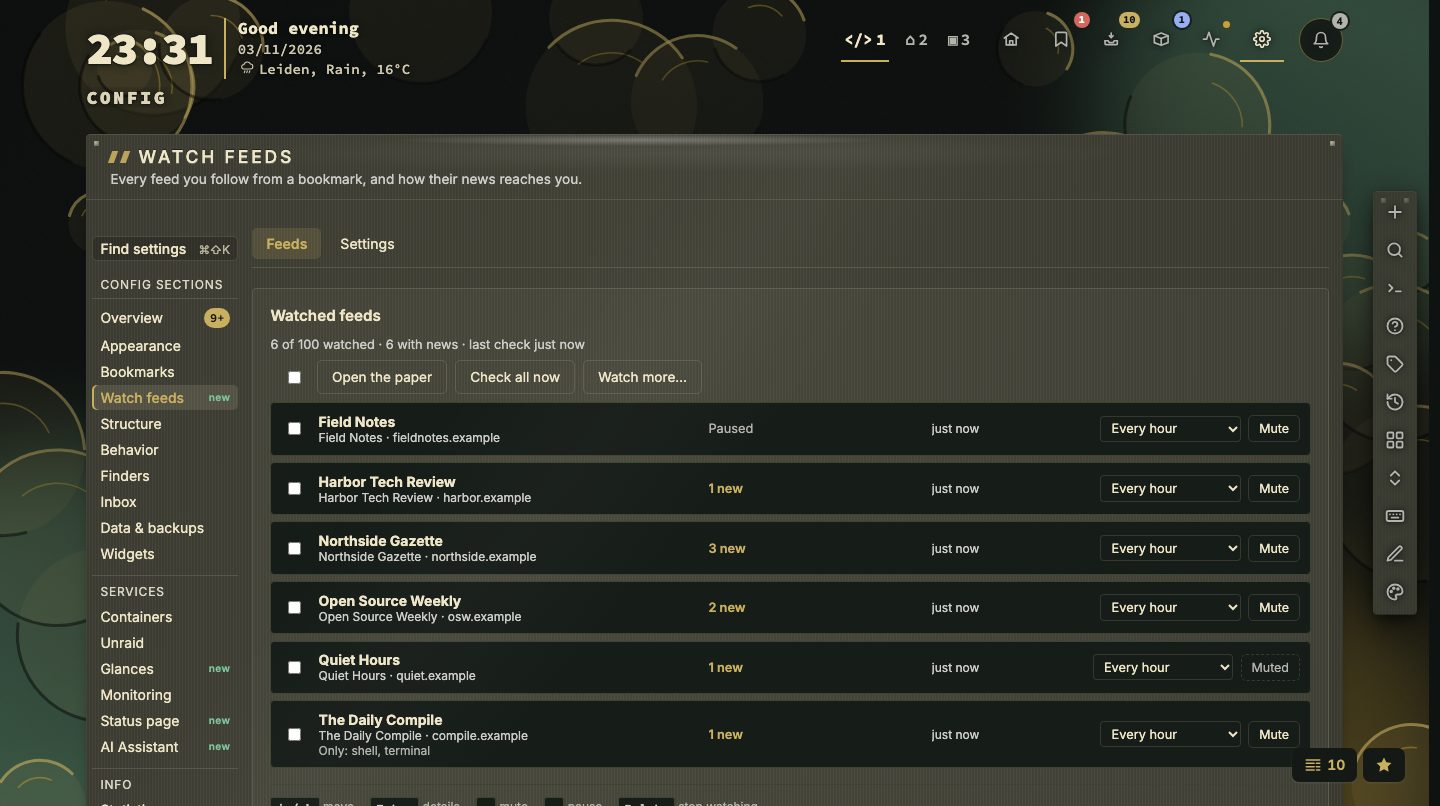
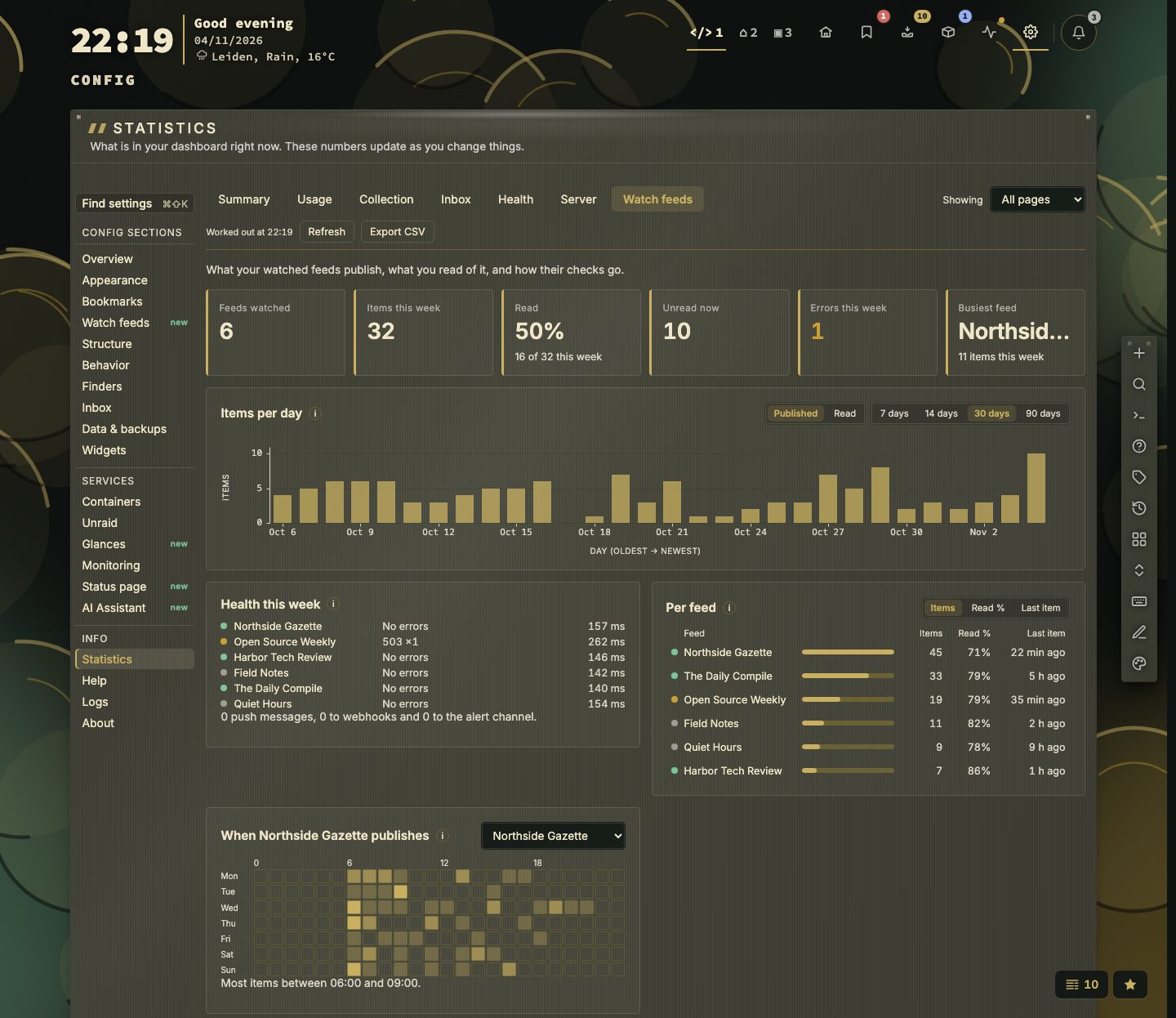
- Manage in one place. Config → Watch feeds has two tabs, like the other sections. Feeds lists every watched feed with its newest item; per feed you can mute it, pause it or set a word filter. Settings holds how long the news stays open, how it is shown, the feed icon, the statistics and the notifications (see What the settings do below). Stats → Watch feeds shows the numbers, with a period switch. Nothing is sent to anyone: nextDash only reads the feeds.
- What the settings do. On Config → Watch feeds → Settings:
- Keep the news modal open for — 15 minutes, 30 (the default), 1 hour or 2 hours; see When it goes away below.
- Count news as unread for — 4 hours, 8 hours, 1 day (the default), 2, 3, 7, 14 or 30 days; see When it goes away below.
- Show news as — Newspaper, Two columns or One column.
- Open the news when I come back to the tab (off) — when you return to the tab and a feed that is not muted has unread news, the news opens by itself, once per return. Never on a phone or tablet.
- Show a feed icon on watched bookmarks (on).
- Keep statistics about watched feeds (on) — counts what the feeds publish, what you read and how their checks go, for Stats → Watch feeds. Only numbers are kept, never titles or text. Keep daily numbers for takes 30 days, 90 days (the default) or 1 year; older days are added up per week and kept for two years, and a feed you stopped watching is forgotten 90 days after it stops. Reset feed statistics → Reset forgets every counted number, after asking; counting starts again from now.
- Notify when a watched feed has news (on) and Also send news to the alert channel (ntfy, Gotify, Discord…) (off) — the second sends the same news through the service set under Downtime alerts (Checks & health › Alerts).
- Mute on a feed (Bell and push in its detail, or the Mute button on its row) — a muted feed still counts and shows in the news window, but never lights the bell, sends the push or the alert channel message, and never opens the news on return.
- When it goes away. Opening the bookmark (or an article's headline) clears its count. The purple mark and the window close by themselves after 15, 30 (default), 60 or 120 minutes, counted from when the tab is in view; the news itself stays until you open the bookmark or until it is older than Count news as unread for: older news that nobody opened stops counting in the purple count, the preview card and the bell, and the news window shows it dimmed, as read, until newer news pushes it out (each feed keeps its ten newest).
status:watchedandstatus:unwatchedsearch for followed bookmarks. - What it keeps. The ten newest new items of each feed, with their text and picture, and 50 recent entries as short copies without pictures; the ids of the last 75 entries are remembered so nothing counts as new twice. A feed that fails five times in a row is paused and tried again once a day. Check watched feeds now polls them all at once.