Logs
Logs shows what the server has been doing, without shell access, and keeps an activity trail, a machine-readable record of the events you choose.
Config → Logs has two tabs.
Server logs
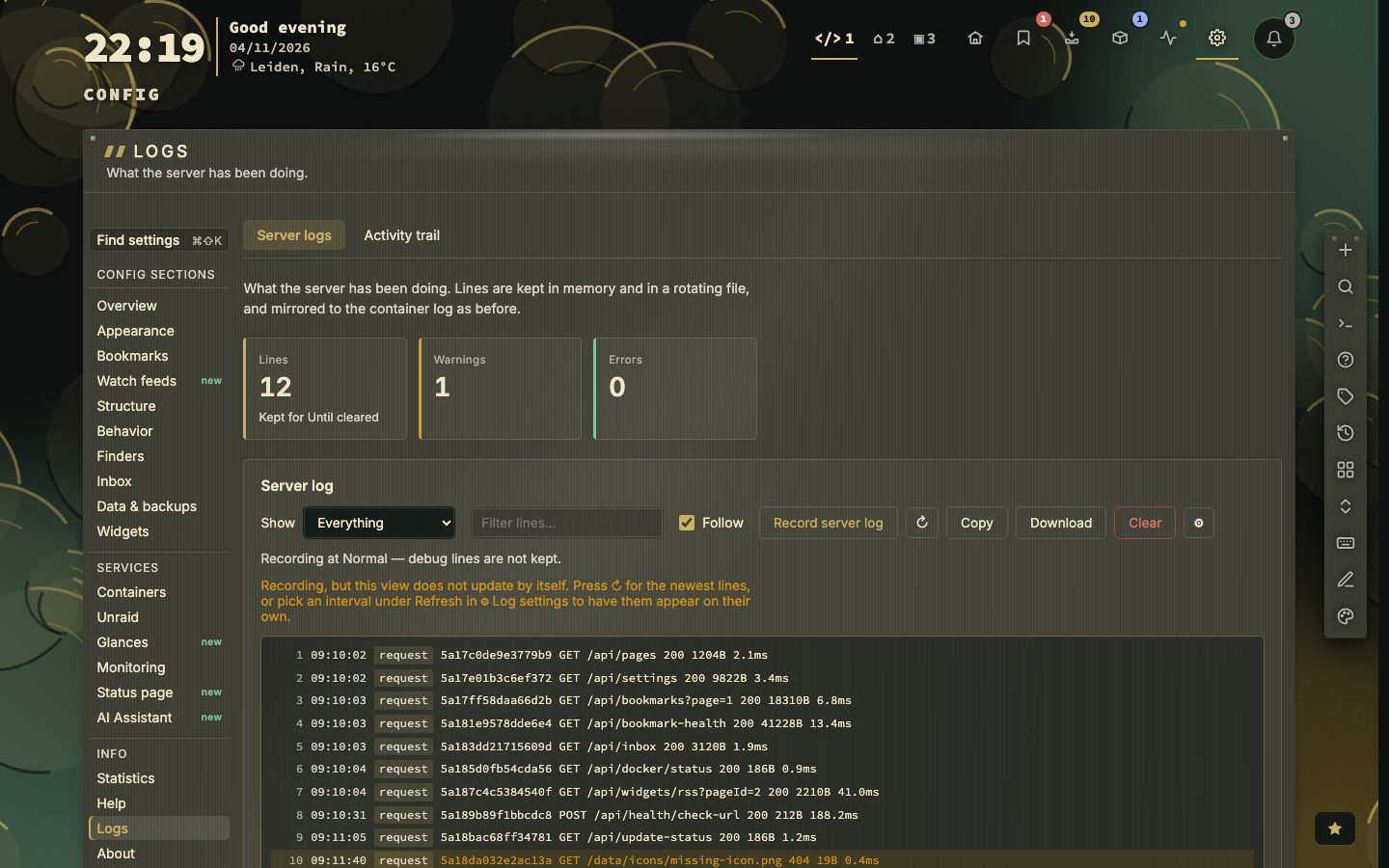
What the server has been doing — background jobs, imports, checks and every request — without shell access. Tiles show the number of lines, warnings and errors, and how long lines are kept; they stay out of the way until the log has a line.
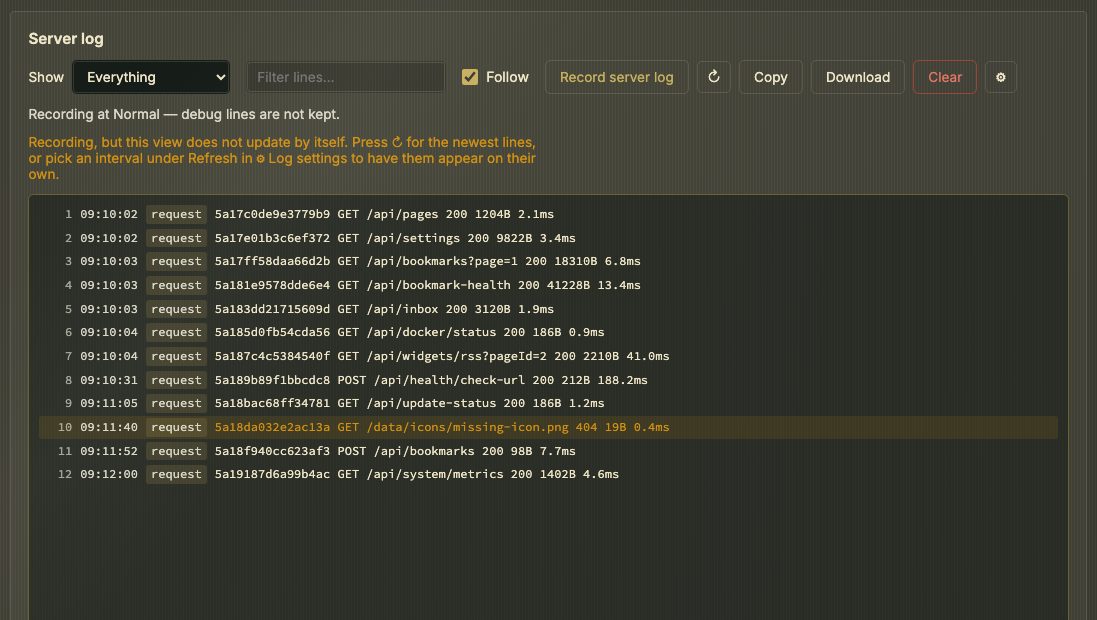
INFO   health   checked 110 bookmarks, 2 failed, 1.4s
WARN   archive  dash.example could not be saved: the page is behind a login
ERROR store bookmarks.json could not be written: no space left on device| Control | What it does |
|---|---|
| Record server log (toolbar) | Off by default. While off, nothing is captured and nothing is written. Turning it off keeps what was collected. |
| Detail level | Quiet (problems only), Normal (default) or Verbose (every step). Applies to the next line, here and in docker logs, without a restart. |
| Show | Everything, warnings & errors, errors only, or activity only. Only changes what you see; a note says which level is recording. |
| Search | On the message and the component, across the whole log |
| Keep the log | By age (1 hour to 30 days, or until cleared) or by number of lines (100–5000) — one or the other |
| Refresh | Off, or every 2, 5, 15 or 30 seconds while the tab is open |
| Follow | Keeps the newest line in view until you scroll up |
| Copy / Download | The lines to the clipboard, or the log as a .log file |
| Clear | Empties the log and deletes server.log and its rotated copies. Asks first. |
Every line carries its own sequence number from the server. With Refresh off, a note says the view does not update by itself; press ↻ for the newest lines.
Lines are kept in memory and in server.log in the data directory (2 MB, two rotated copies). The same lines go to stderr.
Anyone who can open config can read this log, including full webhook addresses where they were logged.
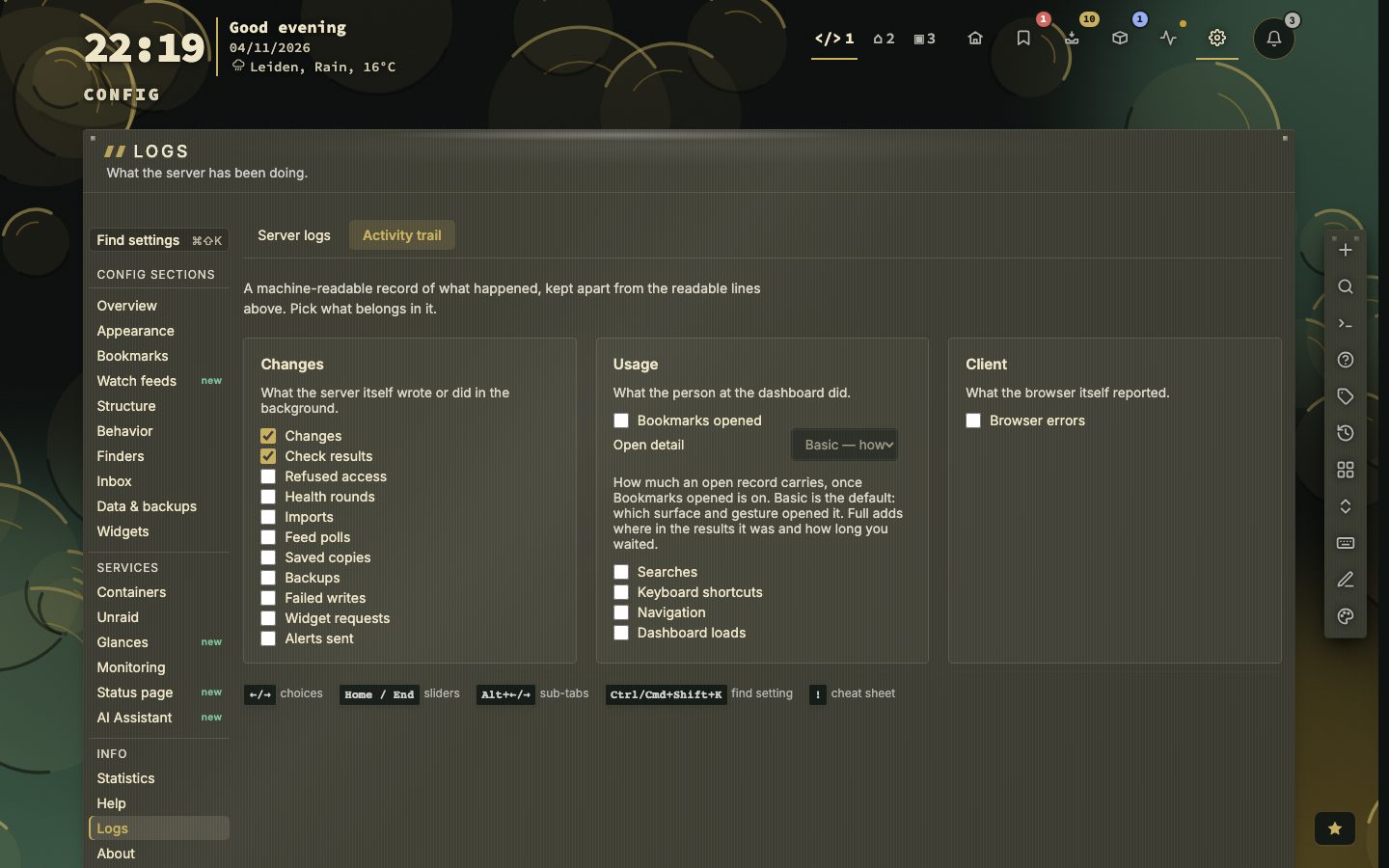
📷 Screenshot — Logs → Server logs, full page
Activity trail
The activity trail is a machine-readable record — one JSON line per event — kept apart from the readable log. Logs → Activity trail chooses what goes in.
| Group | Channels |
|---|---|
| Changes | Changes, Check results, Refused access, Health rounds, Imports, Feed polls, Saved copies, Backups, Failed writes, Widget requests, Alerts sent |
| Usage | Bookmarks opened, Searches, Keyboard shortcuts, Navigation, Dashboard loads |
| Client | Browser errors |
Changes and Check results are on by default; the rest are off. Open detail sets what a bookmark opened record holds: Off (just the open), Basic (how it was opened, the default) or Full (also its rank in the results and the wait). Reset panel restores the defaults.
{"ts":"2026-07-03T12:00:00Z","event":"bookmark.add","pageId":1,"name":"GitHub","url":"https://github.com","source":"dashboard"}The trail goes to the server log buffer (visible with Show → Activity only while collecting) and, with NEXTDASH_ACTIVITY_LOG_PERSIST=1, to activity.log. The container log gets a readable sentence for the same event. Verbose lines never enter the trail.
Environment variables set the same things for the whole server; a choice made in the app wins over them:
NEXTDASH_ACTIVITY_LOG=mutate,status,security      # channels, or off
NEXTDASH_ACTIVITY_LOG_PERSIST=1                    # write data/activity.log
NEXTDASH_ACTIVITY_LOG_FILE=/path/to/activity.log
NEXTDASH_ACTIVITY_LOG_FORMAT=json                  # text (default) or json on stdout
NEXTDASH_ACTIVITY_LOG_URLS=host                    # full (default), host or off
NEXTDASH_ACTIVITY_LOG_SAMPLE=open=0.1,keys=0.25    # sampling per channel
NEXTDASH_ACTIVITY_LOG_MAX_AGE_DAYS=30              # delete old rotated files
NEXTDASH_ACTIVITY_OPEN_DETAIL=basic                # off, basic or full
NEXTDASH_LOG_LEVEL=info                            # error, warn, info or debug
Channel names: mutate, status, security, health, sources, feeds, archive, backup, store, widgets, notify, open, search, keys, nav, session, clienterror. Status checks for the same URL and result are logged once per ten minutes. URLs and searches can appear in the trail; treat the files as private.
📷 Screenshot — the activity trail channels