Features
Everything nextDash can do, one page per feature. Pick one to see it in action.
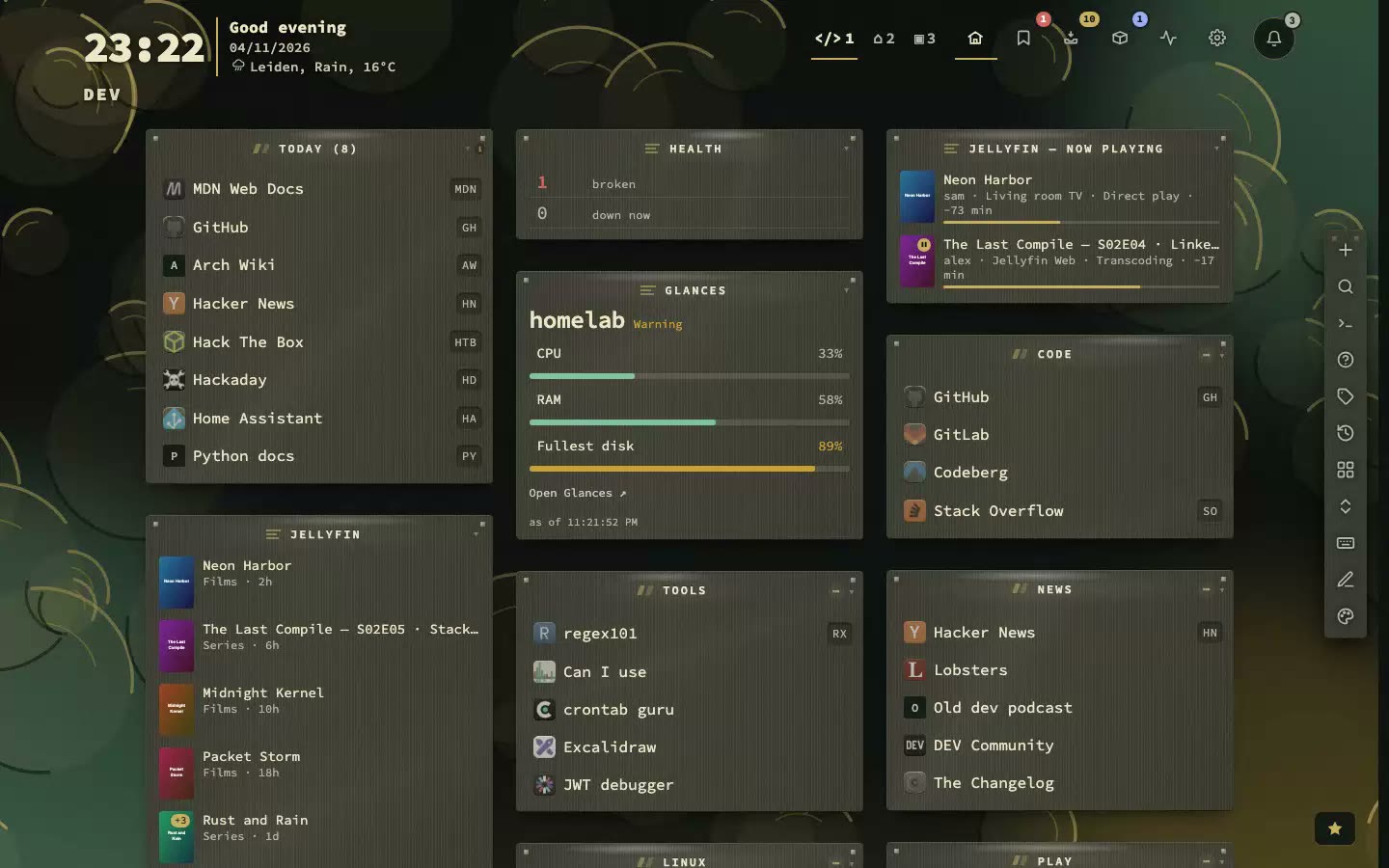
nextDash is a self-hosted dashboard for your bookmarks and the services you run, in one container, one folder and one port. It keeps your links, tells you when one breaks, and shows your containers, machines and media beside them, with the keyboard as the fastest way around. Each page here explains one part in plain words, with real screenshots and a short loop. Start with Basics for the dashboard and for finding and keeping links, go on to Self-hosting for monitoring, containers and widgets, and read Trust for what leaves your server and how to run it safely. Every page ends with a link to the docs chapter that has the detail.
How it fits together
- 1Collect your links: add, import or capture them
- 2Keep them healthy: checks, alerts and an inbox
- 3Watch your server: containers, Glances, Unraid and widgets
- 4Find anything: one search, a command for every action
- 49feature pages
- 63widget kinds
- 223theme families
- 285backdrops
- 6languages
- 8webhook events
Choosing a dashboard
Weighing nextDash against another dashboard?
We put it next to Homarr, Homepage, Glance, Dashy, Heimdall and Homer, row by row, with what the others do instead and where they are the better choice.
New in the last six weeks
All 49 featuresFeatures that first shipped since 11 October, newest first.
 New
Phone layout
since v1.29 · 13 Nov A tab bar, a Status screen with a pause for notifications, and a short menu on a long press.
 New
Page margins and columns
since v1.28.2 · 12 Nov Seven page margins, up to eight columns, and a page that fills a wide screen.
 New
Network tests
since v1.28 · 10 Nov Test a bookmark’s own host: the port, a ping, DNS records, the certificate, an HTTP answer, a value in JSON. Once, or on a schedule.
 Recent
The notifications bell
since v1.26 · 5 Nov Questions, notices and two tips a day wait in one bell instead of popping up over your work.
 Recent
Watch feeds
since v1.24 · 2 Nov Follow the feed of any bookmark and read what is new in a paper of its own.
 Recent
Assistant and MCP
since v1.23 · 30 Oct Ask in plain words. Changes wait for your click. Your own key, or your own model.
 Recent
Glances
since v1.21 · 23 Oct One machine as Glances sees it, with a record of thirty days.
 Recent
App discovery
since v1.19.9 · 17 Oct nextDash finds the apps in your containers and offers them as bookmarks.
 Recent
Tag view
since v1.19.6 · 14 Oct Every bookmark with a tag, from every page, in one table: any tag or every tag, a tag for a whole selection.
 Recent
Appearance
since v1.19.7 · 14 Oct Every setting for the look, in nine tabs, with a preview that follows along.
 Recent
Media widgets
since v1.19.4 · 12 Oct What was added, what is coming, who watched, which subtitles are missing, how your indexers do and your photos from Immich.
 Theme gallery446 dashboards: every theme in dark and light, with the backdrop it comes with. Search for a theme by name.Browse the gallery →
Basics
The everyday part: the dashboard, saving and finding bookmarks, tags, pages, themes and the keyboard. Start here if you have just installed nextDash. Every page shows the feature in a real screen, and most have a short loop that plays when you point at the card.
 The dashboard
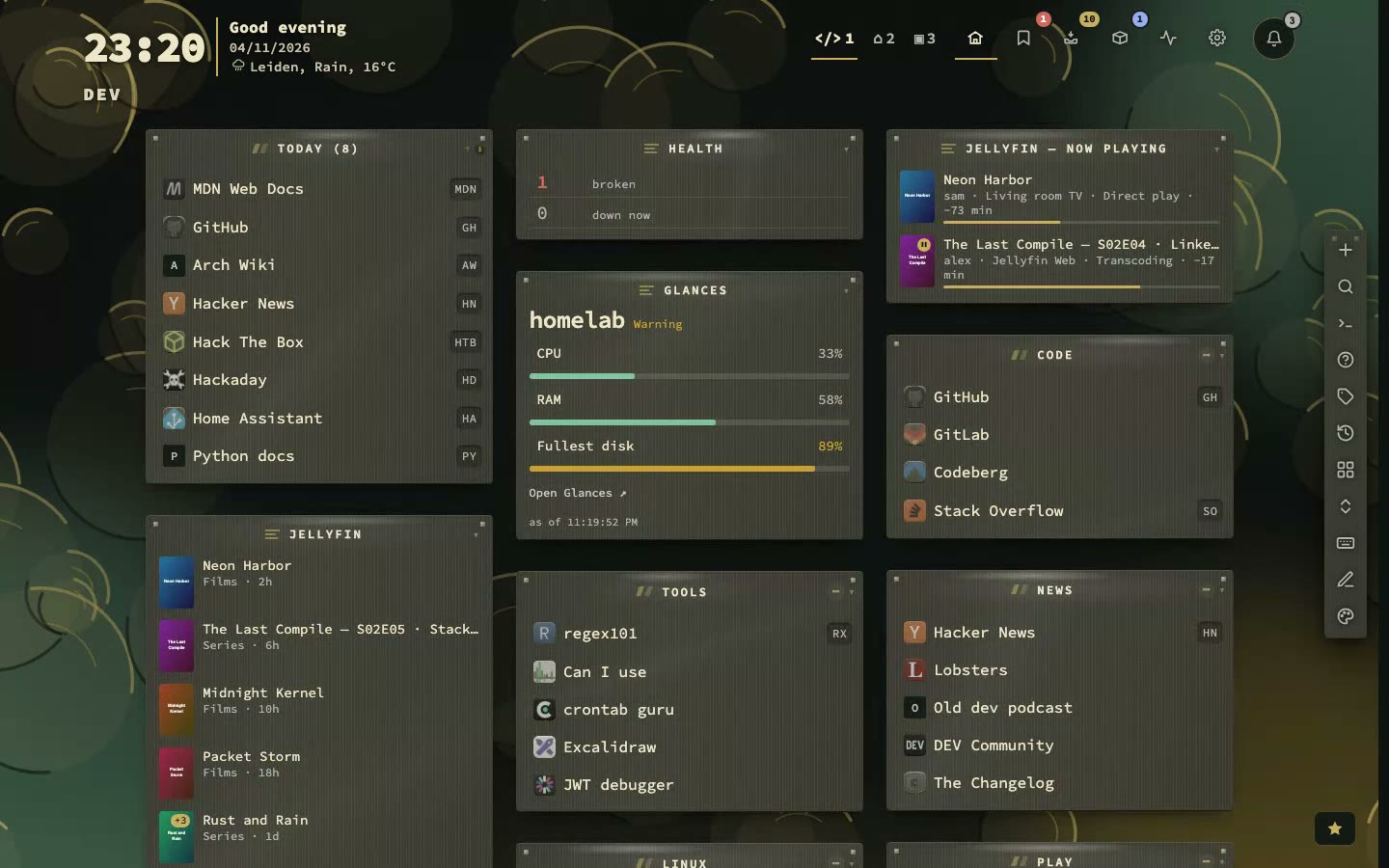
Your start page: a header with clock and weather, categories and widgets in columns, and edit mode in one key.
 Install
One container, one folder, one port.
 Keys
Run your whole start page from the keyboard.
 Find
Search bookmarks, tags and commands from one box.
 Capture
Save a link in seconds, from wherever you are.
 Bookmarks view
since v1.15 · 28 Sep Every bookmark from every page in one list: filter, select several, edit in a side panel and work through what needs a decision.
 Tags
Free labels, a view per tag, and suggestions that wait for your click.
Recent
Tag view
since v1.19.6 · 14 Oct Every bookmark with a tag, from every page, in one table: any tag or every tag, a tag for a whole selection.
 Pages and categories
Shape your collection: pages as tabs, categories as blocks, sorting, folding, spreading, and deleted pages that come back.
 Collections
The dashboard reorganises itself around what you do.
 Inbox
A holding area for links worth keeping.
Recent
The notifications bell
since v1.26 · 5 Nov Questions, notices and two tips a day wait in one bell instead of popping up over your work.
New
Phone layout
since v1.29 · 13 Nov A tab bar, a Status screen with a pause for notifications, and a short menu on a long press.
 Widgets
since v1.4 · 27 Aug A block on your page can hold more than links.
Recent
Watch feeds
since v1.24 · 2 Nov Follow the feed of any bookmark and read what is new in a paper of its own.
Recent
Appearance
since v1.19.7 · 14 Oct Every setting for the look, in nine tabs, with a preview that follows along.
 Theme studio
since v1.16 · 2 Oct Try 446 themes live on your own dashboard.
 Looks
since v1.16 · 2 Oct Pick a look, tweak it, and make it yours.
New
Page margins and columns
since v1.28.2 · 12 Nov Seven page margins, up to eight columns, and a page that fills a wide screen.
 Behavior
How nextDash acts: shortcut typing, search, links, privacy and first-run tips.
 Finders
Search any other site from the keyboard: a question mark, a short code, your words.
 Settings and search
Find any setting by what it does, see what you changed, and move around Config by keyboard.
 Recent bookmarks and usage
See what you opened lately, how often, and let search learn your habits.
 Notes and the weekly digest
Say why you kept a link, and get one message a week about what needs you.
 Six languages and text size
English, Dutch, German, French, Spanish and Chinese, plus text size and row density.
 Browser extension
Save the page you are on from the toolbar, to your own server.
 Phones and the installed app
One column, swipes and long-press editing; install it and share links to it.
 Moving blocks
since v1.18 · 8 Oct Rearrange categories and widgets by dragging or with the keyboard.
 Page templates
since v1.17.2 · 5 Oct Share a page as a file, or start one from a template.
 Notes and QR codes
since v1.17 · 3 Oct A notes tile on your page, and a QR code to open a link on your phone.
Self-hosting
For people who run servers: checks and alerts when something breaks, the Containers view, Glances, Unraid, widgets for the services you run, backups and statistics of your own use. Looking is the default; acting on a container needs a switch you set yourself.
 Containers
since v1.15 · 28 Sep See and follow your Docker containers next to your bookmarks, and read, edit and run their compose stacks.
Recent
App discovery
since v1.19.9 · 17 Oct nextDash finds the apps in your containers and offers them as bookmarks.
 App icons
since v1.17 · 3 Oct Your services get their real icons.
 Unraid
since v1.17 · 3 Oct Your array at a glance, without opening Unraid.
Recent
Glances
since v1.21 · 23 Oct One machine as Glances sees it, with a record of thirty days.
Recent
Media widgets
since v1.19.4 · 12 Oct What was added, what is coming, who watched, which subtitles are missing, how your indexers do and your photos from Immich.
 Custom widgets
since v1.4 · 27 Aug Your apps at a glance: AdGuard, Sonarr, SABnzbd, Jellyfin and more.
 Health
Find dead links before you need them.
 Alerts
Hear about downtime, on your terms: channels, quiet hours, reminders.
 Status page
since v1.19 · 10 Oct A read-only page for the people who use your services.
 Copies
since v1.4 · 27 Aug Keep a copy of a page, in case it disappears.
 Statistics
See what you have, what you use, and what needs attention.
 Data
A folder of JSON files you can read and take with you.
 Backups and import
Weekly backups, a 30-day trash, and import and export for any browser.
 The server log
Read what the server is doing, in the app: levels, filters and an activity trail.
 Config
What you set at startup, and what lives in the app.
Recent
Assistant and MCP
since v1.23 · 30 Oct Ask in plain words. Changes wait for your click. Your own key, or your own model.
New
Network tests
since v1.28 · 10 Nov Test a bookmark’s own host: the port, a ping, DNS records, the certificate, an HTTP answer, a value in JSON. Once, or on a schedule.
Trust
What leaves your server, who can write to it, and how to run it safely. Nothing is sent anywhere until you switch a feature on, and each page says what goes where.
