visitor@nextdash: ~/pages — Moving blocks – nextDash 24 posts

nextDash

Latest version on GitHub is v1.19.8

Your bookmarks. Your terminal. Your rules.

visitor@nextdash:~/pages$ less move-blocks.md

-rw-r--r-- move-blocks.md new in v1.18.0

Moving blocks

Rearrange categories and widgets by dragging or with the keyboard.

  • Up From the top row, step onto the block title
  • Tab From the title to its //
  • Space Pick the block up, and put it down
  • Left/Right Move the block while it is picked up
  • W Make it wide while dragging

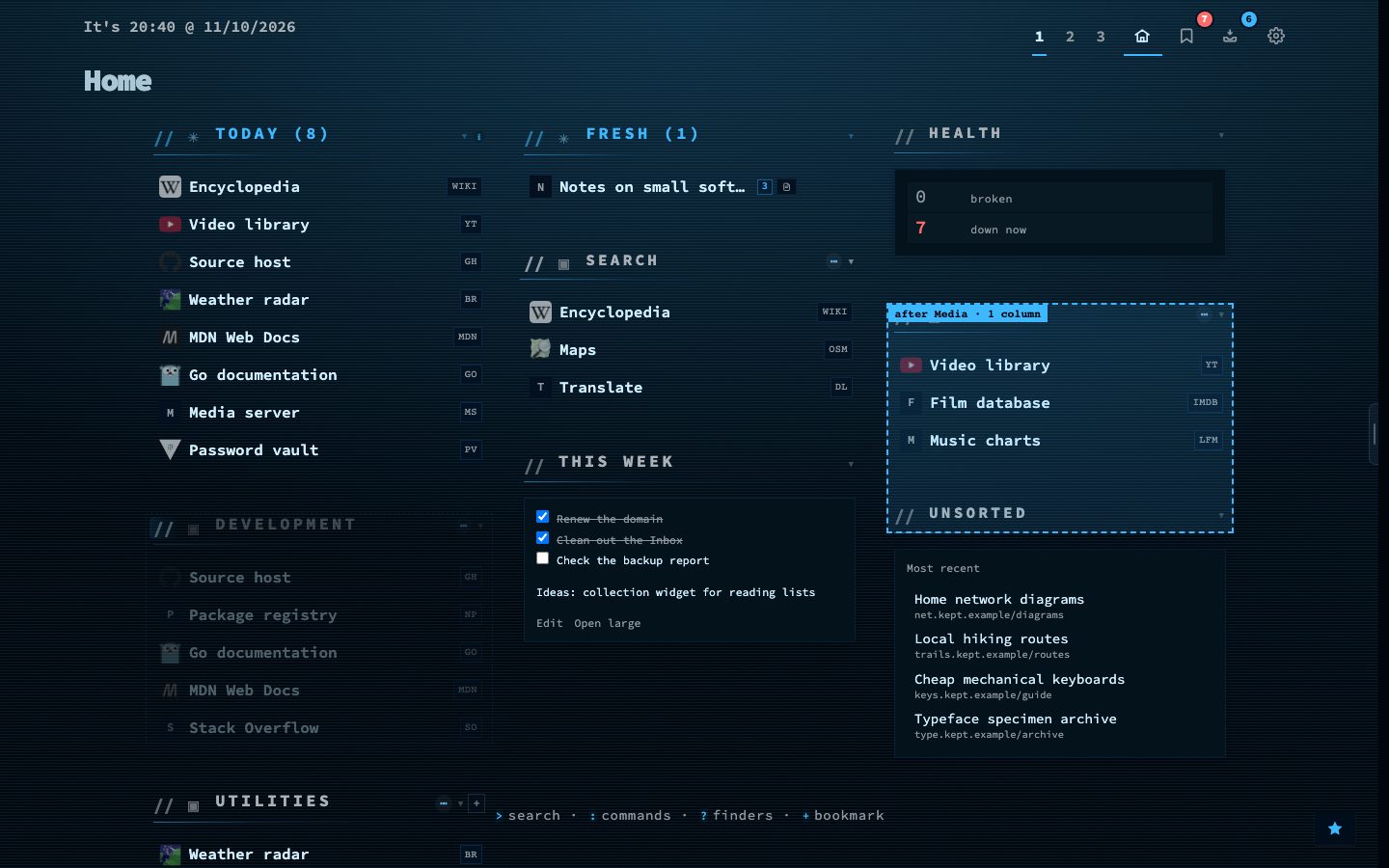
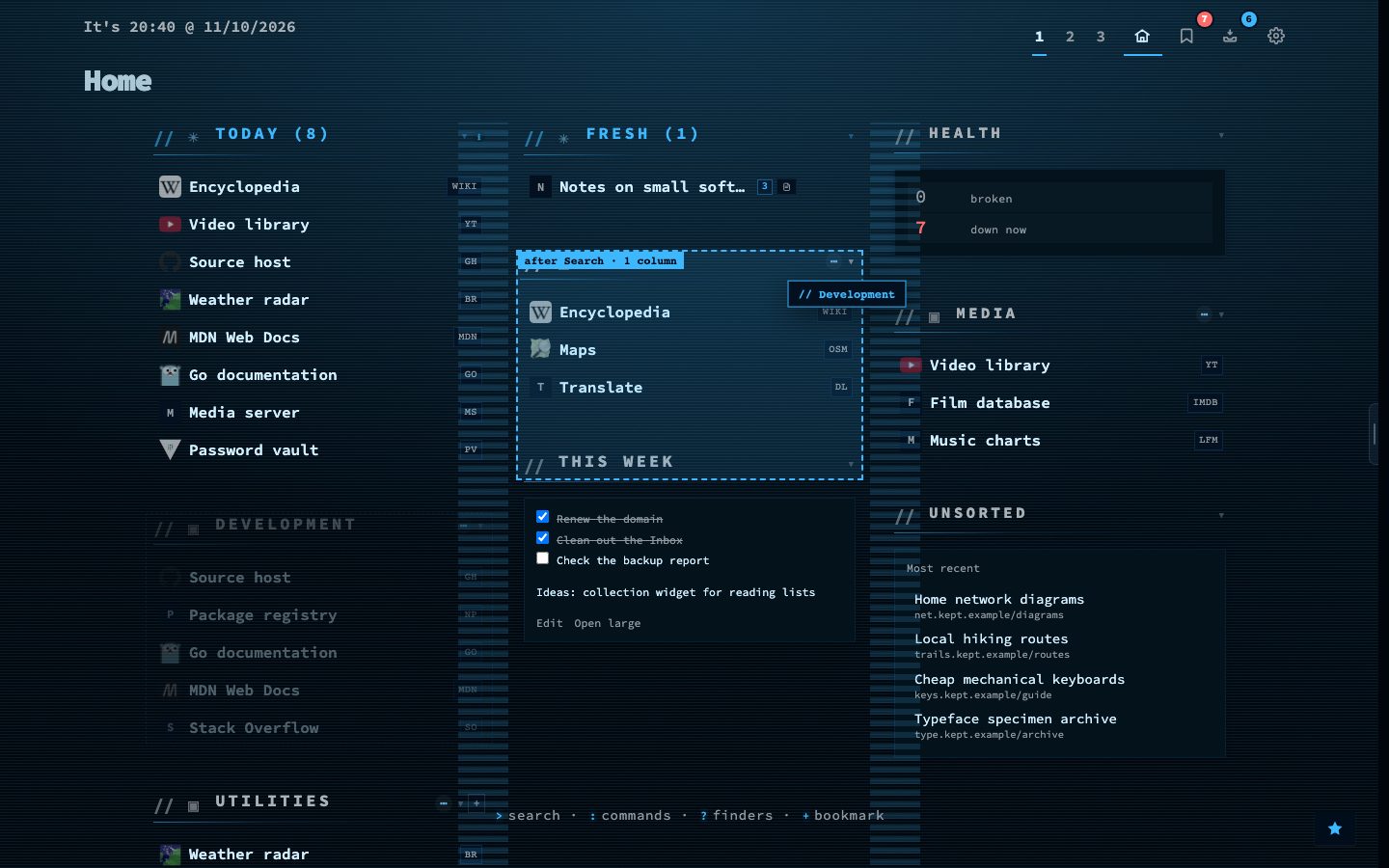
Categories, widgets and collections move on the dashboard itself. Drag the // before a block title and the page holds still: a dashed box shows where the block will land, with a label such as “after Media, 2 columns”. Drop it on the line between two columns to make it wide, or press W or Shift while dragging.

The keyboard can carry a block too. Press the up arrow on the top row to step onto the title, Tab to reach the // and Space to pick the block up. A block can also move to another page, with an Undo.

Try it

  1. Drag the // before a category title and watch the dashed box.
  2. Drop it, then use Undo if you change your mind.
  3. Or step onto a title with ↑, press Tab and Space, and move it with the arrows.
Dragging a block with a landing box
Mid-drag: the dashed box shows where the block lands.
Moving a block with the keyboard
The same move, carried with the keyboard.

● online uptime 76d 24 posts utf-8 wp 7.1.3