Watch feeds
Newsince v1.24 · 2 Nov
Follow the feed of any bookmark and read what is new in a paper of its own.
- # Watch this feed on the selected bookmark
- j / k Next and previous article in the news window
- Esc Back to the index, then close
Follow the news feed of any site you keep a bookmark to. When it publishes something, its row on the dashboard gets a stripe, a count and the newest headline, and a small paper of its own opens to read it in. Nothing is followed until you ask, and nothing leaves your server but the request for the feed.
Try it
- Right-click a bookmark and choose Watch this feed…, or press # on it. nextDash lists the feeds the page advertises; tick one or paste an address, and pick how often to check.
- The same choice is a Watch feeds row in the bookmark form, saved together with the bookmark.
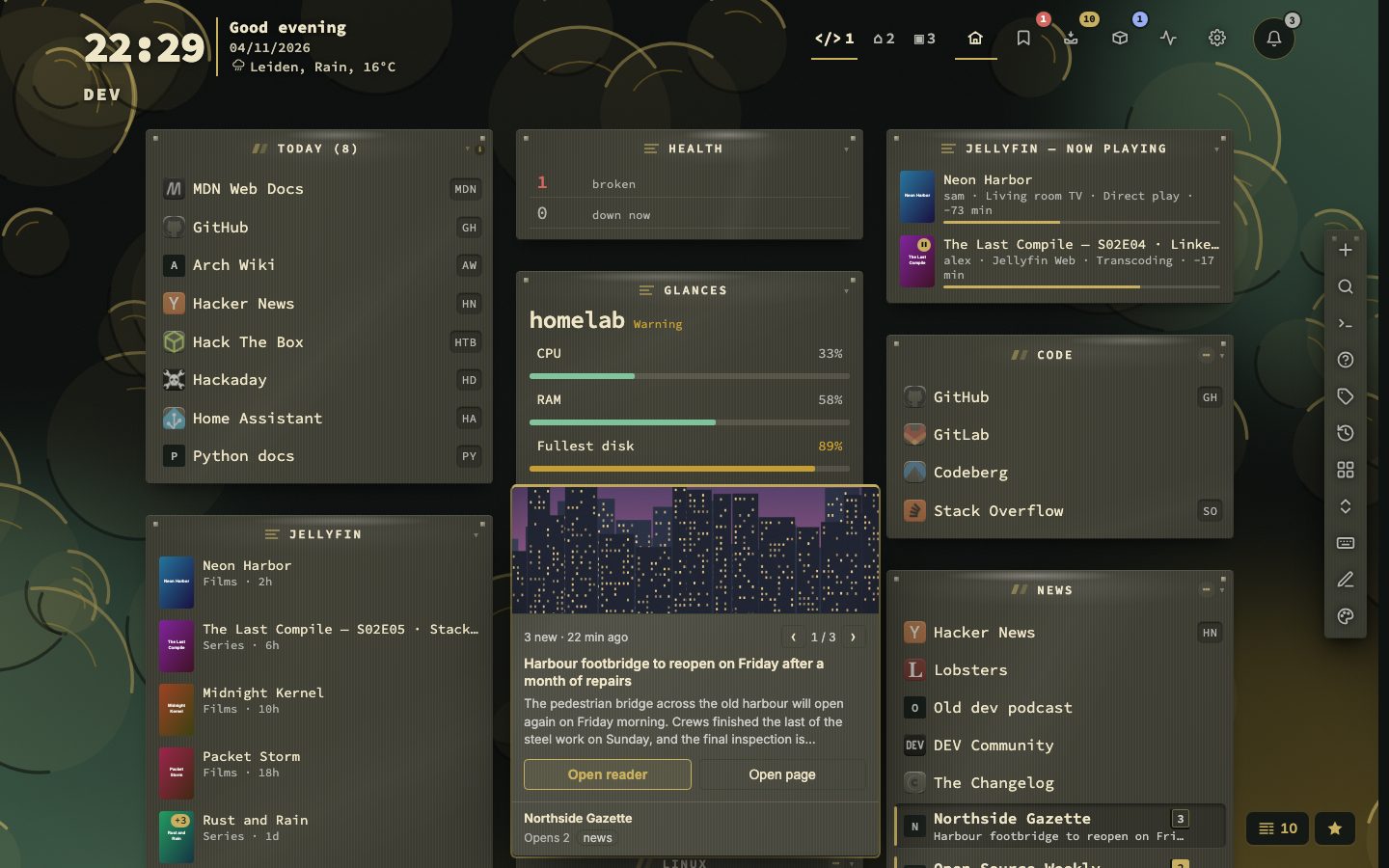
- When something new arrives, hover the row. The card shows the newest item with its picture; the arrows page through up to three.
- Press Open reader. Use j and k for the next and previous article and Esc to step back and close.
News on the row
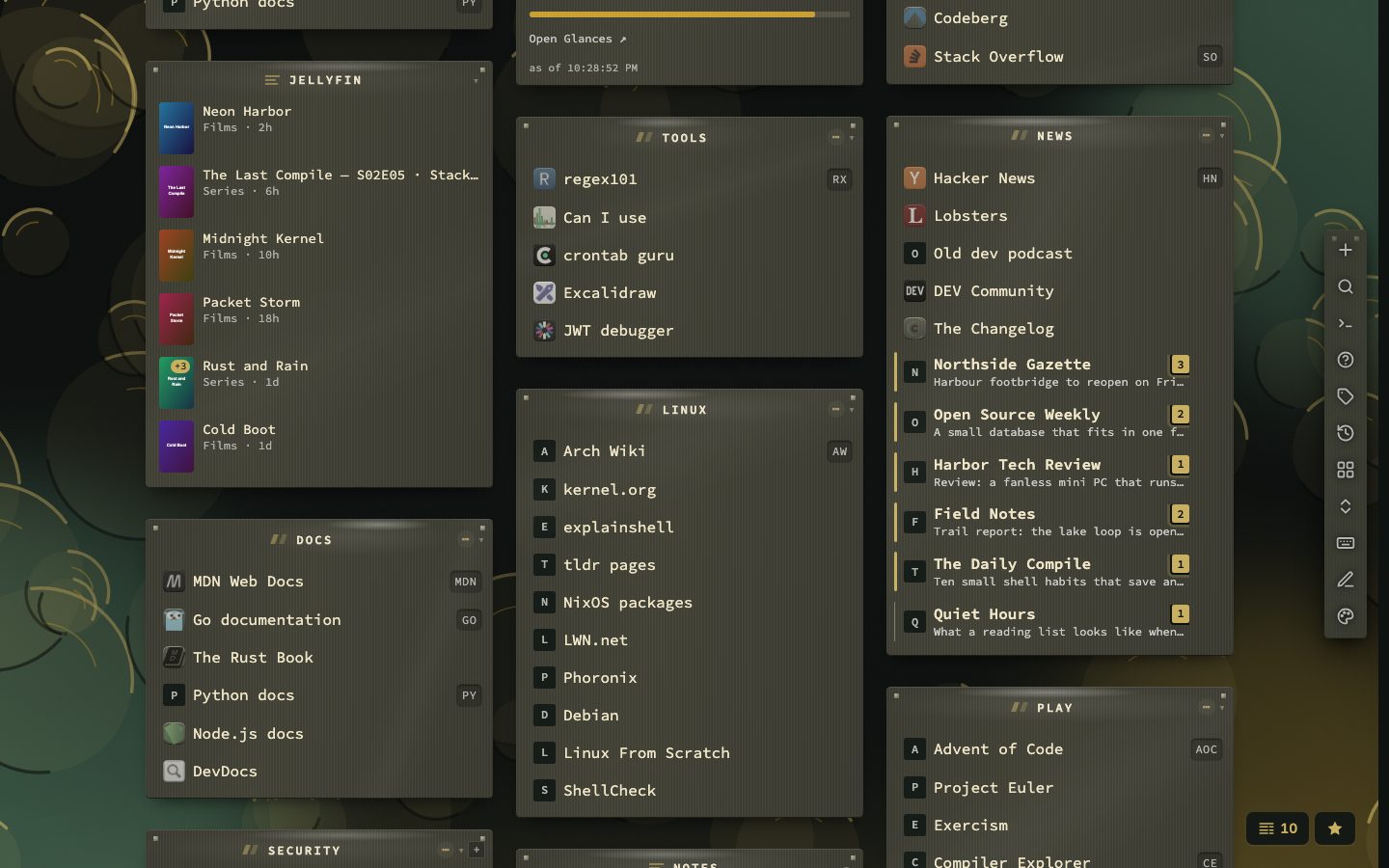
A bookmark with news gets a pulsing count (from ten items on it reads 9+). One row in the notifications bell covers all sites and is updated in place, the browser tab title shows a count, and a push notification can tell you when the dashboard is closed. Hovering shows the newest item with its picture, Open reader and Open page, and a pager that pages through up to ten items and says how many are unread in all (1 / 10 · 25 new). In the phone layout there is no hover card: tap the badge and a popover opens under it with the newest headlines.
A paper to read it in
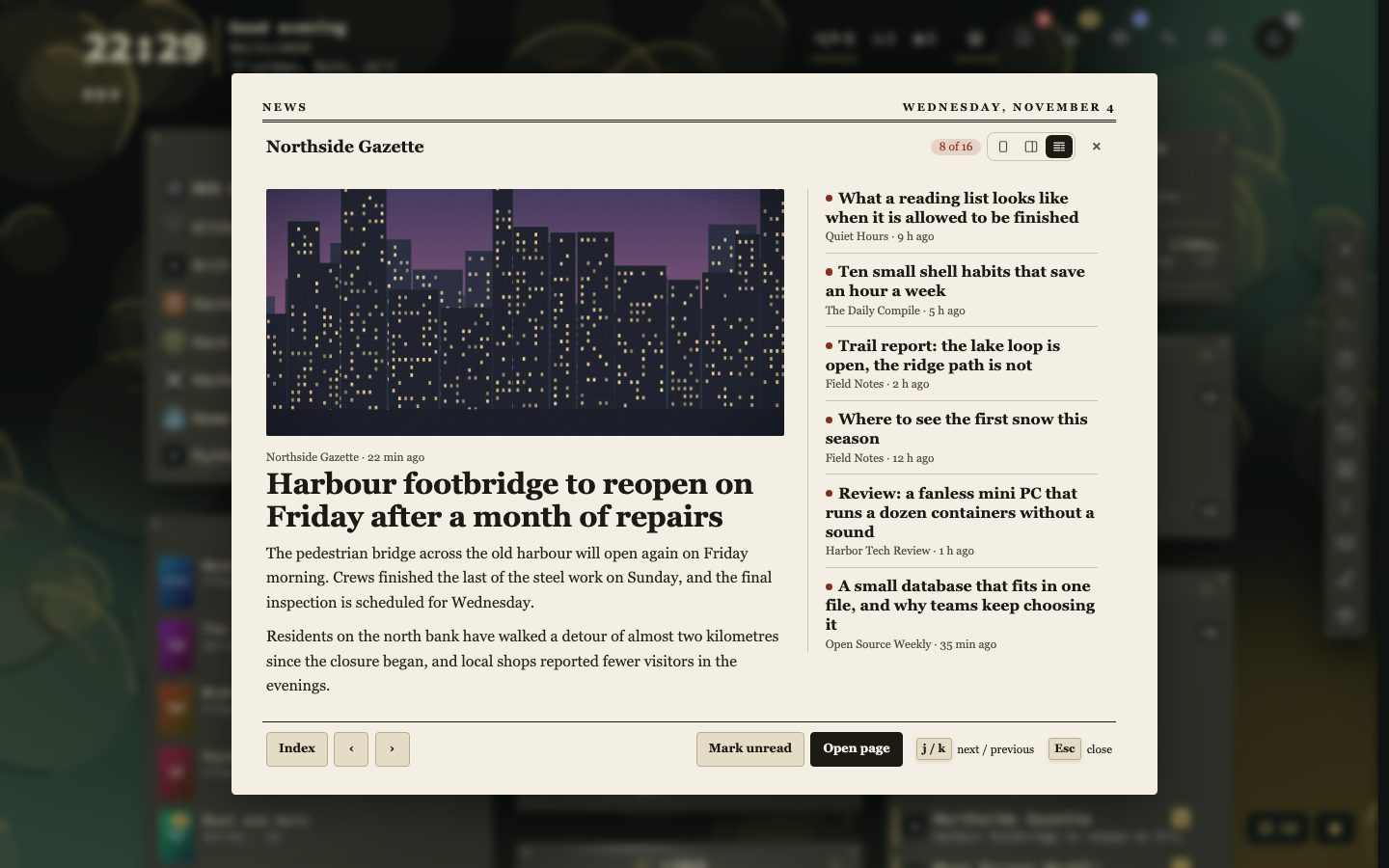
The news window opens on an index of every new item, followed by the feeds’ earlier entries. Under Bookmarks, Watch feeds, Show news as, or with the three buttons in its header, choose a newspaper front page (the default), two columns or one column. Opening an article or the bookmark clears its count. The purple mark and the window close by themselves after 15, 30, 60 or 120 minutes, and the news stays until you open the bookmark. Count news as unread for (4 hours to 30 days, 1 day by default) sets how long news that nobody opened keeps counting: older news leaves the count, the hover card and the bell, and the news window shows it dimmed.
One list for all of them
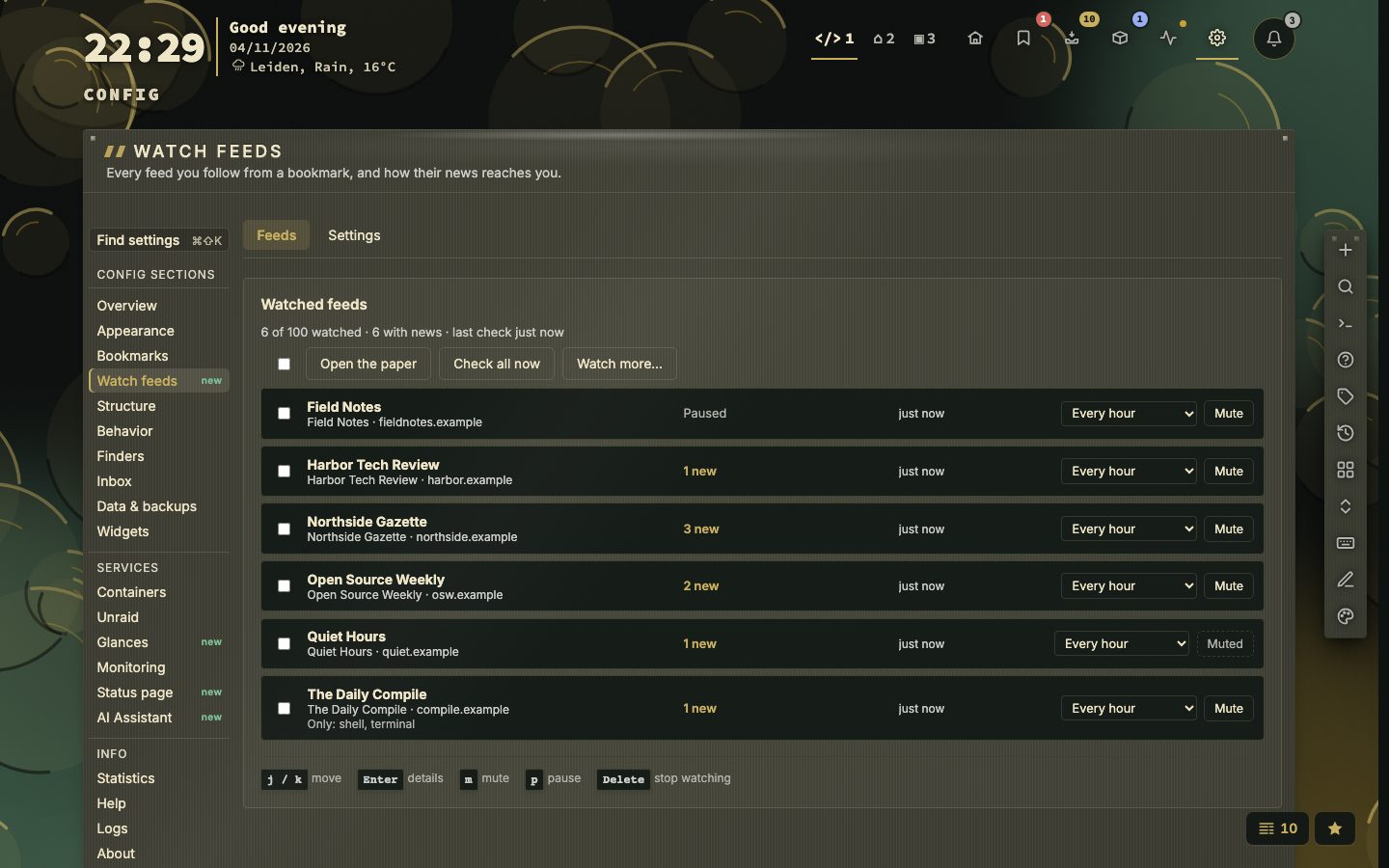
Config, Watch feeds lists every watched feed with its count, its last check and its interval (30 minutes to 24 hours). Mute a feed, pause it, give it a word filter, check all of them now, or press Watch more to see the sites that have a feed first. Up to 100 feeds can be watched, and a feed that fails five times in a row is paused and tried again once a day.
What it adds up to
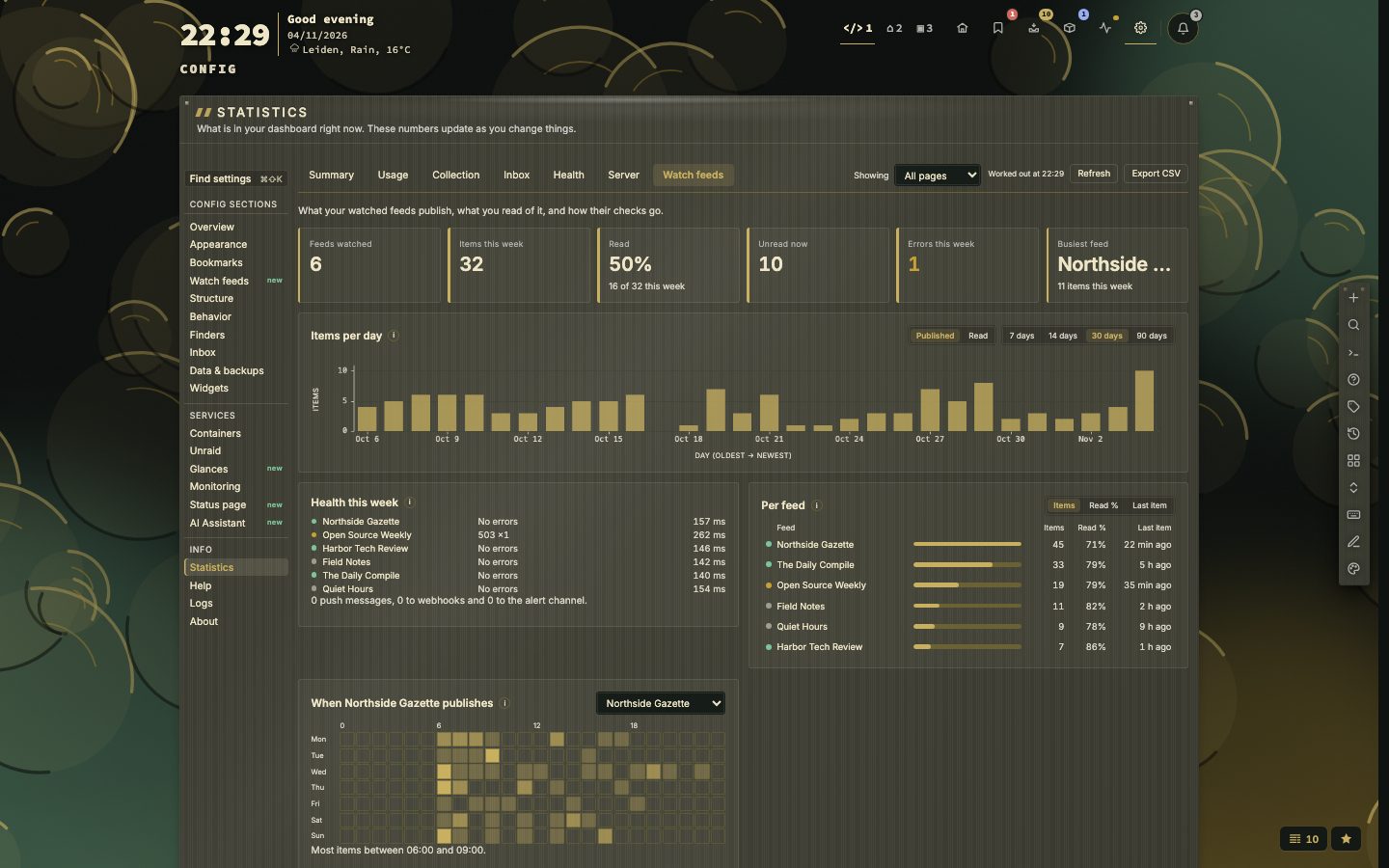
Statistics has a Watch feeds tab with the items per day, how much of it you read, which feed is busiest, and how each check went, per feed. Only counters are kept: no titles and no text.
What it keeps
For each feed the ten newest new items with their text and picture, and 50 recent entries as short copies without pictures. The ids of the last 75 entries are remembered so nothing counts as new twice. Search finds followed bookmarks with status:watched and the others with status:unwatched. Watch feeds replaces the older Fresh feature. The manual covers it in chapter 12, Checks and health.