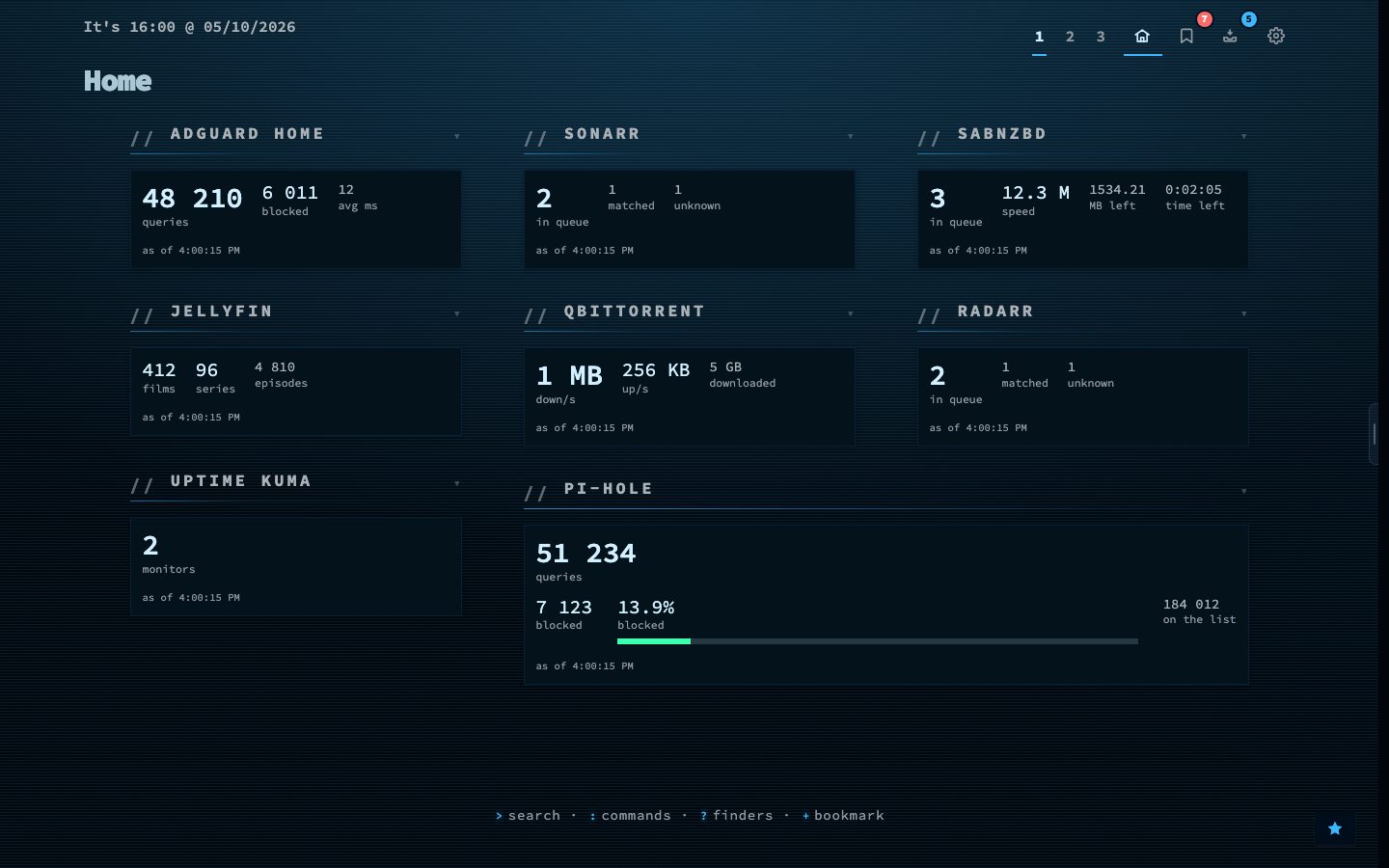
The Custom widget turns what a service already reports into a tile on your dashboard. Pick one of 41 ready-made services, give it the address and, where needed, a key, and the tile shows the numbers that matter: queue size, blocked queries, who is watching, what is downloading.
Services come in groups. Media: Sonarr, Radarr, Lidarr, Readarr, Prowlarr, Bazarr, Overseerr, Tautulli, Jellyfin, Plex, Immich, qBittorrent, SABnzbd and NZBGet. Network: Pi-hole, AdGuard, Traefik, Speedtest Tracker, Nginx Proxy Manager and Tailscale. System: Proxmox, TrueNAS, Glances, Syncthing and Duplicati. Monitoring: Uptime Kuma, Gatus, Beszel, Netdata, Scrutiny and Healthchecks. And Nextcloud, Paperless, Home Assistant, Grafana and ntfy.
It signs in for a token where a service hands one out, can count the entries in an answer, and shows percentages on the right scale. Not on the list? Point it at any address that answers with JSON and choose the fields to show.
Try it
- Open Config, then Widgets, and add a Custom widget.
- Pick a service, for example AdGuard or Sonarr.
- Fill in the address and key, test it, and place the tile on a page.