Media widgets
Recentsince v1.19.4 · 12 Oct
What was added, what is coming and what is playing, from your own servers.
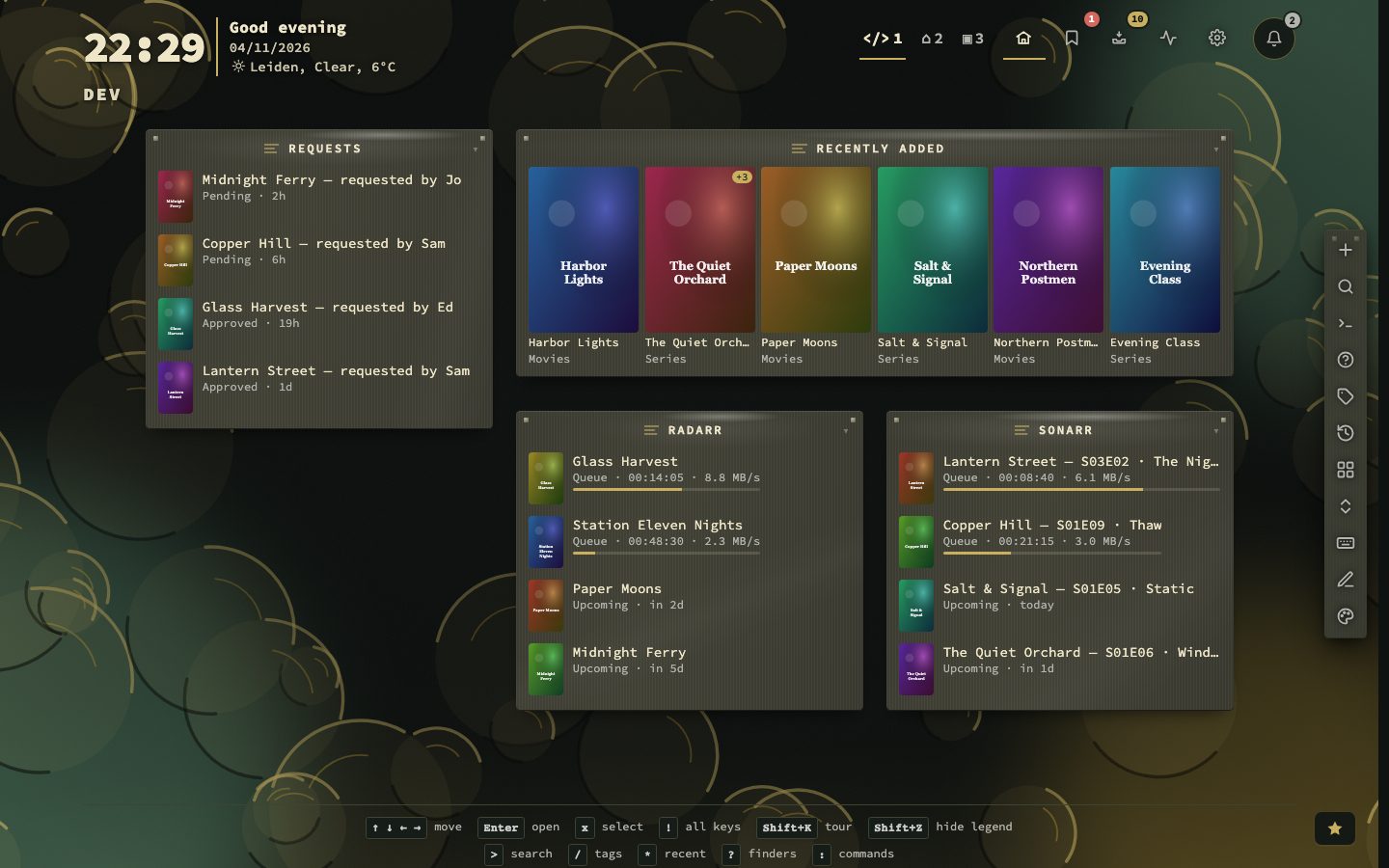
Media widgets put your media servers on the dashboard, with the posters from your own library. Jellyfin, Emby and Plex (read through Tautulli) show what was added lately. Their now-playing tiles show who is watching what, and how far along they are.
Sonarr and Radarr show the episodes and films coming up in the next days, and what is downloading. Seerr shows the requests in Overseerr or Jellyseerr, with who asked and whether they arrived.
The keys stay on the nextDash server. The tiles and their posters come through it, so the browser never talks to your media servers. When a server cannot be reached, its tile keeps the last list and says how old it is.
Try it
- Open Config, then Widgets, and add a widget to a page: Jellyfin, Sonarr, Seerr or another media kind.
- Fill in the server’s address and its API key, and press Connect.
- Choose a layout: list, strip, hero or grid.
Downloads and the house
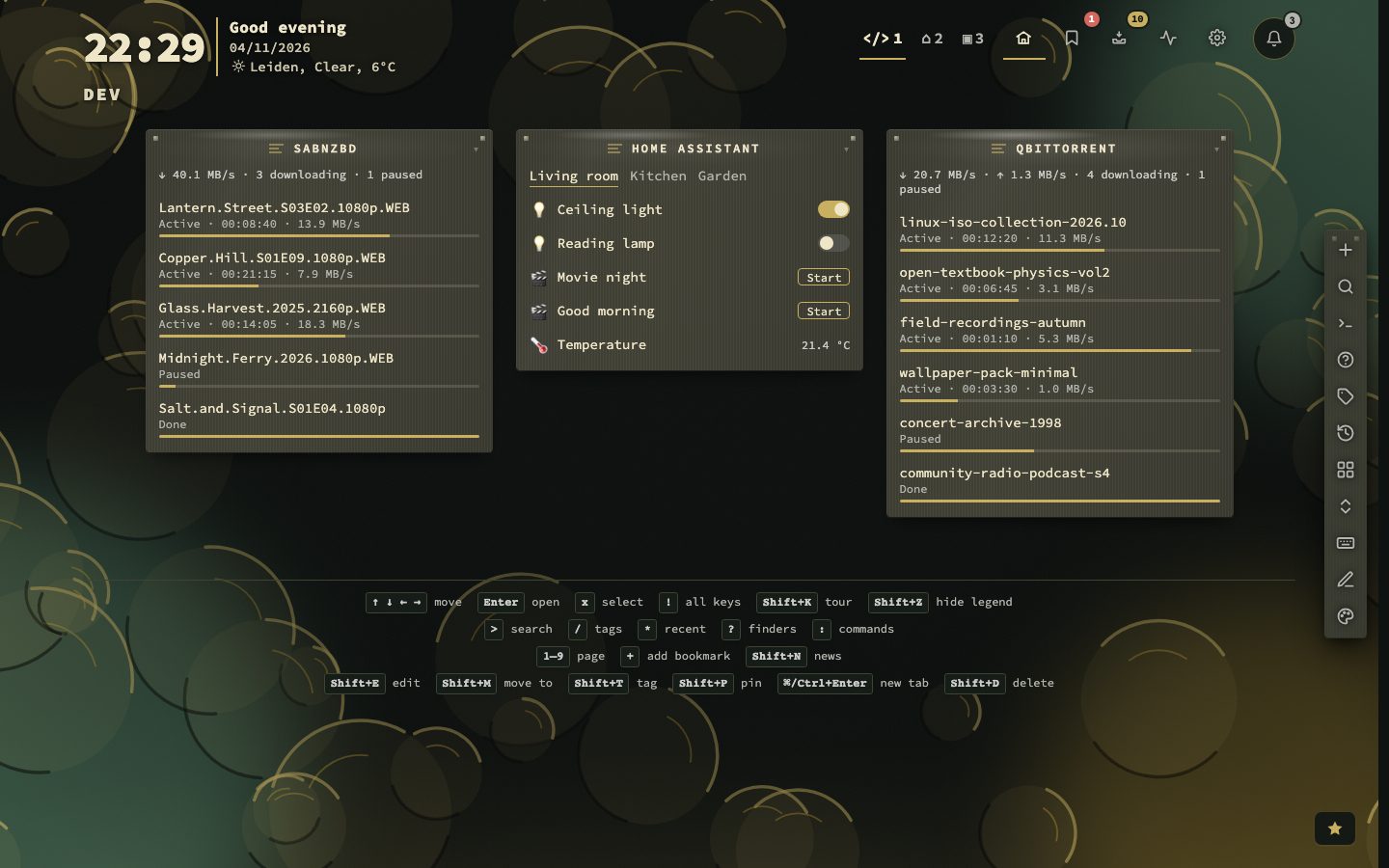
qBittorrent and SABnzbd show what is downloading, paused and done, with progress, speed and time left, as one list or a tab per part. Home Assistant shows the entities you choose, and switches lights, switches, fans, scenes and scripts from the tile.
Setting one up
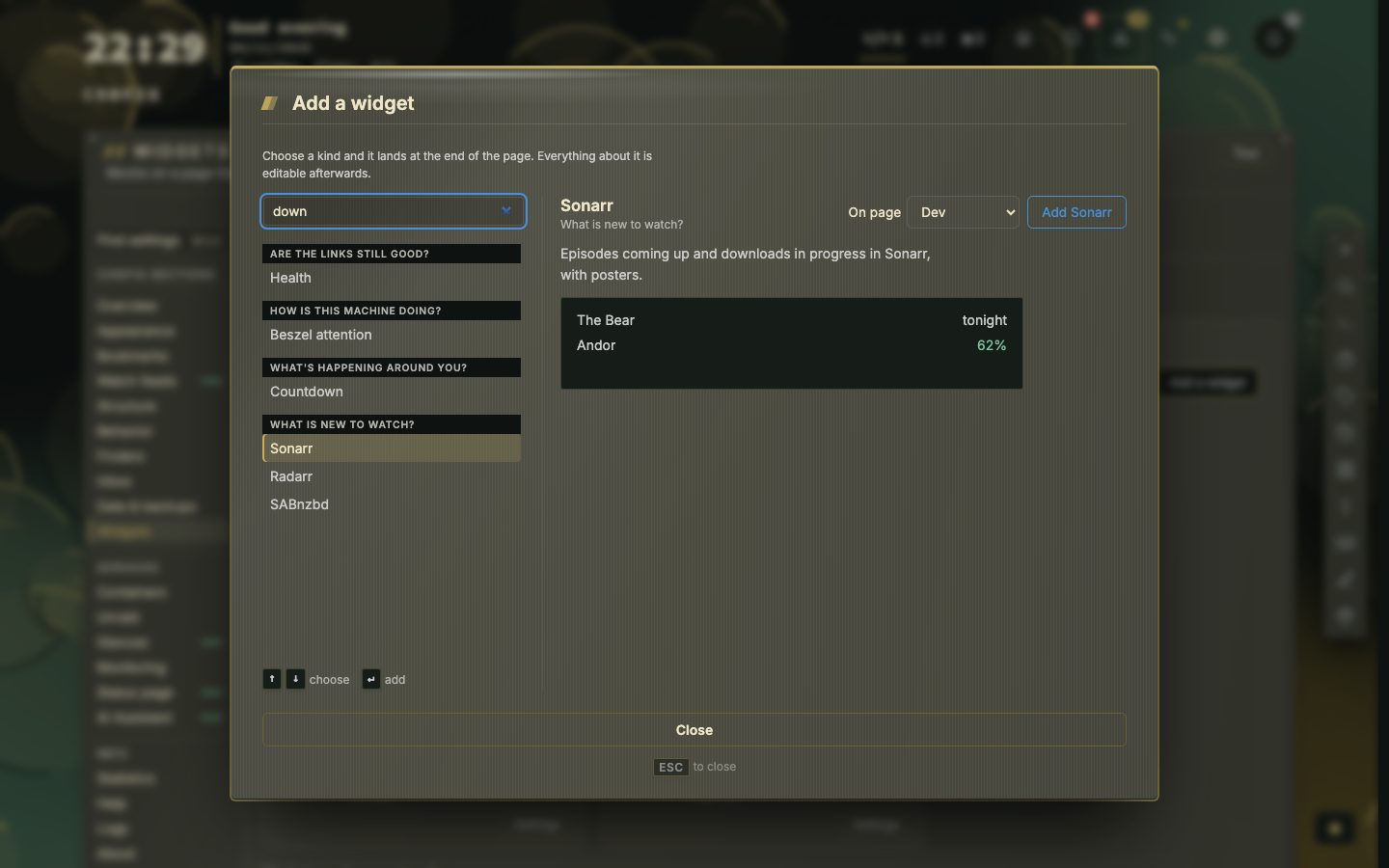
Every media kind is set up the same way: the address, the key and Connect. The server tries them and says Connected to with the name and version, then fills the choices below, such as the libraries that exist, so nothing is typed by id.
- 1Choose the kind in the Add widget picker
- 2Type the server's address and its key
- 3Press Connect and wait for Connected to
- 4Pick the layout and what a click does
- 5Press Save
Where the key lives:
- Jellyfin and Emby: Dashboard, then API Keys.
- Sonarr and Radarr: Settings, General, API Key.
- Seerr: Settings, General, API Key, with the
==at the end. A key copied without it is mended. - Plex: the address and key are Tautulli’s, not Plex’s. Tautulli’s key only reads, where Plex’s own token opens the whole account.
- qBittorrent: a username and password, or an API key from version 5.2 on. SABnzbd: Config, General, API Key.
Layouts and what a click does
Jellyfin, Emby, Plex, Sonarr and Radarr come in four layouts: a list, a strip with a tab per library, a hero with the newest item large on its backdrop, and a grid. In the strip, Sonarr and Radarr use Upcoming and Queue as the tabs. Sonarr and Radarr look ahead from 1 to 30 days, and a film released today stays on the list until the day is over. Seerr can show every request or one state, films or series, from everyone or from one person.
A click either opens the item in the service or shows its details in nextDash first, and you choose where it opens. Jellyfin and Emby can also hide what was already watched. qBittorrent and SABnzbd show one list or a tab per part, in the order you choose, and can leave out what has finished.
How fresh the tile is
Each tile has its own refresh interval, and it never runs while the tab is hidden. The now-playing tiles ask every 10 seconds, the download clients every 15 seconds at the least, and the others a minute at least. Right-click the title and pick Refresh now to ask the service again at once.
- 10 snow playing refresh
- 15 sdownload client minimum
- 200 MBposter cache
When a server cannot be reached, the tile keeps the last list and says how old it is. A refused key or sign-in says so on the tile. Posters are kept by nextDash in data/media-images/, shared by all media tiles, up to 200 MB with the oldest going first. They are not part of backups. Seerr’s posters come from TMDB, which your server fetches without a key.
Home Assistant
Give the address of your Home Assistant and a long-lived access token from your profile, under Security, then press Connect. The server lists your entities in a searchable list you can narrow by kind. Pick up to 60 and put them in order with the up and down buttons. Choose a list of loose items or a strip with a tab per room, and group by room, by kind or not at all. Lights, switches, fans and input booleans switch with one click, and a scene or script has a Start button. A lock, a cover or a door is shown and never operated.