Page margins and columns
Newsince v1.28.2 · 12 Nov
Seven page margins, up to eight columns, and a page that fills a wide screen.
- : Command palette: margins and columns
The empty band on either side of the columns is a setting. Seven steps take it from almost nothing to a wide frame, and the page grows with the choice: on a big monitor, five to eight columns really show.
Try it
- Press :, type
marginsand pick a step. The page moves as you choose. - Type
columns 6to ask for six columns. A narrower window still takes only as many as fit. - For the full list with a drawing of each, open Config → Appearance → Layout, or the Layout tab of the theme studio.
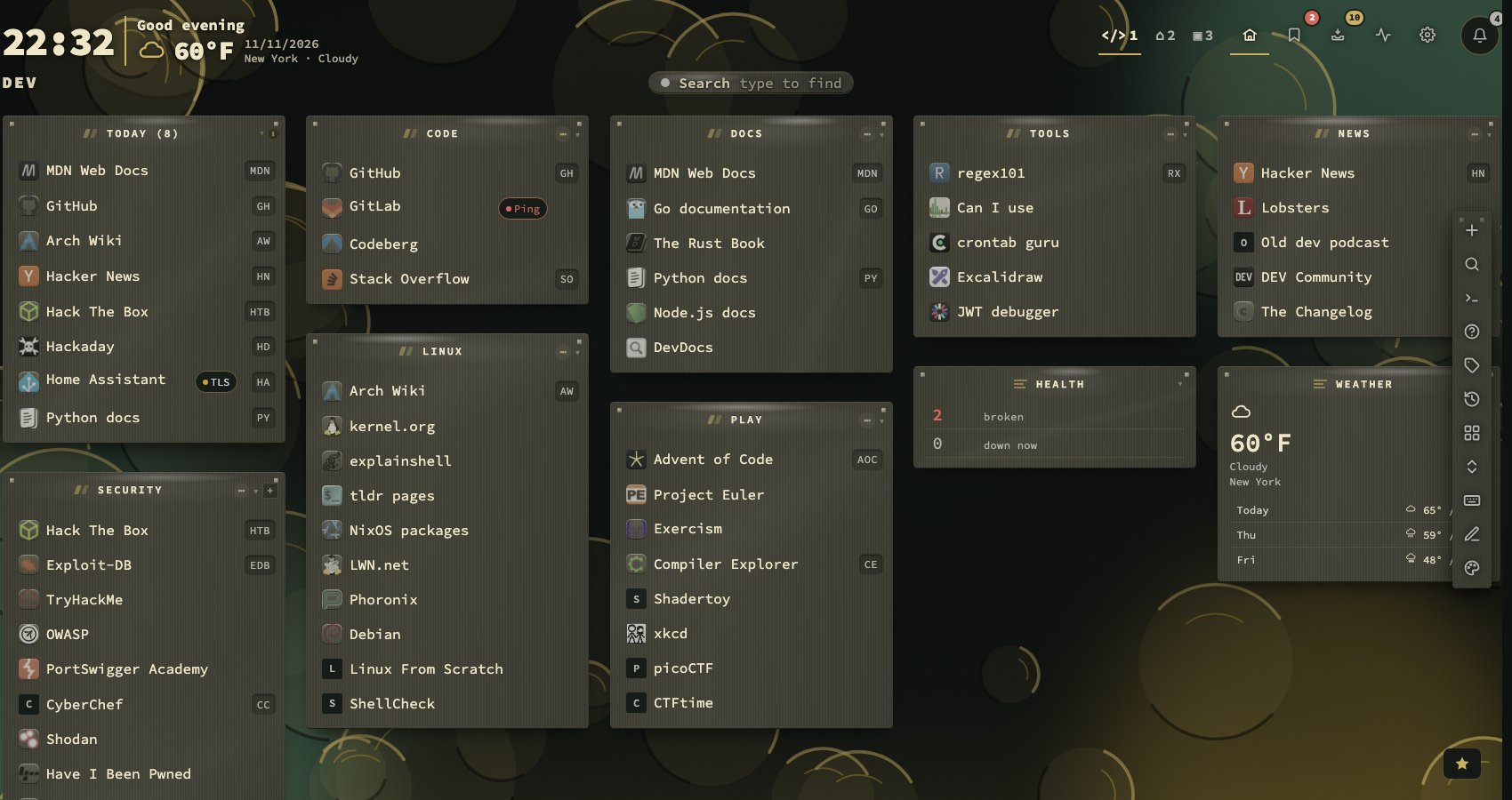
Seven steps, Balanced in the middle
Full width takes almost the whole window, with no ceiling on the page. Tight and Snug keep a narrow edge. Balanced is the default. Roomy, Airy and Spacious add air, and Spacious pulls the page in the most. An unknown value falls back to Balanced.
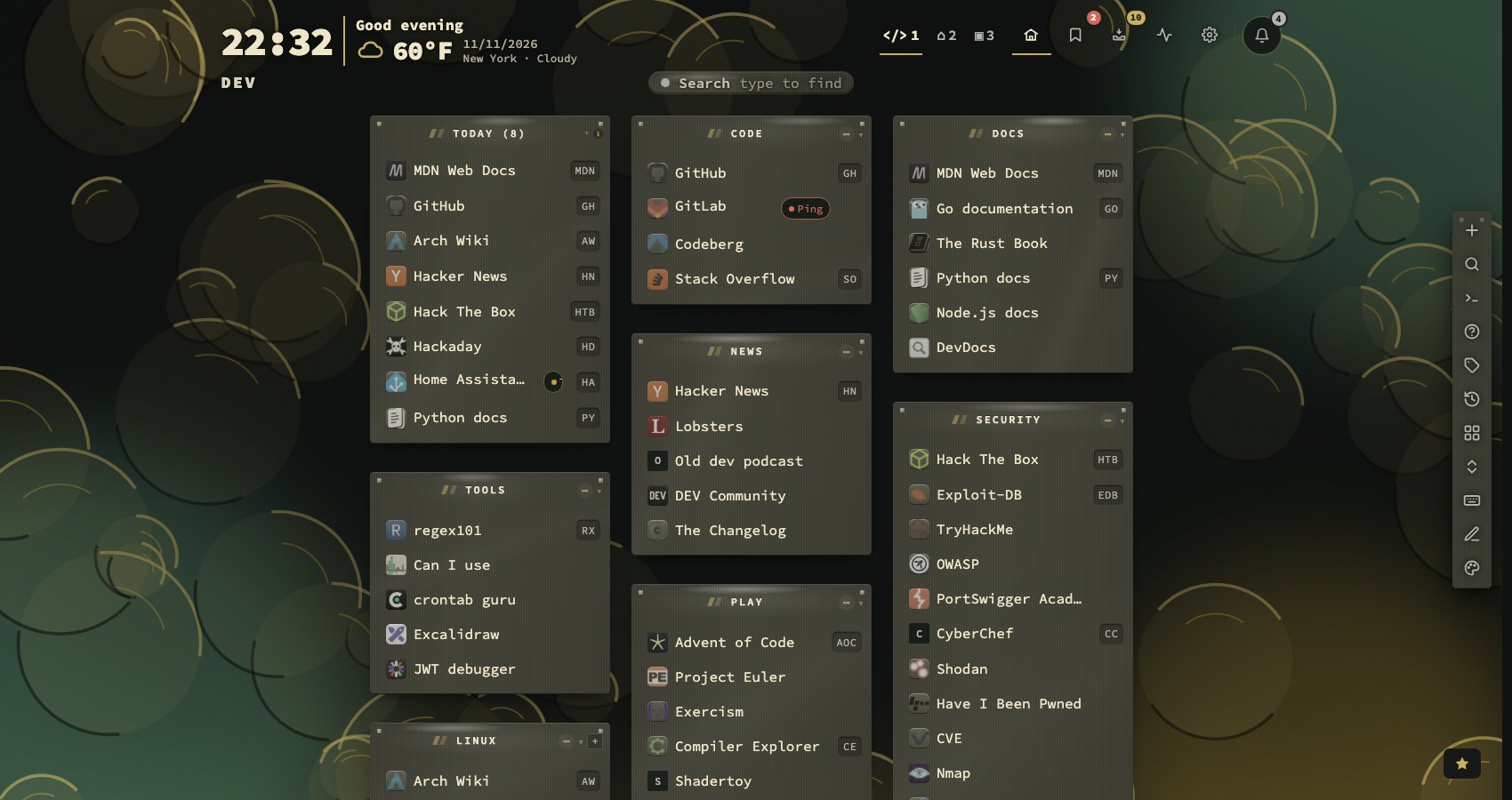
Up to eight columns
Columns per row is a dropdown from 1 to 8. The page ceiling follows the number you ask for, so a wide window is really used, and a narrow one keeps only the columns that fit. A phone held upright always shows one.
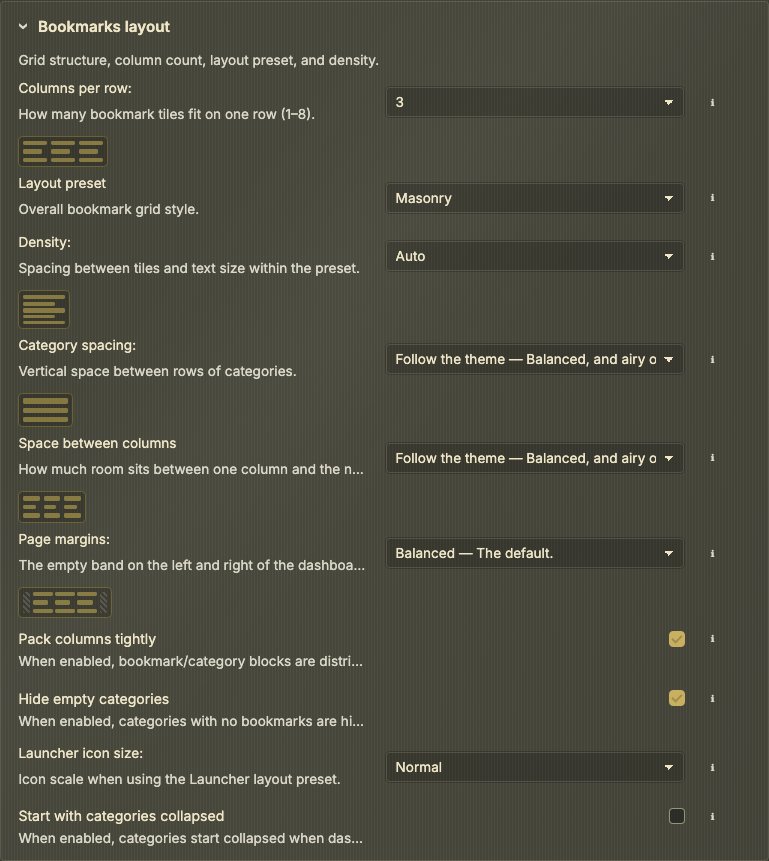
Dropdowns with the description in them
Space between categories, Space between columns, Page margins and Columns per row are dropdowns, each option with its own sentence, and the small drawing of the choice in force stays beside the field.
The manual covers this in chapter 17, Appearance.