Inbox
A holding area for links worth keeping.
- ShiftI Open the inbox
- p Promote: open the full bookmark form
- z Snooze
- m Keep: move to Bookmarks, Unsorted
- f Triage one link at a time
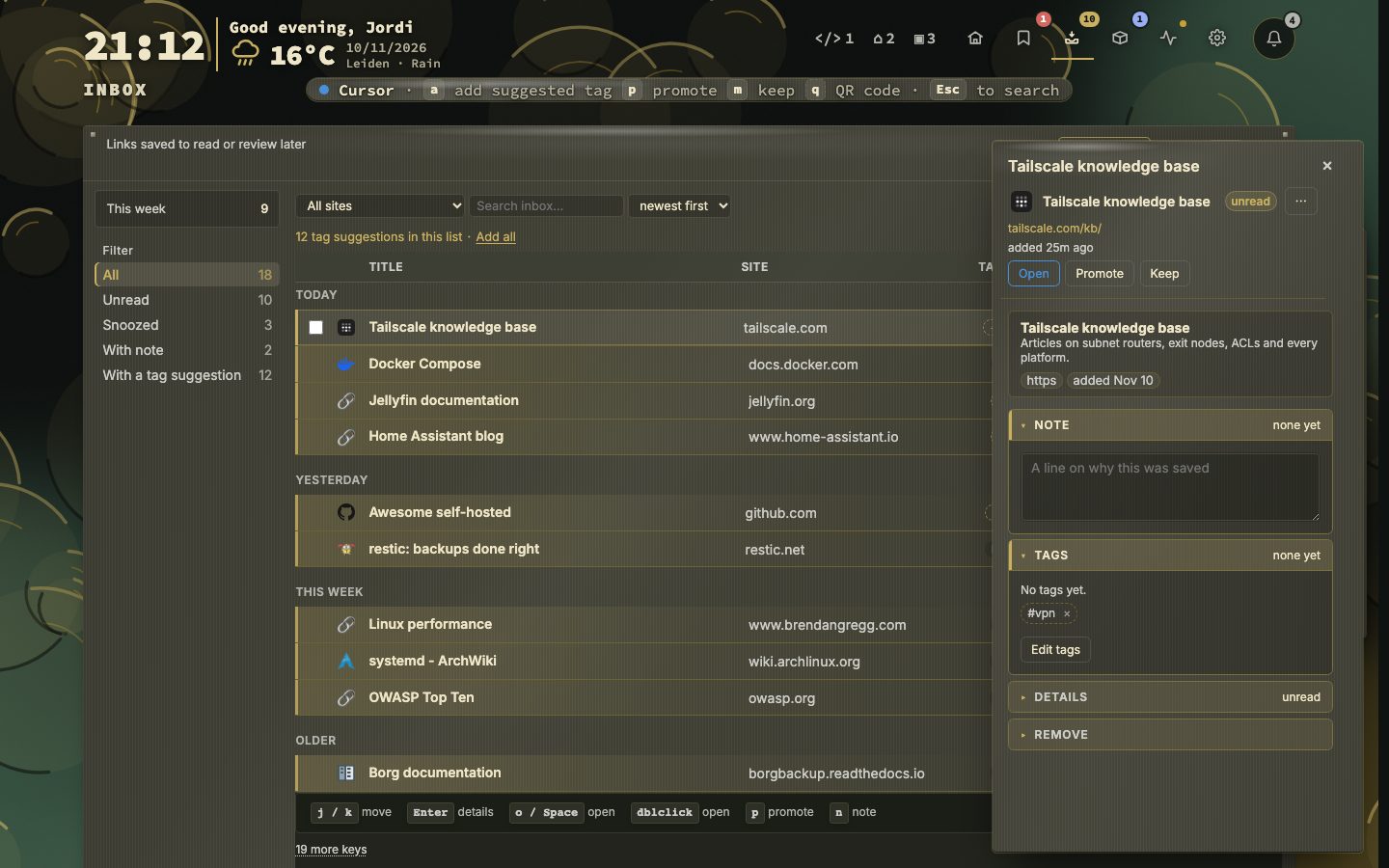
The inbox holds links you want to keep before you know where they belong. Filter by unread, snoozed or with a note, narrow by site or tag, and sort by newest, oldest, title or site.
Each link has a clear next step. Snooze it until tomorrow or the weekend, promote it to a bookmark, or keep it, which moves it to the Unsorted page with its note and tags intact.
Try it
- Press Shift + I to open the inbox.
- Press f to triage one link at a time.
- Use p, z or m to decide.
New apps from your containers
When nextDash finds a new app in your containers, it can propose it here, marked as found on this server. Promote fills in the bookmark form; Ignore keeps that app out. App discovery has the rest.
The keys are listed under the list, six at a time. A button beneath them shows the rest, and remembers which you chose.
Getting links in
- Paste a URL on the dashboard and choose Save to Inbox, or set Always save to Inbox under Config, Inbox.
- The browser extension has Save to Inbox in its popup, in the right-click menu and on Ctrl or Cmd + Shift + U.
- The share sheet, the bookmarklet and the add address work from a phone or any browser.
- The API takes links with
POST /api/inbox. - An import can go into the inbox first, with folders turned into tags.
A URL that is already in the inbox is not added again. A toast says Already in Inbox and the view jumps to it. The inbox has no limit: it keeps every link until you deal with it, and nothing is dropped to make room. A new install starts with ten example links, so you have something to try.
Triage, one link at a time
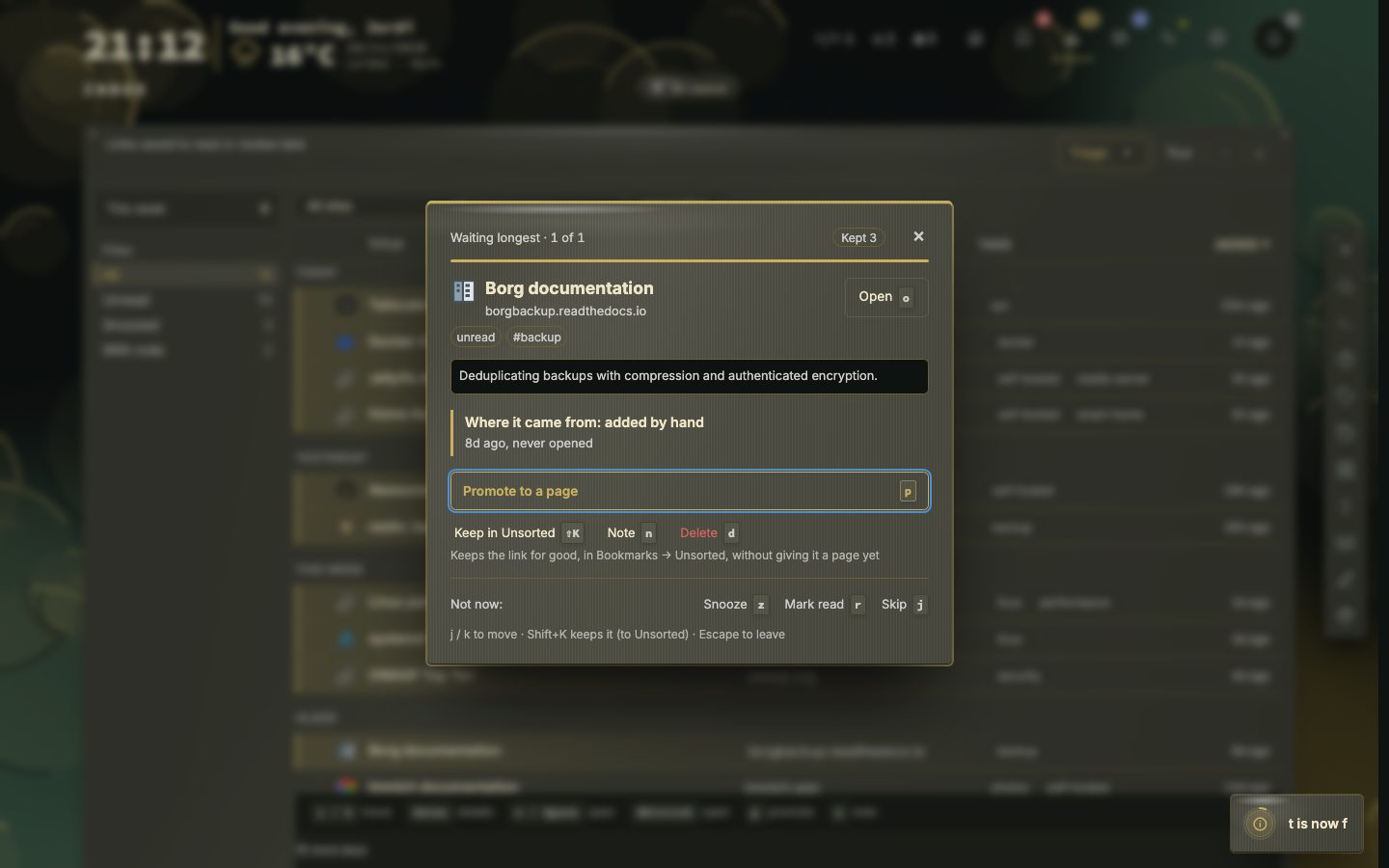
Triage takes you through the unread links, one card at a time. First you choose a pile. Waiting longest holds links unread for over a week. New this week holds what you saved in the last week. With a note holds links you left yourself a reason on. This list, as filtered now comes last. The fullest pile comes first, and empty piles are left out.
The card shows the link, its preview and Where it came from: how it arrived, how long ago, whether it was ever opened, and your note. The keys are p to promote, m to keep in Unsorted, n for a note, d to delete, z to snooze, r to mark read, o to open it, and j and k to skip or go back. At the end of a pile, triage counts what the run did and offers the next pile.
- 1Press f in the inbox
- 2Choose a pile and press Enter
- 3Decide on the first link with p, m, d or z
- 4Carry on until the pile is empty
- 5Choose the next pile or go back to the inbox
Snooze, keep and promote
Snooze offers three hours, tomorrow, the weekend, next week or a date, waking at 09:00. A snoozed link is left out of every count, and a line under the list says how many are asleep. Wake now brings one back. Promote opens the bookmark form filled in, with every page and category, and the inbox entry goes when the bookmark is saved. Keep takes a link out of the queue for good, with its note and tags, and puts it in Bookmarks, Unsorted. A toast says so and offers Undo.
You can act on several links at once: promote them to one page and category, keep, tag, open, copy, mark read, snooze or delete them, each with undo. Select all in the menu ticks every link the filters leave. Export writes CSV or JSON of what is shown, and Import reads a JSON export back and skips links already there.