Unraid
since v1.17 · 3 Oct
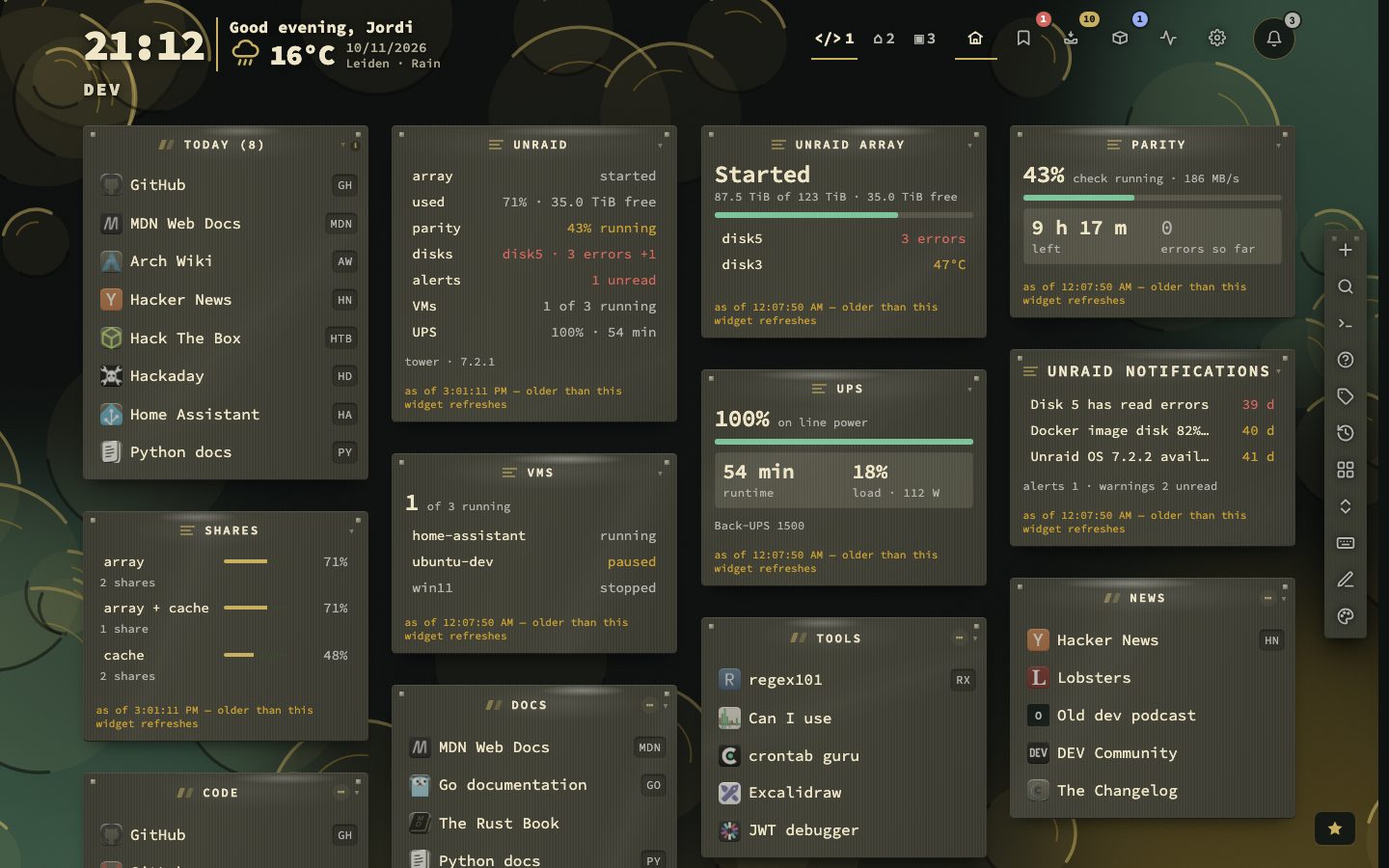
Your array at a glance, without opening Unraid.
For an Unraid server, nextDash talks to Unraid’s own API. A Viewer-role key is all it asks for. It turns the array, parity check, shares, VMs, the UPS and notifications into read-only widgets on the dashboard.
A Viewer key can show that a parity check is running, but it cannot start or cancel one. A disk dropping out of the array, a parity error or the UPS switching to battery reaches you through the same alert channels as a downed bookmark.
Try it
- Create a Viewer key in Unraid.
- Open Config, then Unraid, and paste the key. It is tested before it is saved.
- Add the Unraid widgets to a page.
Set up in tabs
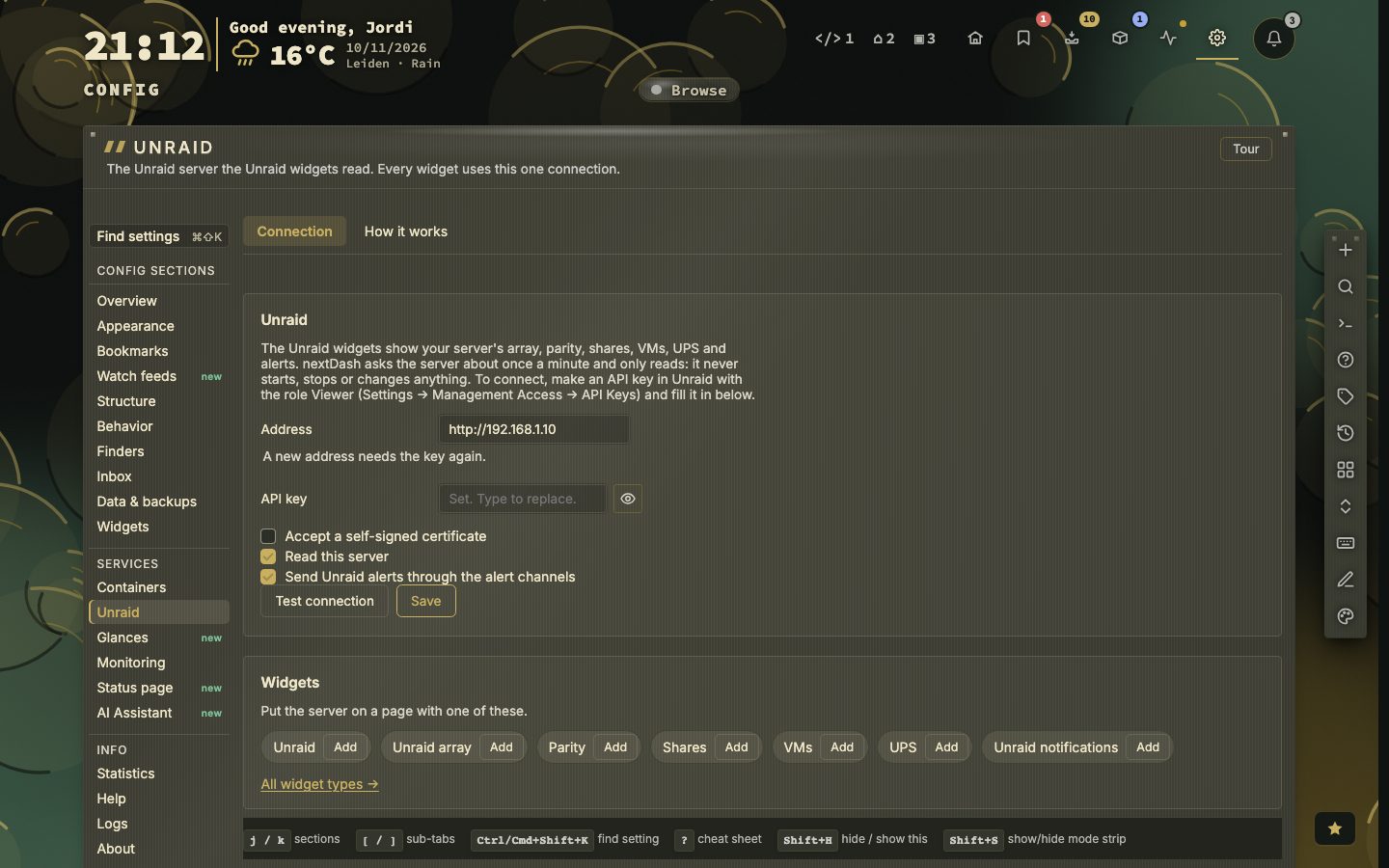
Config, then Unraid, is split in two tabs, Connection and How it works, and opens on Connection so you can go straight to the connection.
The seven widgets
One connection feeds all seven. Unraid is an overview. Unraid array shows the array with every disk. Parity shows a parity check. Shares lists shares by where they live. VMs lists your virtual machines. UPS shows the power supply. Unraid notifications shows what Unraid itself reported. All of them only read.
- 7widgets
- 1connection for all of them
Connect it, step by step
- 1In Unraid open Settings, Management Access, API Keys
- 2Create a key with the role Viewer
- 3Open Config, then Unraid, on the Connection tab
- 4Type the address, starting with http:// or https://
- 5Paste the key
- 6Press Test connection
It needs Unraid 7.2, or an older Unraid with the Unraid Connect plugin. When nextDash runs in a container, the Docker bridge gateway is suggested as the address. An address without http:// or https:// is refused. Test connection names the server, its Unraid and API versions and what the key may read, per area: yes, not allowed or not in this version. Unraid usually answers with a certificate of its own, so tick Accept a self-signed certificate, or use an address with a certificate nextDash trusts. A LAN address also needs Allow localhost & private-network bookmarks, which is on by default.
The key is kept apart in data/unraid-secrets.json, is never sent back to the browser, and travels in a backup only when you include Tokens and passwords. If you change the address without typing the key again, the saved key is dropped.
What a tile says
A widget only chooses how it draws: Refresh every (seconds), at least 30, with one answer per area shared by everyone viewing the dashboard; Rows to show where it lists; and A click, which either opens the page in Unraid or does nothing. An area the key may not read, or one that your Unraid version lacks, is named on the tile instead of showing zero. A server that stops answering keeps its last reading, with its age.
Which alerts go out
With Send Unraid alerts through the alert channels ticked, four things reach you through the same channels as downtime alerts: Unraid’s own ALERT notifications, the array stopping, a parity check that finished with errors, and a disk whose error count went up. The first look after a start only remembers what is there, so you are not buzzed about old news. Four or more at once become one message, N Unraid alerts.
On Unraid itself
nextDash is in Community Applications, so on Unraid there is no compose file to write. In the template, Docker actions starts at 0, so the Containers view only reads until you set it to 1. In the Disks widget, name /mnt/user for the whole array and /mnt/cache for the cache pool. The looks Unraid Black, Unraid Azure, Unraid Ember and Unraid Blaze follow Unraid’s own colours, each in dark and light. The first visit to Config, then Unraid, plays a five-step tour, and the Quick start guide on an Unraid server adds a step, Connect your Unraid server.