nextDash v1.20.0 — Confetti, surfaces and a server in Statistics
v1.20.0 is mostly about how your dashboard looks: a new default theme, twenty-four new themes, and more control over how a theme is drawn. Statistics learns about the machine behind the dashboard. And nextdash.cc has been rebuilt, with the manual as its own docs section.
Confetti and twenty-four new themes
A new install now starts on Confetti: glass panes over a colour-burst backdrop, masonry columns and Inter for text. It comes with the Looks collection, twenty-four colour-burst families from Ember to Holo, which brings the total to 188. They use three new backdrops (burst, splash and leak), each drawn over a minimum of theme tint so text stays readable.
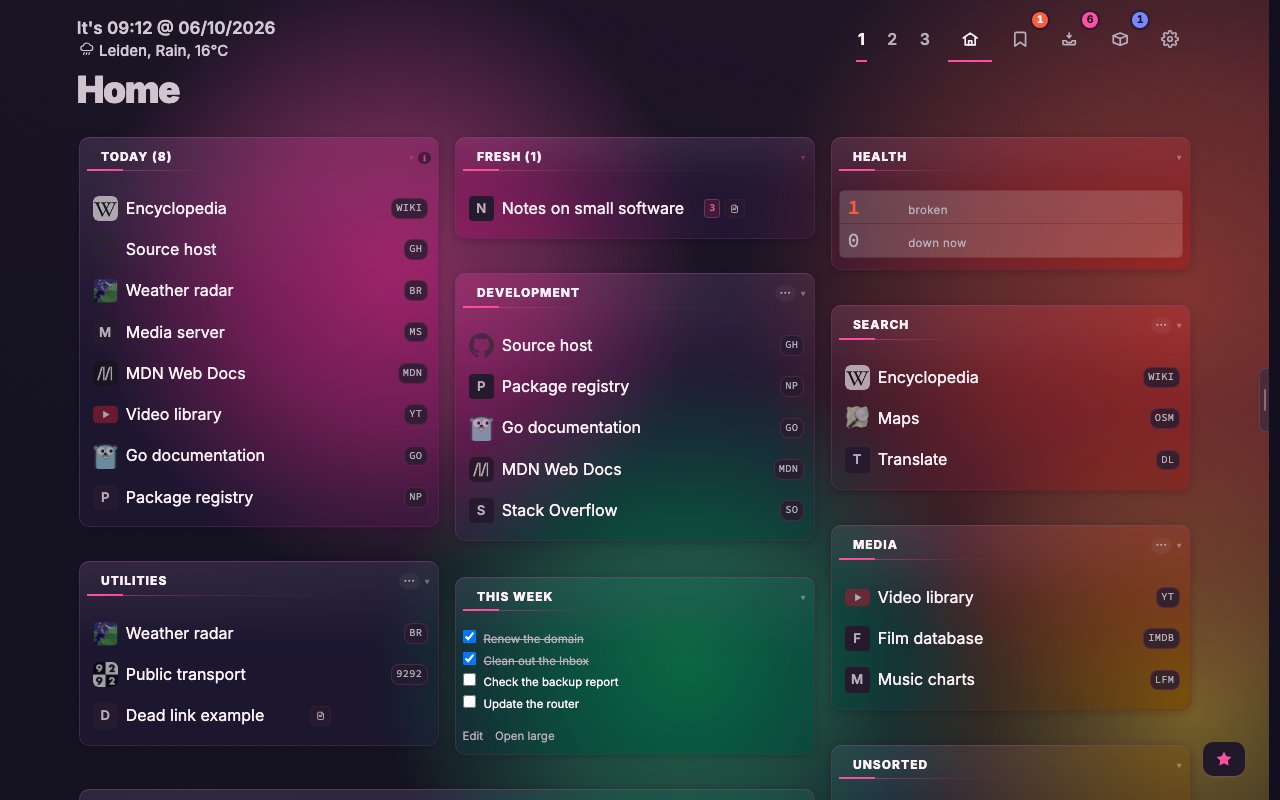
Your dashboard keeps its theme. A one-time card offers to try Confetti; Go back undoes it in one click.
Surfaces and layout
Under Appearance → Surfaces, Category surface sets what a category and a widget sit on: a see-through glass pane, a solid card, or nothing at all. Widget background and Widget opacity make a widget a card with its own title strip, so it no longer looks like a category. Everything starts on Follow the theme.
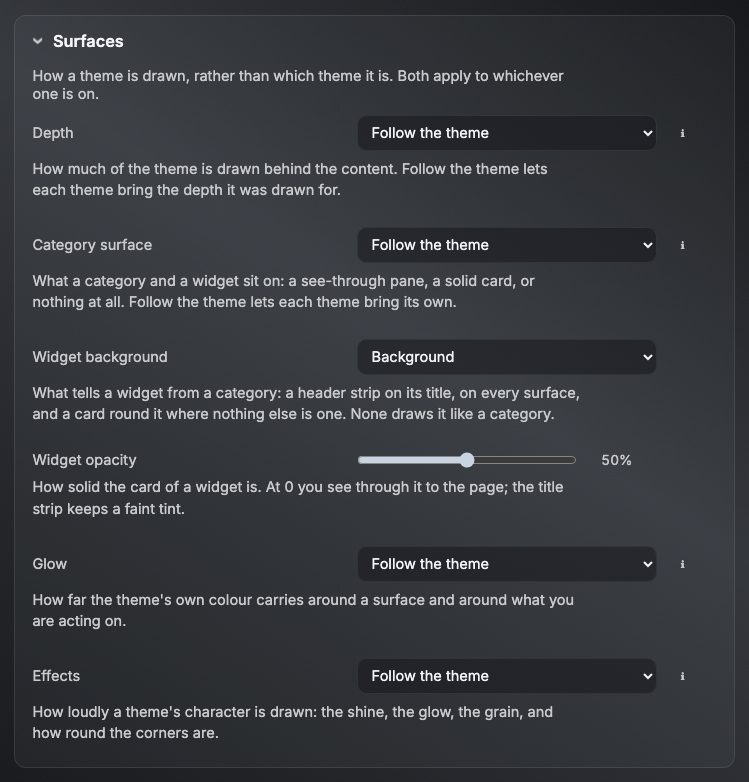
Under Layout, Space between columns joins Space between categories, and Page margins now really moves the columns. A category can show its bookmarks as tiles, and an icon is now part of the title (an emoji, or :file.svg:). All of it works from the palette too:
:surface :widgetbg :widgetopacity :effects :columngapConfig and the list views now use the dashboard’s panes.
Statistics: a Server tab
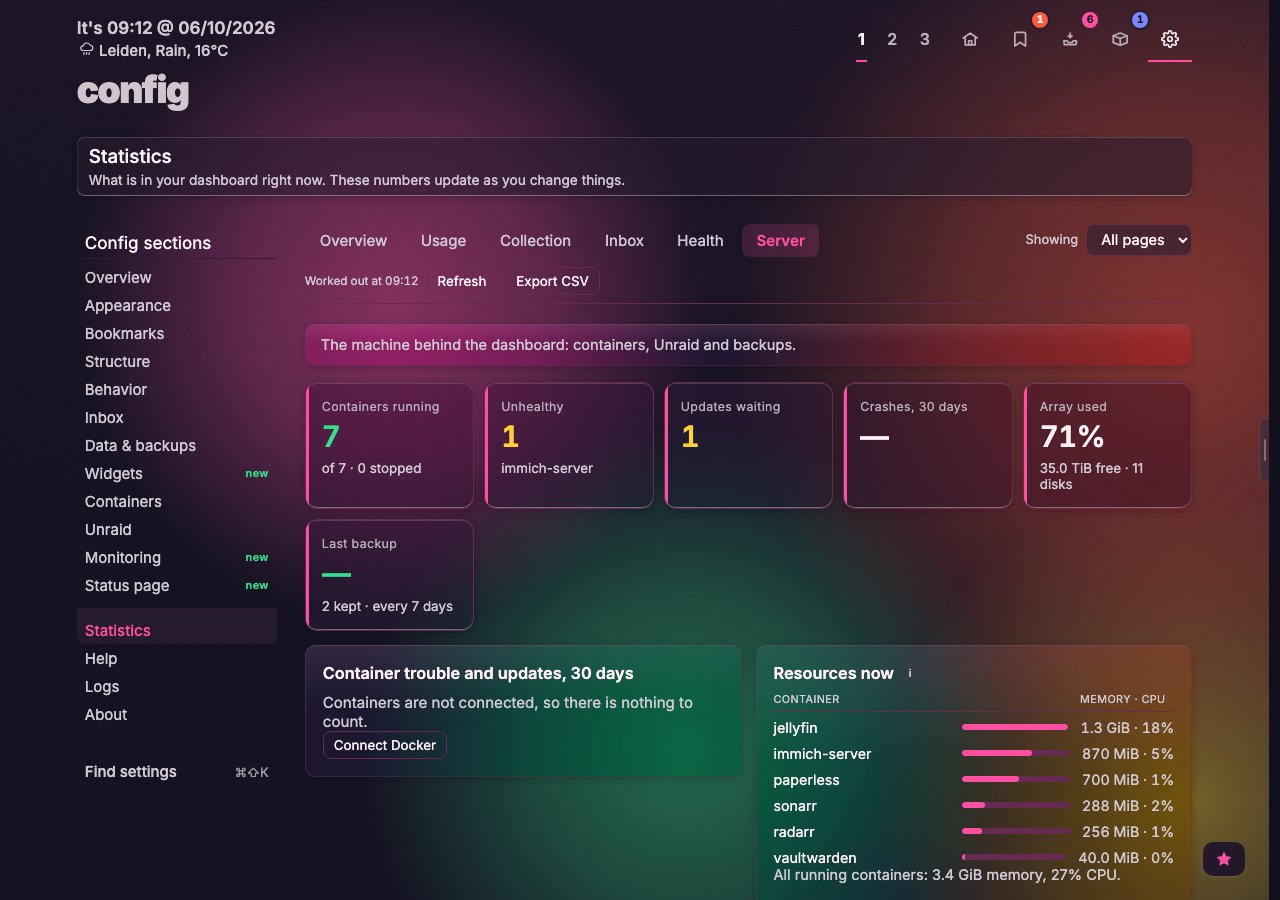
Statistics gets a sixth tab, Server: containers running, unhealthy or waiting for an update, crashes over thirty days, memory and CPU, Docker disk use and what you could free. With Unraid connected it adds the array, disk temperatures and errors, parity, VMs and the UPS, plus your automatic backups. A panel without a connection says what is missing. Health gets a Notifications panel.
A new nextdash.cc, with docs
The site has a calmer new design. The manual now lives at nextdash.cc/docs as its own section. Each of its 27 chapters is a page, with a sidebar, screenshots you can open at full size, and diagrams.
The docs are built from MANUAL.md at each release tag, so they always match the version you run, and I only write the manual once. One search box covers docs and site, and light or dark follows your system. There are 28 feature pages and a compare page that sets nextDash next to six other dashboards.
Smaller changes
- A new install opens with a Quick start guide and ten example links in the Inbox.
- The keyboard shortcuts sheet has two columns, topic chips, and
/to filter.
Upgrading
docker pull ghcr.io/jordibrouwer/nextdash:latest
# or
docker pull foobar1452/nextdash:latest
Unraid users: update the container from the Docker tab. No configuration changes are needed. Full notes are in the GitHub Release; the source is at github.com/jordibrouwer/nextdash.