Ten releases between v1.15.1 and v1.17.0, in five days. Most of it is for people who run nextDash next to their containers: the Containers view grew up, Unraid has widgets of its own, and your services get their real icons. The theme browser also became a look studio. Here is what changed, by area.
Containers
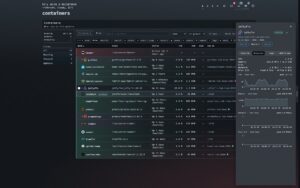
The Containers table has sortable headings, CPU, RAM, Size and Restarts columns you can show or hide, and grouping by project, status, network or image. Shift+Y opens the view from the dashboard.
Each container gets a timeline in its side panel: started, crashed with an exit code, turned unhealthy, updated, rolled back. The panel also shows the last five healthcheck results, and l opens a live logs window. nextDash follows Docker’s event stream instead of polling, so a crash the restart policy fixes within seconds still sends a notice. So does a container that stays above 90 % CPU or memory for ten minutes.
Updates got the most thought. You can skip a version, hold an image, read the update history and roll back. In v1.15.6 I added automatic updates. Switch it on per container and nextDash updates it in a nightly window, one at a time, never its own container. It then watches the result for five minutes. If the container stops, restarts on its own or turns unhealthy, nextDash rolls back and skips that version.
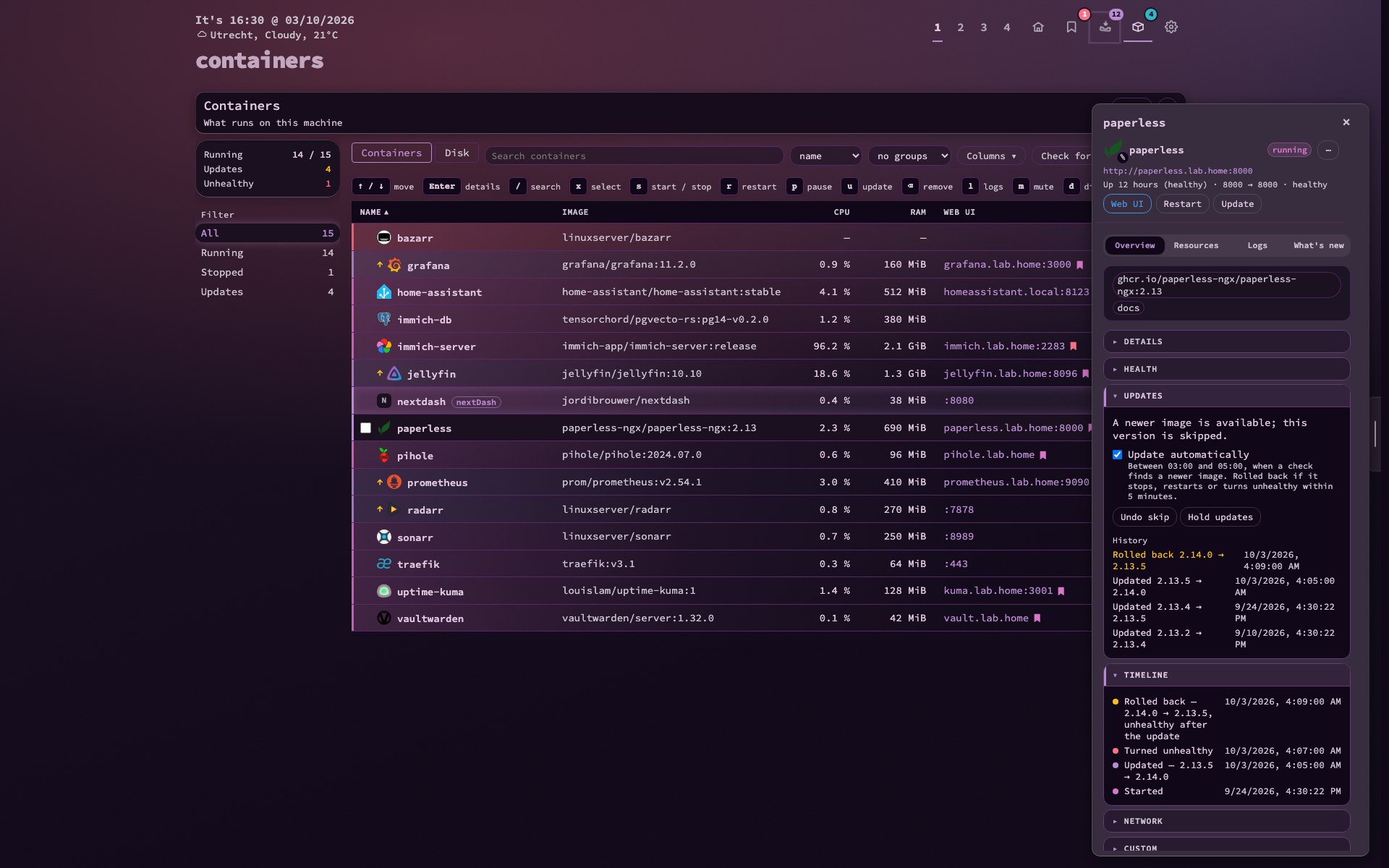
Tick containers with x or Space and act on all of them. A compose project starts, stops, restarts and updates as one stack. The Disk tab shows what images, volumes and build cache take, clears what nothing uses and lists bind mounts, which is where Unraid keeps container data. A bookmark mark ties a container’s web UI to its bookmark and that bookmark’s health checks.
Before v1.15.1, updating or stopping a container failed on a real host and wrongly said the socket was missing. That is fixed.
App icons
Containers and bookmarks now get their app’s icon from two open sets, dashboard-icons and selfh.st/icons. A container is matched by image and name, a bookmark by its host (sonarr.lan, plex.local). The icon follows your theme between its light and dark variant. Nothing is bundled: the server fetches the indexes and icons, and the browser never talks to the CDN.
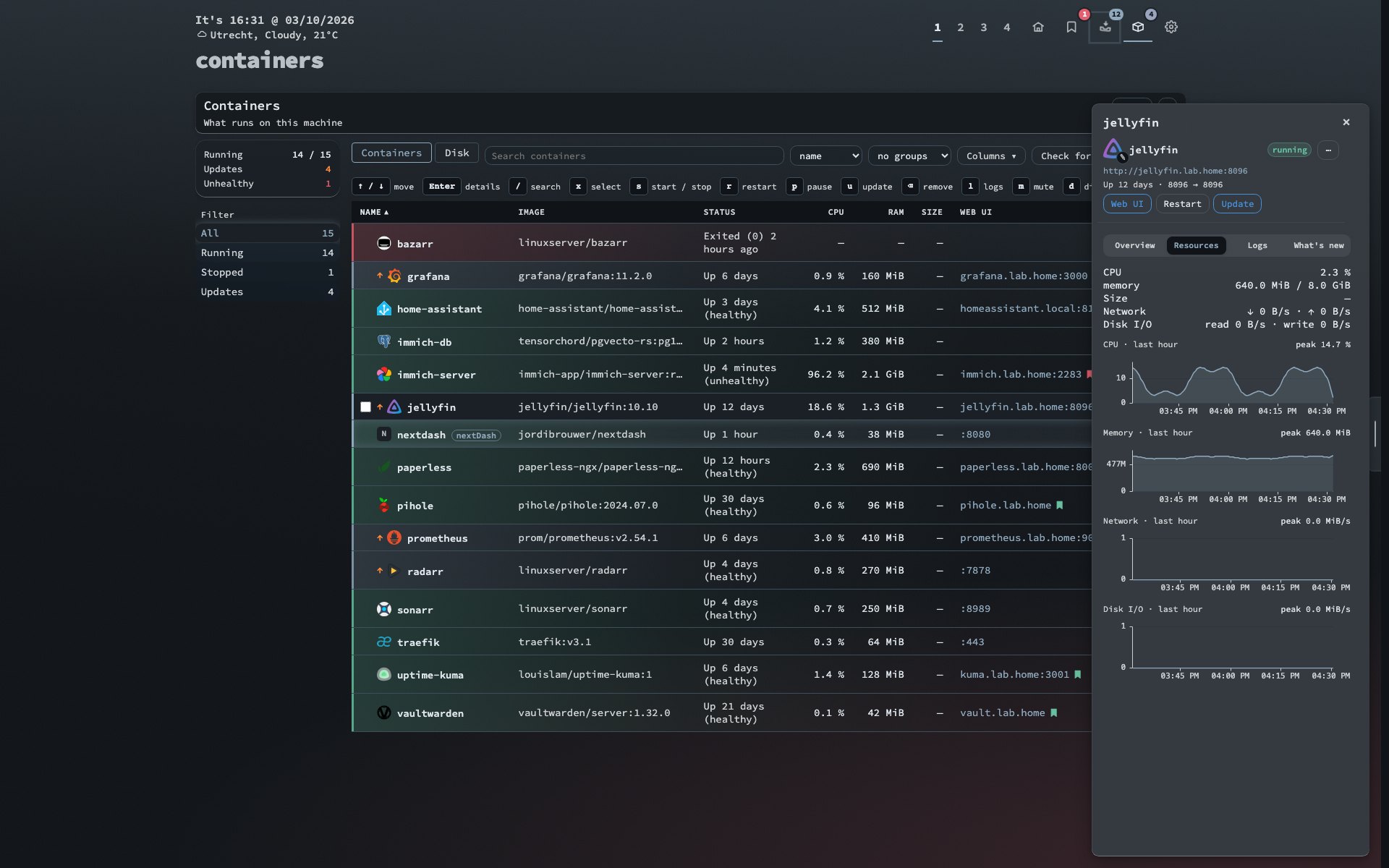
The pencil on an icon lets you choose another one, use a letter or go back to automatic. DISABLE_ICON_SETS=1 switches it all off. My first version matched loose alias words, so maps.google.com got the Apple Maps icon. Matching now reads names only.
Unraid
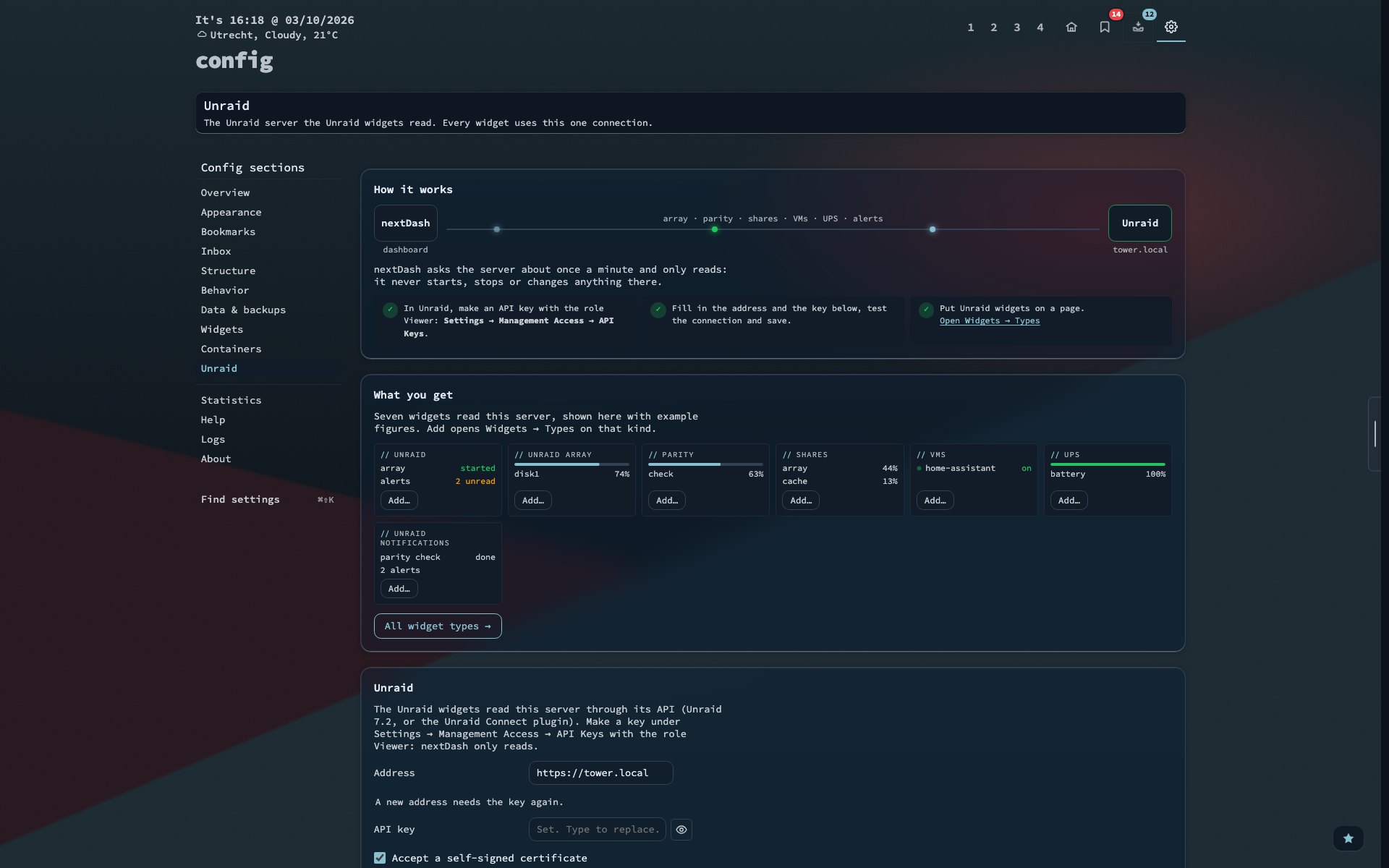
Seven widgets read an Unraid server: an overview, the array, parity, shares, VMs, the UPS and Unraid’s notifications. You connect once under Config → Unraid with an API key that has the Viewer role. The key is stored apart from your settings and never sent back to the browser.
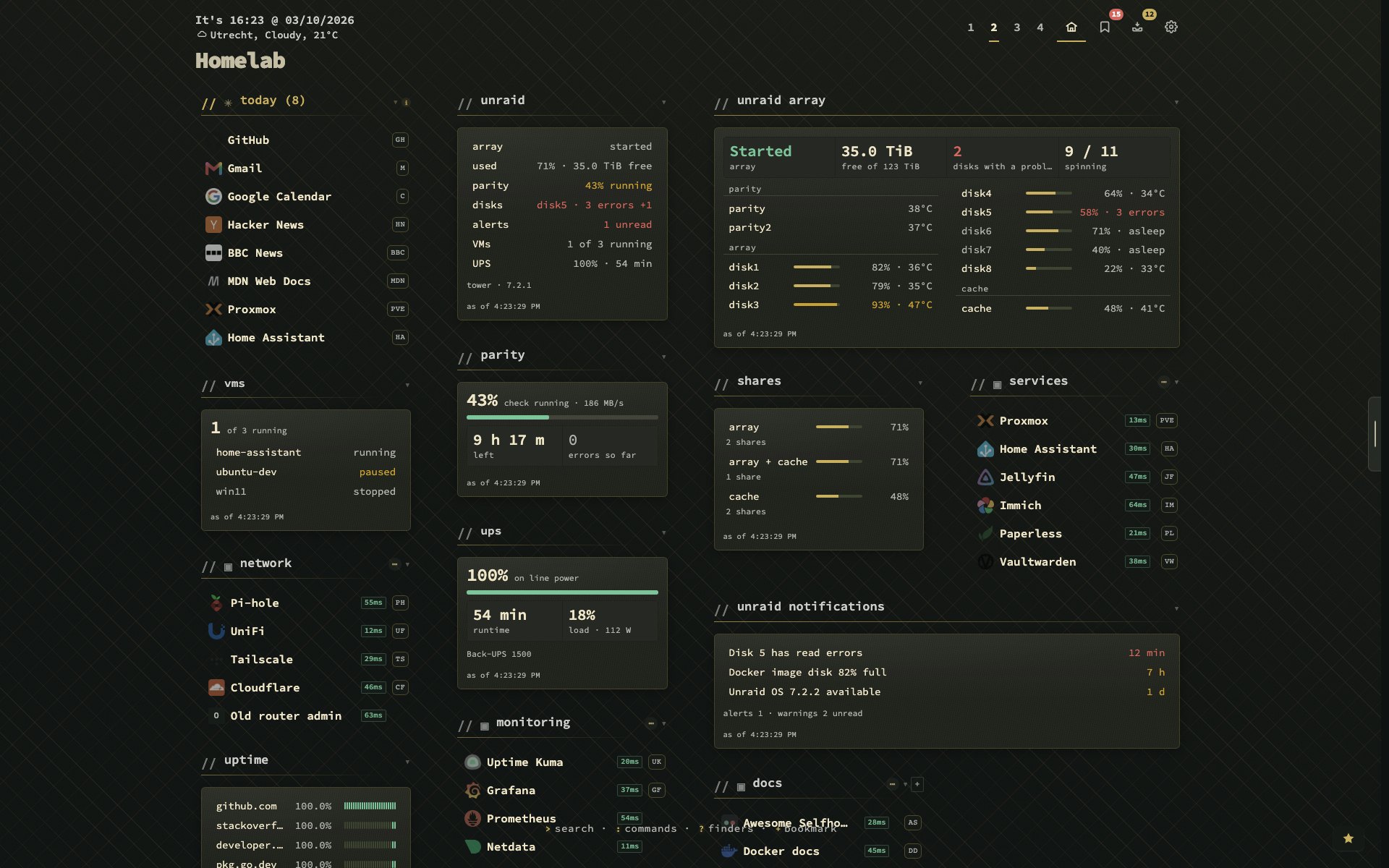
The widgets build their queries from the fields your Unraid version actually has, so a missing field is left out instead of failing the whole answer. I checked them against recorded answers from a real Unraid 7.3.2 server. Unraid’s alerts, a stopped array and disk errors use the same channels as your other alerts. A paused parity check used to be read as a finished one, and sent a false "finished with errors" notice. That is fixed.
Web search
Type in the search panel, then press Shift+Enter. Results from your own SearXNG or the Brave Search API appear under your bookmarks, with Web, News and Video tabs on Shift+←/→. It is off until you pick an engine in Config → Behavior. The server makes the request, so the engine never sees your browser. Nothing goes out while you type, and web searches are not written to the activity log.
Look studio and theme editor
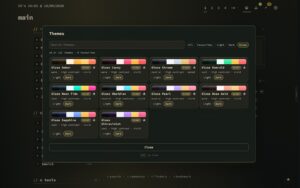
In v1.16.0 the theme browser moved beside your dashboard, so you see every change on your own page. Nothing is saved until you press Apply. There are twelve ready-made looks, card glass, five category header styles and a Neutrals collection. Backdrops grew from 9 to 26, and every built-in theme now has one chosen for it. Most themes therefore show a different backdrop than in v1.15.8.
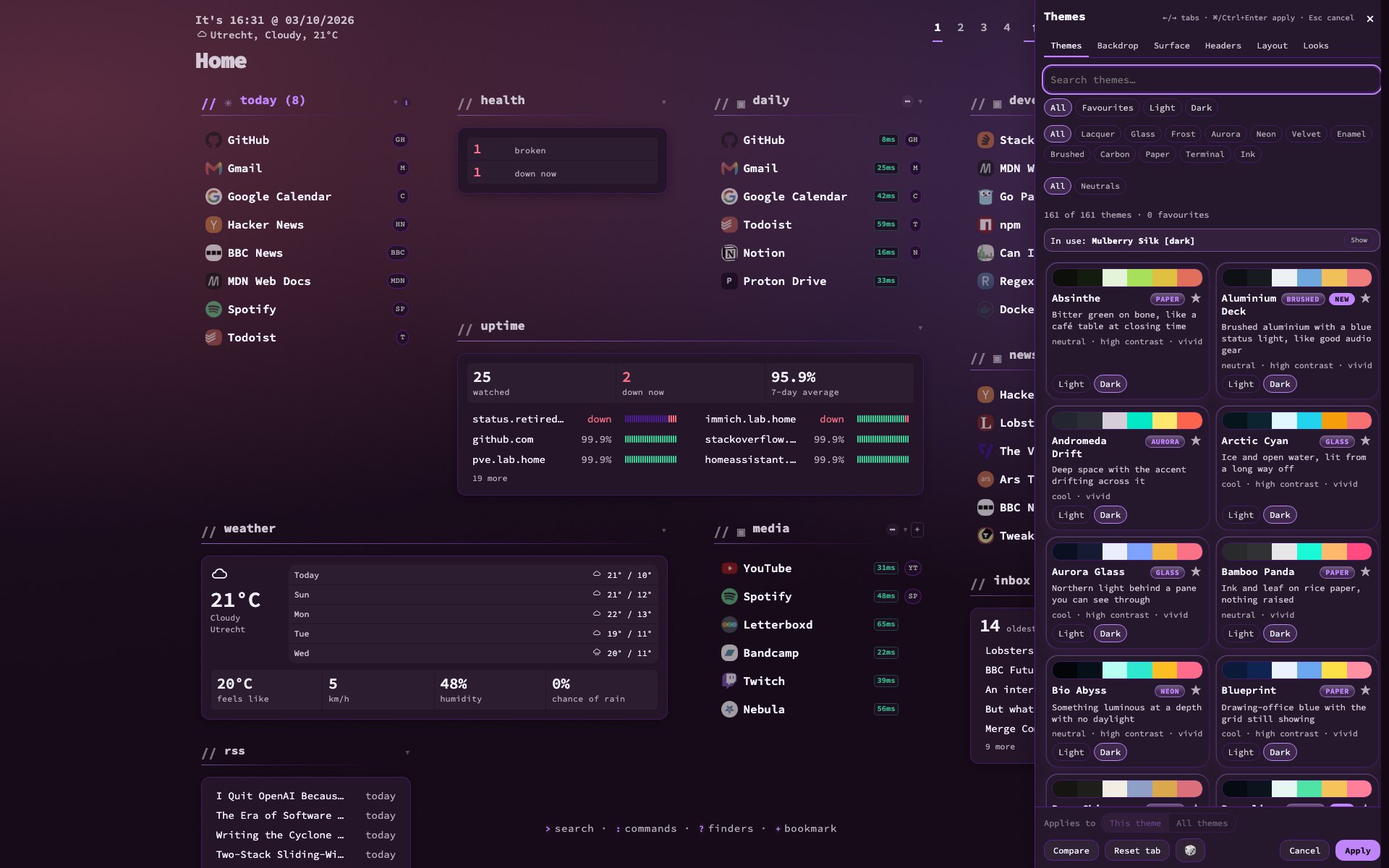
v1.17.0 adds a theme editor. Recolour a theme in the panel, or use Save as theme… to turn what is on screen into a theme of your own, look included. Your themes come first in the browser.
Health, alerts and widgets
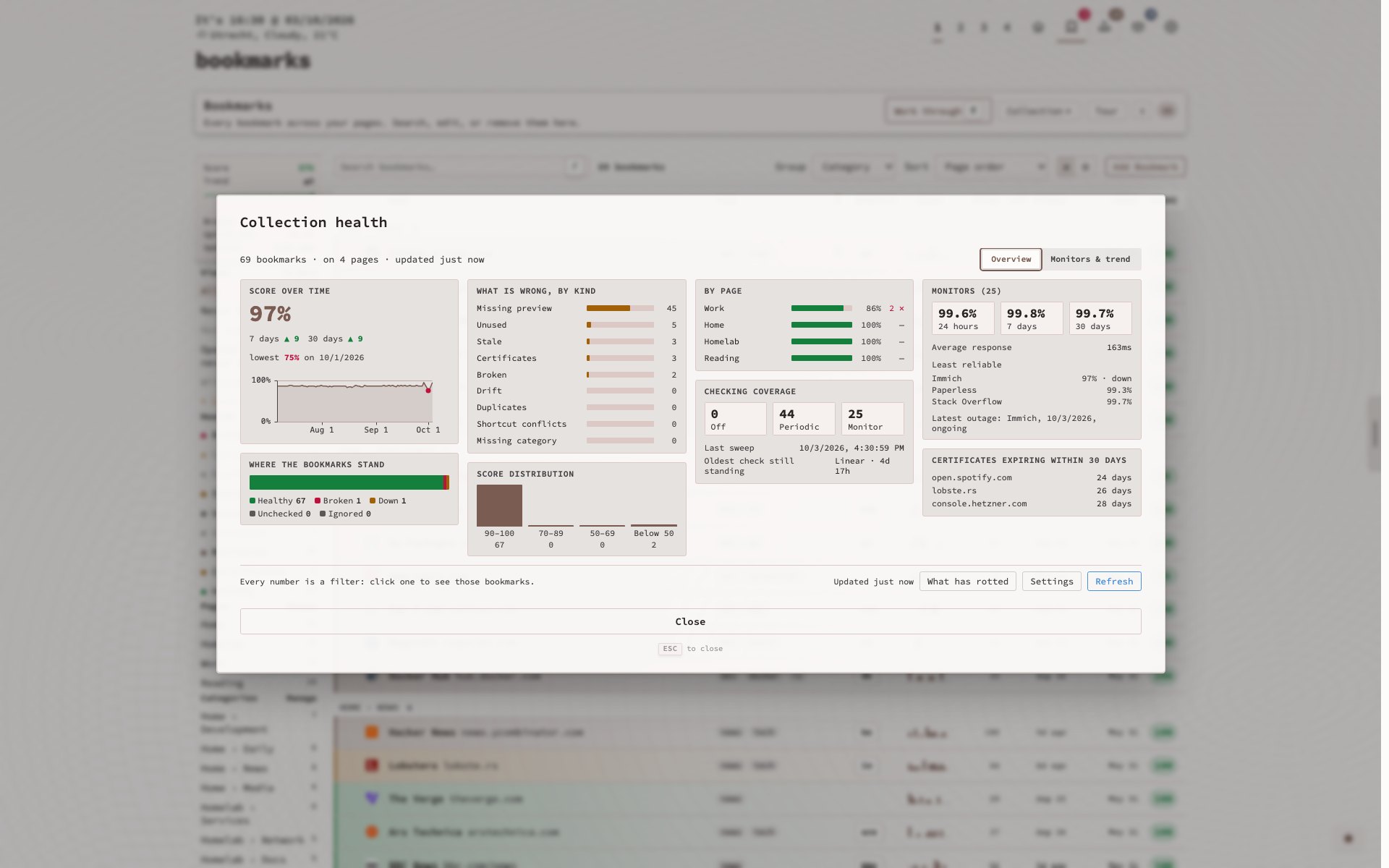
The charts in the container drawer, Collection health and Statistics now use uPlot, with tooltips, zoom and keyboard reading. Outages show per monitor on a 30-day timeline, and there is a per-day chart of every monitor. Alerts can go through Apprise, and so to mail, Matrix, Signal and more. A recovery was not announced after a manual Re-check. That is fixed too.
The Custom widget knows sixteen more services, 41 in total, and can sign in for a token and count entries in an answer. Shift+J on a bookmark shows it as a QR code for your phone.
Smaller changes
- Bookmarks and Inbox column headings sort the list.
- Custom widget percentages say whether they run 0–100 or 0–1.
- Config → Overview is now a set of panels.
- Readarr, Pi-hole v5 and TrueNAS presets are retired. Existing widgets keep working.
- The dashboard and Containers tours run once more.
Bugs
Bug hunts in v1.15.7, v1.15.8 and v1.17.0 fixed bugs that lost bookmarks, widgets or settings: undos that put rows on the wrong page, copies of one address acting for each other, backups that did not keep. In v1.17.0 each fix has a test that fails without it.
Upgrading
docker pull ghcr.io/jordibrouwer/nextdash:latest
# or
docker pull foobar1452/nextdash:latest
Unraid users: update the container from the Docker tab. Release notes are on the v1.17.0 release page, and the code is in the GitHub repo.