This is the biggest thing I have shipped for nextDash: seventy changes across twelve areas, and four of them are new ground rather than a better version of something that was already there. The dashboard can hold blocks that are not bookmarks. A page can be kept somewhere you will still be able to read it after the site goes. The 214 built-in themes are a grid you can search instead of a listbox you scroll. And bookmarks can arrive from services that keep sending them, rather than only from a file you import once.
1.4.0 will open the What’s new window once after you upgrade. There is one behaviour change worth reading before you pull the image — it is under Upgrading, at the bottom.
Source and downloads: github.com/jordibrouwer/nextdash — release notes: v1.4.0 on GitHub
1. Widgets — and the Custom one, which is the whole point
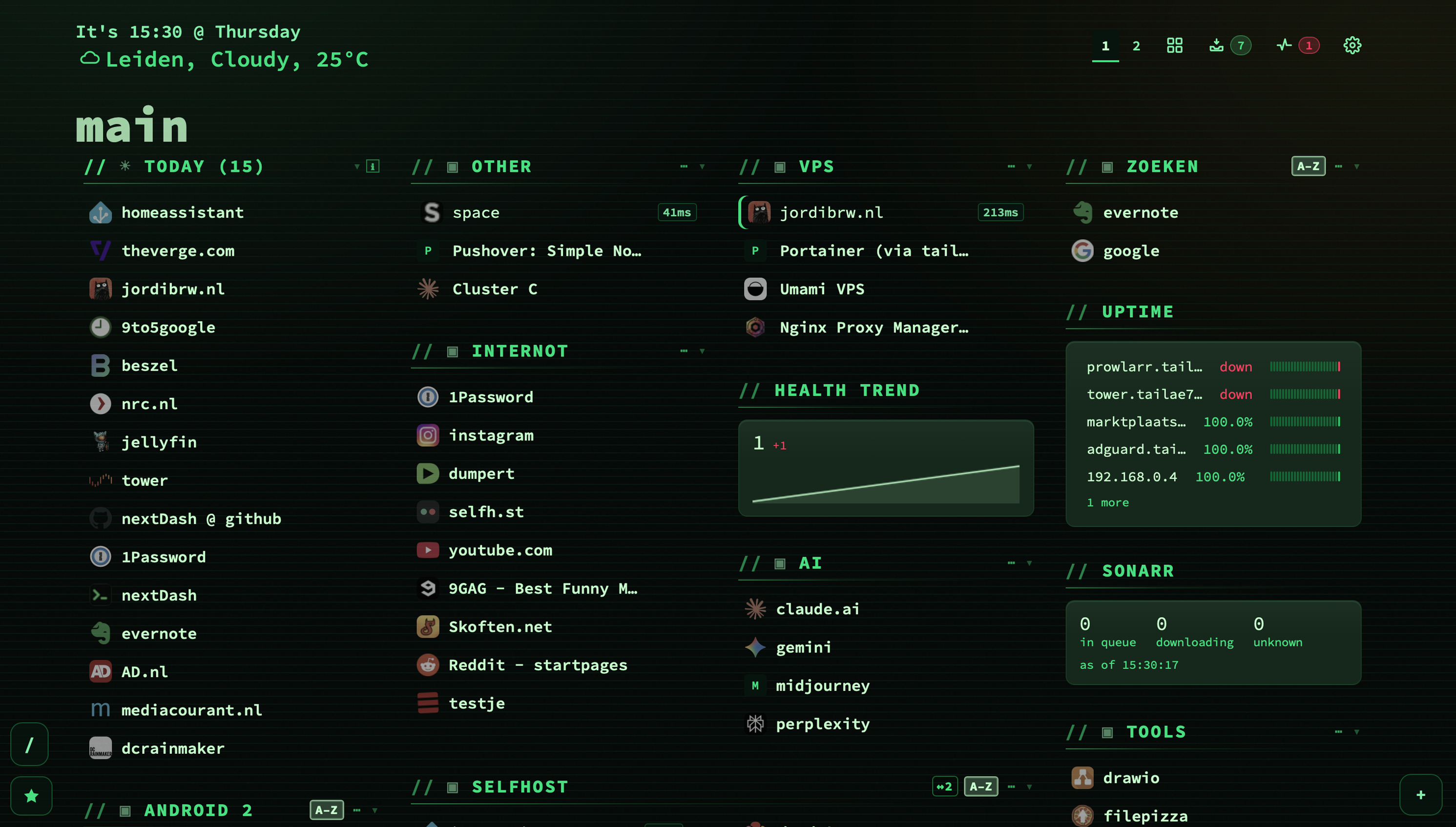
Until now the grid held exactly one kind of thing: links. Everything about the collection — how many are broken, what is waiting in the inbox, which certificate expires on Friday — lived in a view you had to go and open. So you only saw it when you already suspected something.
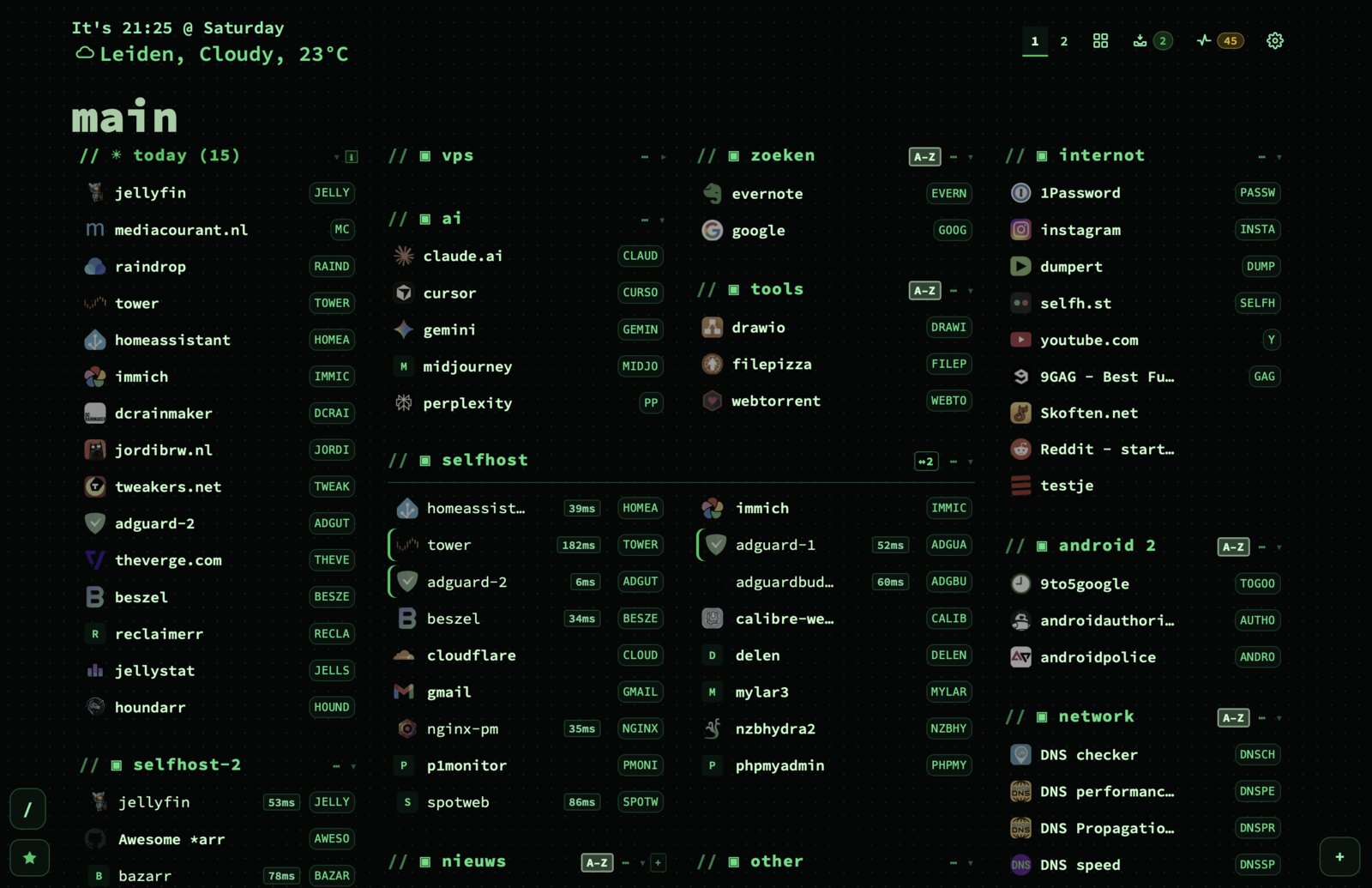
A widget is a second kind of block. It sits among your categories, holds figures instead of bookmarks, and is dragged into place like anything else. Pages now store a single blockOrder holding categories and widgets together, because two lists saying where something sits are two lists that disagree the moment one gets written and the other does not.
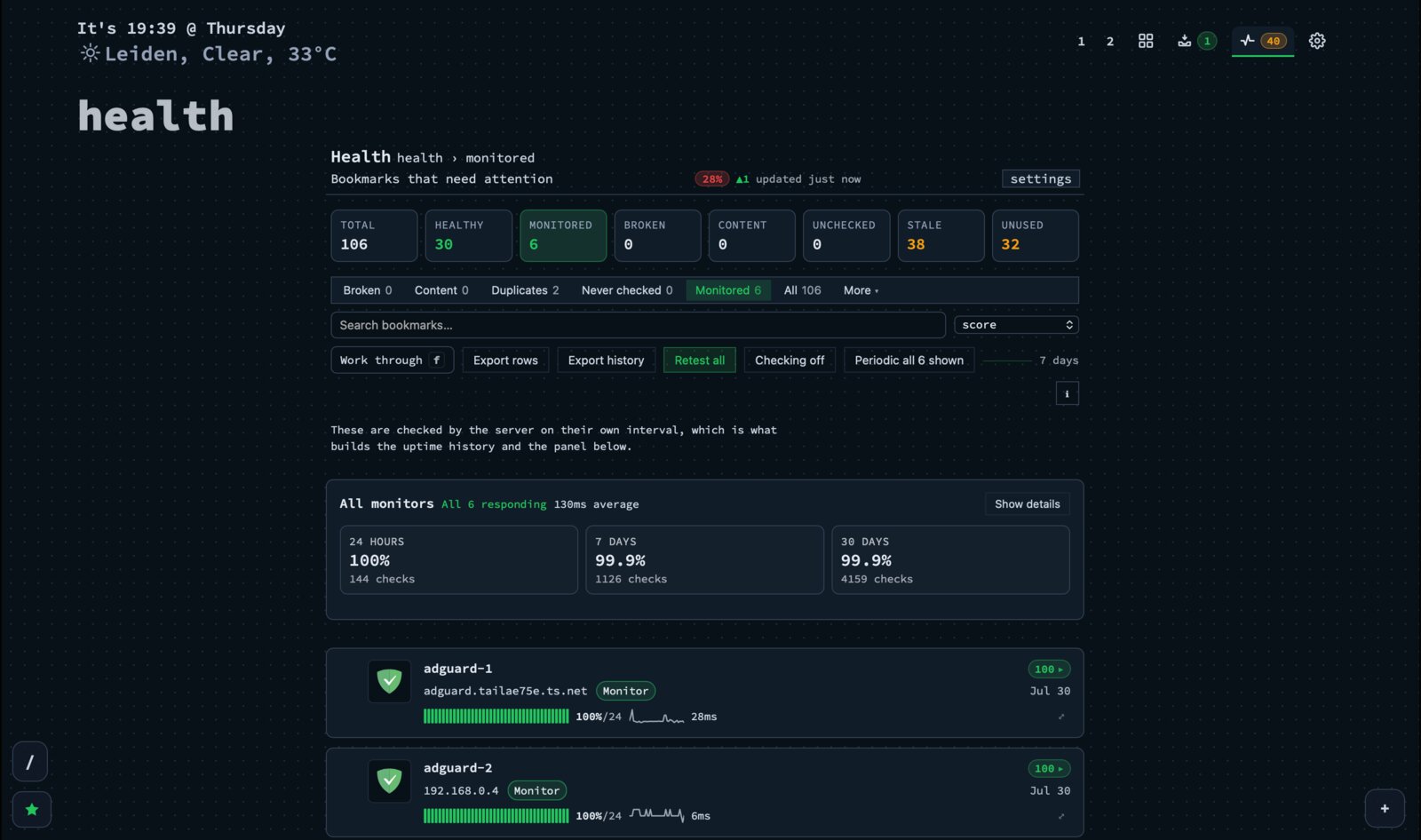
- Thirteen types that read what nextDash already keeps. Health, Uptime, Certificates and Trend for the state of your links. Inbox, Feeds and Sources for what is arriving. Neglected, Blind spots, Duplicates, Archive, Trash and Backups for what wants tidying. None of them fetches anything from outside — it is all data already on your own disk that had nowhere to be shown.
- A widget can be one or two columns wide, at most. Anything that needs three is a view that has not admitted it yet. On a single-column dashboard it narrows itself rather than overflowing.
- Every figure opens the rows behind it. A count you cannot act on is a decoration.
- A tile that leaves rows out says how many — 5 of 12, not a silent five. The row count is a choice about what you want to see; what falls outside it still has to be visible.
- A new install now arrives with a Health widget already on the page. Widgets were a feature you had to hear about before you could see one, which meant the first dashboard looked exactly like the previous version.
The Custom widget: why there is no Sonarr widget
The obvious next request is a widget per service, and it is the one I am not going to grant. A dashboard that grows a codepath per service ends up maintaining one thing per upstream release it does not control — Homepage ships around a hundred and sixty of those, and felt Pi-hole v6 rewrite its API underneath them.
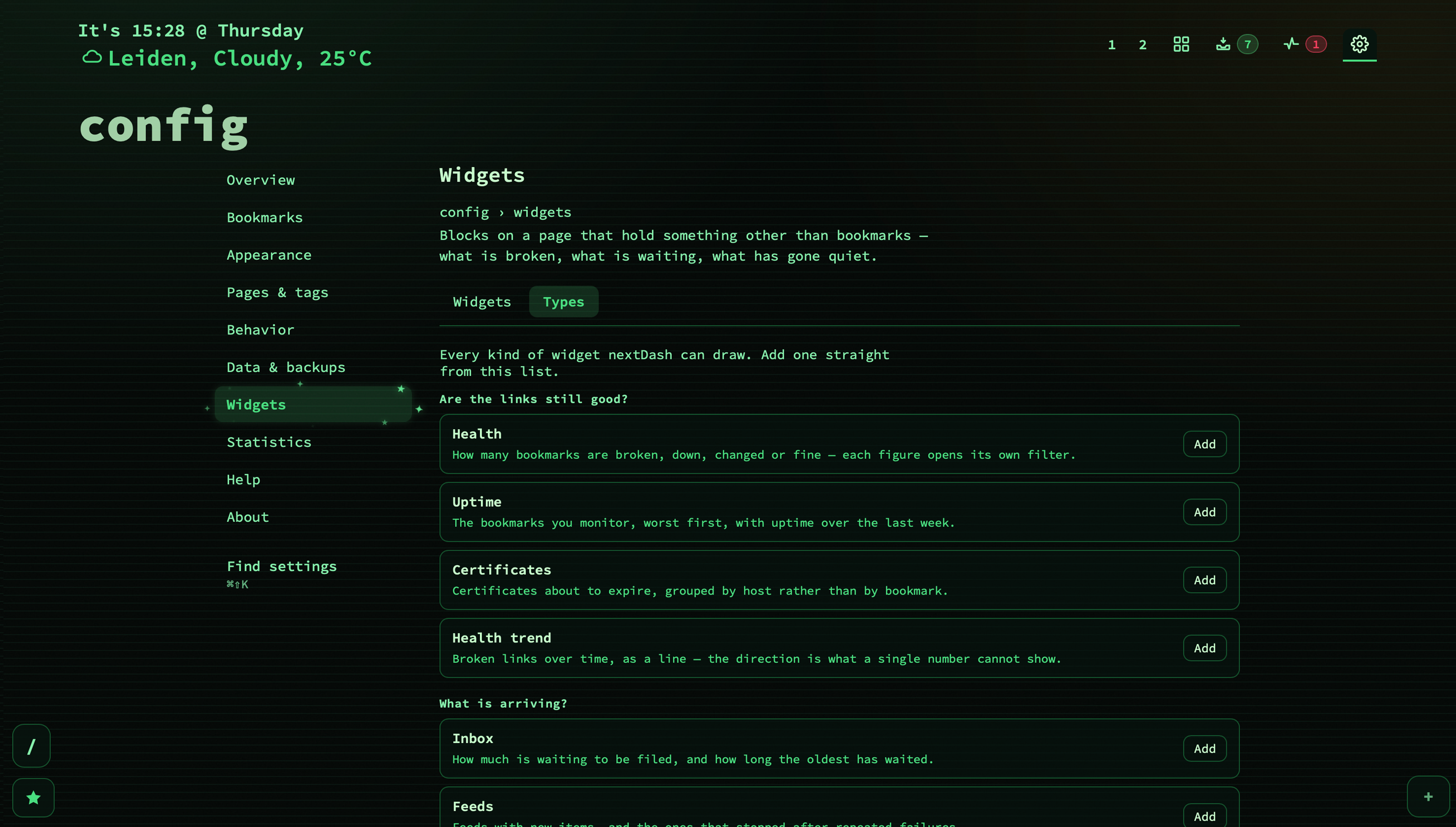
Everything a dedicated Sonarr widget would need already exists here: a server that fetches, a credential store that keeps the key out of the browser, a cache, a path reader, a formatter. What was missing was never code. It was knowing that Sonarr keeps the queue size at totalCount under /api/v3/queue/status. That is knowledge, not code — so it lives in a data file.
- Twenty-eight services already filled in, in four groups: the *arr family and the download clients, Pi-hole (v5 and v6 separately, because v6 rewrote its API), AdGuard Home, Traefik, Proxmox, TrueNAS, Glances, Syncthing, Nextcloud, Paperless-ngx, Home Assistant, Grafana, ntfy and the rest. A preset fills in the address, the figures worth reading and the header its API wants — and then gets out of the way. Everything stays an ordinary editable field afterwards.
- Up to eight figures, each a dotted path into the response —
queries.blocked,server.disk[0].used. Not JSONPath, not a query language: a path either names something or it does not, and “does not” is an answer the tile can show. A path that stops matching is marked, not blanked, because a blank reads like a zero and zero is a fact. - Six shapes: count, size, percentage, duration, time-ago and text. Or point at an array instead and the tile draws up to twenty rows — the downloads running now, the last few errors.
- The request is made by the server, not your browser. That is what makes a machine on your own LAN reachable at all, and what keeps an API key out of a page any script could read. The route takes a widget id rather than a URL, so it cannot be talked into fetching something it was not configured to fetch. Credentials live in the same
0600store the authenticated health checks use, are left out of the backup ZIP, and are never handed back to a browser. - Thirty seconds to a day, five minutes by default, with one answer shared by everyone looking — so a wall display costs the service nothing extra.
- No expression language, no arithmetic, no templating. The moment a config can compute, the config is a second product with its own bugs and no debugger.
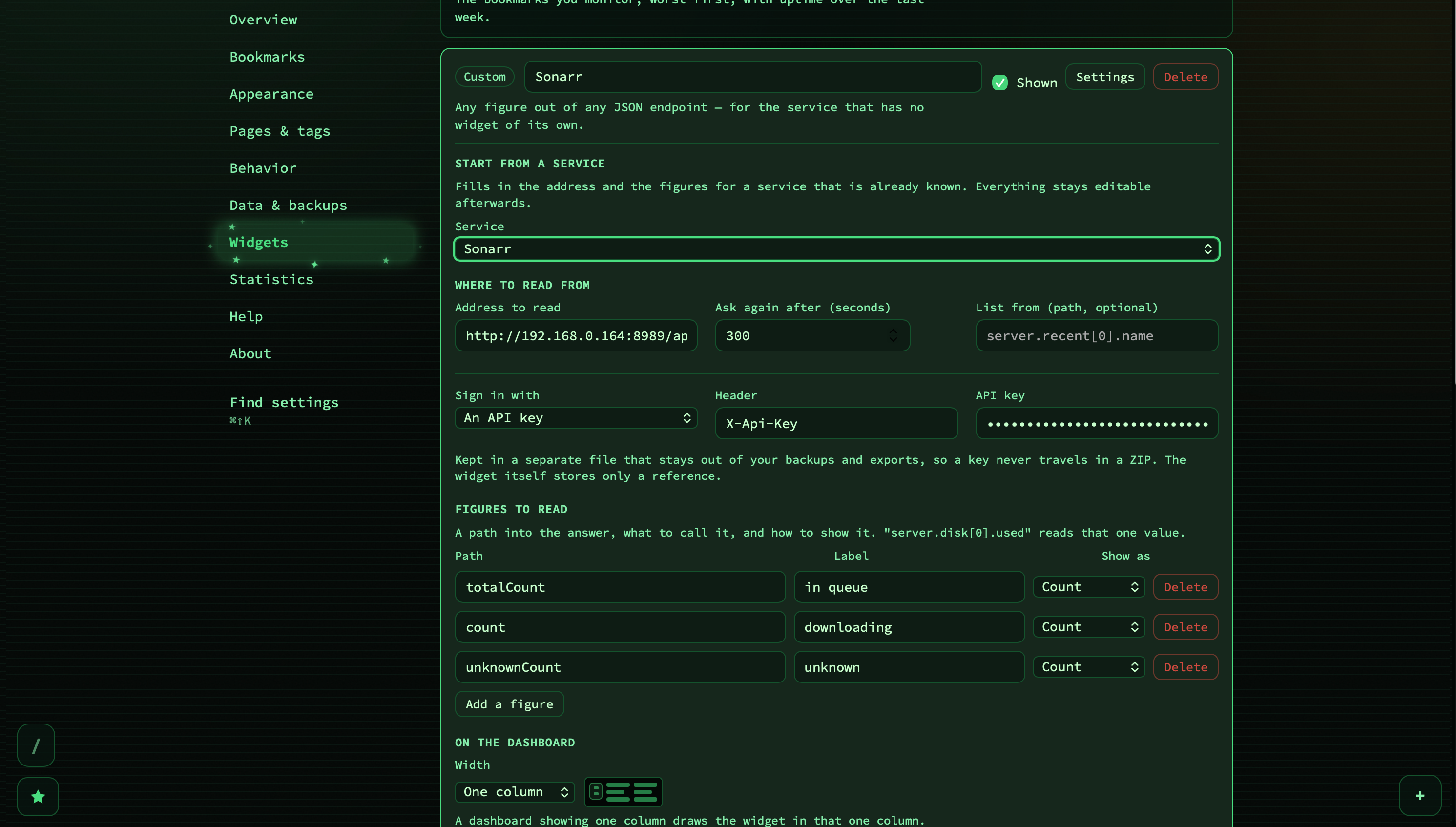
There is a much longer write-up of all of this, including the four clicks to a Sonarr tile and what each error message actually means: Widgets: your dashboard can show more than links.
2. Keeping a copy of a page in nextDash
Everything Health has ever done is diagnosis. It tells you a link is dead. That has always felt like half a feature, and this is the other half: having a copy when it happens.
Local copies saves a whole page — text, styling and images — as a single file in your data directory, through monolith, which the container now ships with. It asks nobody’s permission, it is on your own disk, and it stays readable when both the site and the Web Archive are gone.
- Config → Bookmarks → Local copies lists what you have, grouped by the bookmark it belongs to — because the question is almost always what do I have of this page. Copies whose bookmark has since been deleted get a group of their own rather than vanishing with it.
- You can do it to a whole selection. Tick rows in the health view and Save a copy on this disk sits in the bulk bar beside Rebuild previews and Refresh favicons. All three run one request at a time behind a counting bar — 12 of 40 — not out of caution about nextDash’s own load, but because each fetch belongs to somebody else and twenty simultaneous requests from one client is a burst a small server reads as an attack. It asks first and names the count, since this one is minutes rather than seconds. If monolith is not installed the run stops on the first row and says so, rather than spending those minutes proving the same thing forty times.
- Backups know about them. Saved pages are by far the largest thing in a backup, so there is a switch for whether they travel with it — see the backup section below.
3. The theme engine, rebuilt — and a browser instead of a list
Three things were wrong with themes, and all three were the kind of wrong you stop noticing because you have looked at it every day.
214 themes in a listbox is not navigation
They arrived as 214 alphabetically sorted lines, which puts City Lights [dark] twenty positions away from City Lights [light], tells you nothing about what any of them look like, and cannot be searched.
- One card per family, with a light/dark switch on the card. That turns 214 items into 107, and makes visible the pairing that Follow system dark mode was already relying on — a family is exactly what auto dark mode swaps between.
- Search, and segments for All / Favourites / Light / Dark. A star per family builds your own shortlist, kept in the order you starred them.
- The preview is unchanged: moving through the grid applies each theme to the real dashboard behind the config view, and leaving without choosing puts back the one you started on.
- The dashboard offers it once. Two hundred themes behind three clicks is three clicks further than most people go looking, so a card in the corner opens the browser there and then. Answer it either way and it does not come back.
Every theme finally has its own accent
The accent colour — focus ring, active tab, hovered row, the bar on a chart — used to be the theme’s success colour, because there had only ever been one accent and that was it. So every install accented green or teal whatever the theme was called: this link answers and this is a Mulberry Silk install were literally the same value. All 214 variants carry an accent of their own now, and a custom theme written before 1.4.0 keeps accenting in its success colour rather than losing its accent altogether.
Depth, derived rather than demanded
A theme declares thirteen colours and only two of them are surfaces. Two surfaces cannot express depth, which is why every view ended up flat — a card, a panel and a control all painted the same colour, with only a border saying where one stopped. Rather than ask 107 themes plus every custom one anybody has ever made for more colours, the second layer is computed from what a theme already declares.
- Config → Appearance → Depth: Flat is the dashboard exactly as it was; Soft adds a tint in the greys, a surface ladder and a gentle sheen; Rich is the same, more of it, and the default for a new install. Flat exists so that preferring the old look is one control rather than a reason not to upgrade.
- A wash of light behind the page — two large, soft radial gradients in the theme’s own accent and warning hues, at 7% and 5%. At that strength it is not a visible gradient; it is the page no longer being one flat rectangle. Two related hues, because a single hue reads as a mistake and two read as light.
- A backdrop pattern: dots, grid, lines, hatch or none, with auto letting the theme decide. If you have set a background image or gradient of your own, it wins and the washes switch off entirely.
- Thirty-three new families, each light and dark: Rosé Pine, City Lights, Tomorrow Dusk, Cobalt Ink, Iceberg Drift, Owl Hours, Polar Night, Zen Ember, Great Wave, Bamboo Panda, Synth Sunset and twenty-two more. 74 families became 107; 214 variants in total.
One fix worth naming because it was silently costing people something: favicon harmonisation is on unless a theme explicitly says otherwise. It was stored per theme id, and an absent entry read as off — so it worked for Retro CRT and was quietly off for the other 214. Choosing a theme during setup, which is the first thing a new install invites you to do, turned it off with no switch moved and nothing on screen saying so.
4. Archiving: the Web Archive, and a second opinion
A local copy covers the pages you thought to save. Archiving covers the rest — and it works best when it happens on the day you save a bookmark, rather than the day you discover the page is gone.
- Save Page Now. Switch on Archive new bookmarks under Config → Data & backups → Sources → Web Archive and every bookmark you add is captured the day you add it. Without an archive.org key pair the archive still accepts captures, but at a far smaller daily allowance, so the panel takes an S3 access key and secret and has a Save a copy… button that captures one page so you can prove the keys work before relying on them.
- Refusals that look like success are now read as refusals. A sixth capture of the same page in one day comes back as an ordinary
200. And the capture receipt is kept, so a queued capture is no longer indistinguishable from one the archive quietly declined. - The date the web lost a page. The health view reads the archive’s own CDX index rather than asking for the capture nearest to now — that one answers about any capture, including one that archived a 404, which for a dead link is usually exactly what comes back. Reading the index gives the last capture that was a real page, and with it the date the page stopped being one.
- archive.today, as a second opinion. The two archives disagree by design: the Web Archive honours a site that turns it away and drops what a site later withdraws, while archive.today keeps what it captured. For a link that died behind a paywall or a takedown, no copy from the first is routinely not no copy.
- An Archive widget puts the one figure that matters on the grid: how many of your broken links have a copy kept, and how many have nothing. That is the moment a page is actually lost, and it used to be invisible.
5. And the rest of it
Where bookmarks come from
An import reads a file once. A source is a place bookmarks keep arriving from, and gets asked again — which is why they live on their own tab, Config → Data & backups → Sources, rather than beside the import buttons. Five to start: GitHub stars and Raindrop.io (both want a token), and Hacker News, YouTube and Mastodon, which need nothing but a username, a channel or an account address. Each one previews what it would write before writing it, and each remembers its own cursor so a second run brings only what is new. Tokens live at 0600 and stay out of backups unless you switch that on.
The thirty-year-old file format
The Netscape bookmark file is now read and written in Go. One format that Chrome, Firefox, Safari and Edge all export, and that Pocket, Pinboard, Raindrop, linkding, Shiori, Linkwarden and Karakeep all speak — in and out, with folders becoming categories and dates, tags and descriptions surviving the trip. There is an Export bookmarks (HTML) button beside the CSV pair now, which is the honest answer to “can I leave?”. Alongside it: the CSV route had been dropping the tags and notes it promised since 1.0.2, and the browser-import confirmation dialog said Are you sure? Import without naming a number, on the one dialog standing between a reader and two thousand rows.
Health
Check a service that wants you signed in. A self-hosted service bookmarked at its web interface answers 401 to an anonymous check, so the row read broken while the service was fine — and the only way to stop that was to stop monitoring the bookmark most worth monitoring. Sign-ins are named, reusable, stored in their own 0600 file outside the backup allowlist, and never handed back to a browser; the bookmark stores only an id. Buttons on a downtime alert, for ntfy, which is the one configured service that can carry them. And a bot check is not a dead link any more: a page counts as gone only on the codes that say the page or the host no longer exists, which is the difference between a monitor people trust and one they switch off.
Statistics
Uptime pooled across every monitor — 24 hours, 7 days, 30 days, mean response, current failures — was being computed on the server and shown nowhere. It is a panel now, alongside certificates near expiry, archive coverage, and a Beyond bookmarks section counting widgets, feeds, sources, the trash and the automatic backups. The healthy share also stopped lying: the denominator left out monitors that were down and content failures, so an install with 67 healthy and two monitors down reported Healthy 100% directly above a row reading Monitors down 2. It is 97% of 69.
Telling other programs
Outgoing webhooks. A bookmark added, changed or removed, and a monitored bookmark going down or coming back, are pushed once to whoever subscribed — signed with the Standard Webhooks scheme rather than one of my own, because the receivers this is aimed at already verify it. And an MCP endpoint, off unless you switch it on: one POST /mcp, four tools, so an AI assistant can search the collection, look a bookmark up, list your tags and add one. Adding delegates to the same handler the browser posts to, so the duplicate check, the URL validation, the activity entry and the outgoing webhook cannot be forgotten in a second write path.
Backups that actually restore
Files had been left out of the backup one at a time, each for a reason that held on its own — a trend re-records daily, a feed re-polls, a cache regenerates. Together they made a restore an install that had lost its history and had to earn it back over weeks; the uptime chart alone needs three days before it appears and thirty before the window it claims is real. A backup now carries the whole data directory, with two switches: local copies of pages (by far the largest thing in there), and the files that hold tokens (which makes the ZIP itself a secret). Both are stored as what to leave out, so an install that upgraded without touching them keeps making the fuller backup rather than quietly thinning it.
Smaller things I am glad are in
- Your browser’s address bar is a nextDash search box.
/opensearch.xmldescribes it to the browser; type your keyword and a query and you land in the search overlay. - Preview cards read more of what a page says about itself — publisher, author, publication date, and a player for the video providers that advertise one.
- What’s new opens on the release rather than on 283 pixels of bordered panels before the first word, and older releases are one row each instead of a lazy loader with a “scroll for 49 more” hint sitting between two already on screen.
- Setup has a fifth step for bringing your own bookmarks in, because ending on “how would you like to begin?” left whoever picked start from scratch looking at an empty dashboard with nothing saying they need not type it all in.
- About three hundred translations that were written, kept in step, and never once displayed.
t()split a key on dots and walked nested objects, so it never reached a key stored as one literal name with a dot in it — which is why it looked as though nobody had translated any of it. - Titles are trimmed by character, not by byte. Every caller is trimming text some other site wrote, so the multi-byte case was the ordinary one, and a cut landing inside a character reached the page as a replacement glyph.
A security pass, after the features were in
Seven findings, every one of them an address or a secret reaching somewhere it was never meant to. The webhook list answered a GET before checking the write token — and an endpoint URL is not a description of a webhook, it is the webhook. Webhook delivery now goes through the guarded client with zero redirects, because a name is resolved again at delivery and a receiver answering 302 could reach an address the save had refused. A stored health credential no longer follows a redirect off its host: Go copies headers onto the redirect it follows, so a monitored host answering 302 received your API key at whatever address it named. A custom widget’s address and credential id are withheld from the page’s blocks route unless the request carries the write token. And the biggest one is in the upgrade note directly below.
Upgrading
docker compose pull
docker compose up -d
From a git checkout:
git pull
docker compose -f docker-compose.prod.yml up -d --build
Or straight from source:
git pull
go build -o nextDash && ./nextDash
One thing changes underneath you, and it is deliberate. The API used to answer Access-Control-Allow-Origin: * by default, and the read routes need no token — which means any site open in a tab could ask a nextDash on a guessable LAN address for your entire collection. The default is now same-origin, with an exception for extension origins, since a Manifest V3 extension with host permissions is granted cross-origin access by the browser with CORS never entering into it: refusing the header would not stop one, and allowing it does not enable one that lacks the permission.
The browser extension keeps working. If you have your own cross-origin tooling pointed at the API, name it in NEXTDASH_CORS_ORIGINS, or set NEXTDASH_CORS_ORIGINS=* to restore the old behaviour in one value.
Nothing needs migrating otherwise. Two things are worth doing once you are on it: open Config → Appearance → Theme and actually look at the grid — 107 families with their real colours on them is a different experience from a listbox — and add one widget, any widget, to see what your own install has been keeping quiet about.
The full picture
Every change, with the reasoning behind each one, is in the changelog. The manual has new chapters on widgets, the theme browser, depth, sources, keeping copies, webhooks and the MCP endpoint, and Config → Help gained a Widgets tab with five articles — in all four languages.
nextDash is a keyboard-first, self-hosted bookmark dashboard. No accounts, no cloud, no noise — it tells you which of your links are already dead and how long they have been, and as of 1.4.0 it can also keep the page for you before that happens.
Source and downloads: github.com/jordibrouwer/nextdash
Release notes for this version: v1.4.0 on GitHub
Deep dive on widgets: Widgets: your dashboard can show more than links