nextDash v1.24.0 — Watch feeds: follow the RSS feed of any site
nextDash can now follow the RSS feeds of the sites you save. A bookmark with news shows it on its row and in its preview card, and a news window of its own reads everything you follow like a paper.
Follow the RSS feed of any site
Right-click a bookmark and choose Watch this feed…, use the Watch feeds row in the bookmark form, or press # on the bookmark in hand. nextDash lists the feeds the page advertises (and tries the usual addresses when the page says nothing). Tick one or more, or paste an address, and choose how often to check, from every 30 minutes to every 24 hours. Up to 100 feeds can be watched.
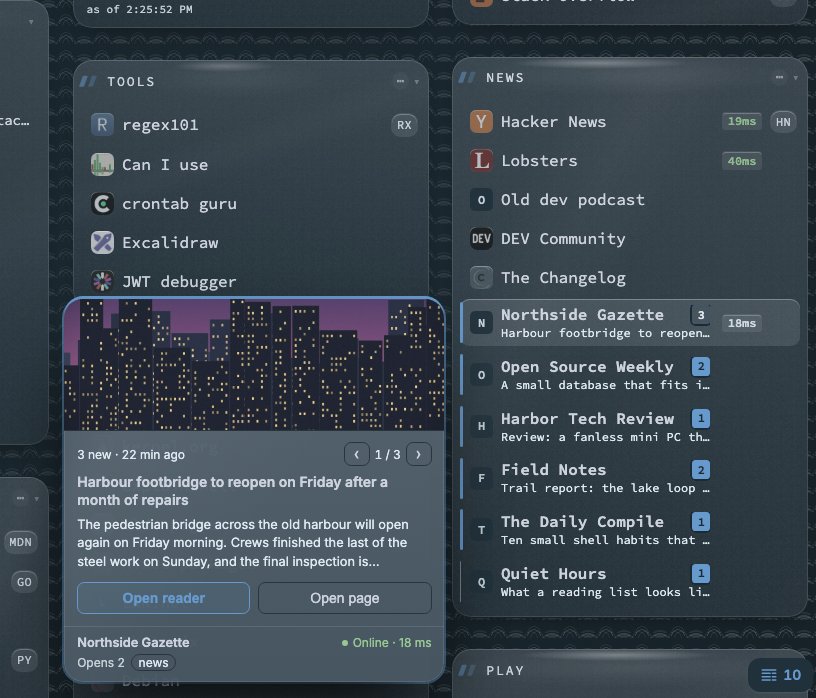
nextDash only reads feeds: nothing is sent to anyone. RSS, Atom and JSON Feed all work. When you save, what is already in the feed counts as seen, so a bookmark shows news once the site publishes something new.
News on the row and in the preview card
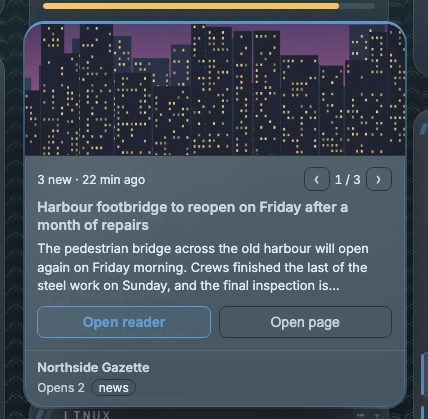
A bookmark with news gets a stripe, a bold name, its newest headline and a badge with the count. A small feed icon marks watched bookmarks, and the page tab shows a dot. Hovering opens a preview card that leads with the photo, the headline and a short lead, with Open reader, Open page and a pager (‹ 1 / 3 ›) for more than one new item.
The popover on a click
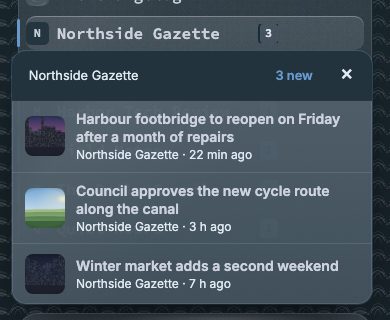
A click on a row with news opens a popover under the row with the newest headlines instead of the site. Each headline has its picture, its site and its age, and a click on one opens that article. The bar on top shows the site and its count and goes to the site. Reader opens the news window for that site alone, and the cross or Esc closes the popover. Six headlines show; +n more unfolds the rest in place, up to ten.
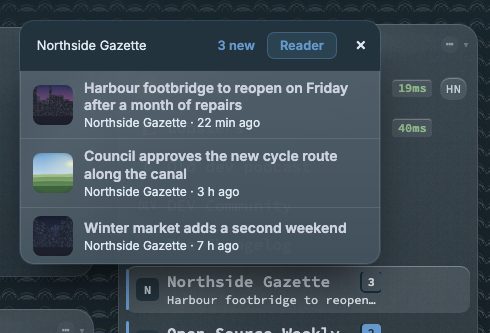
It places itself under the row, over it near the bottom of the screen or beside it on a short wide one, and stays under its badge when the page moves. A phone has no hover: a tap opens it with five headlines and no Reader button, which a phone reaches from the toast. From the keyboard the focus goes to the first headline and Esc returns it to the badge. A right click is still the menu, and Ctrl-click opens the site as before.
A news window of your own
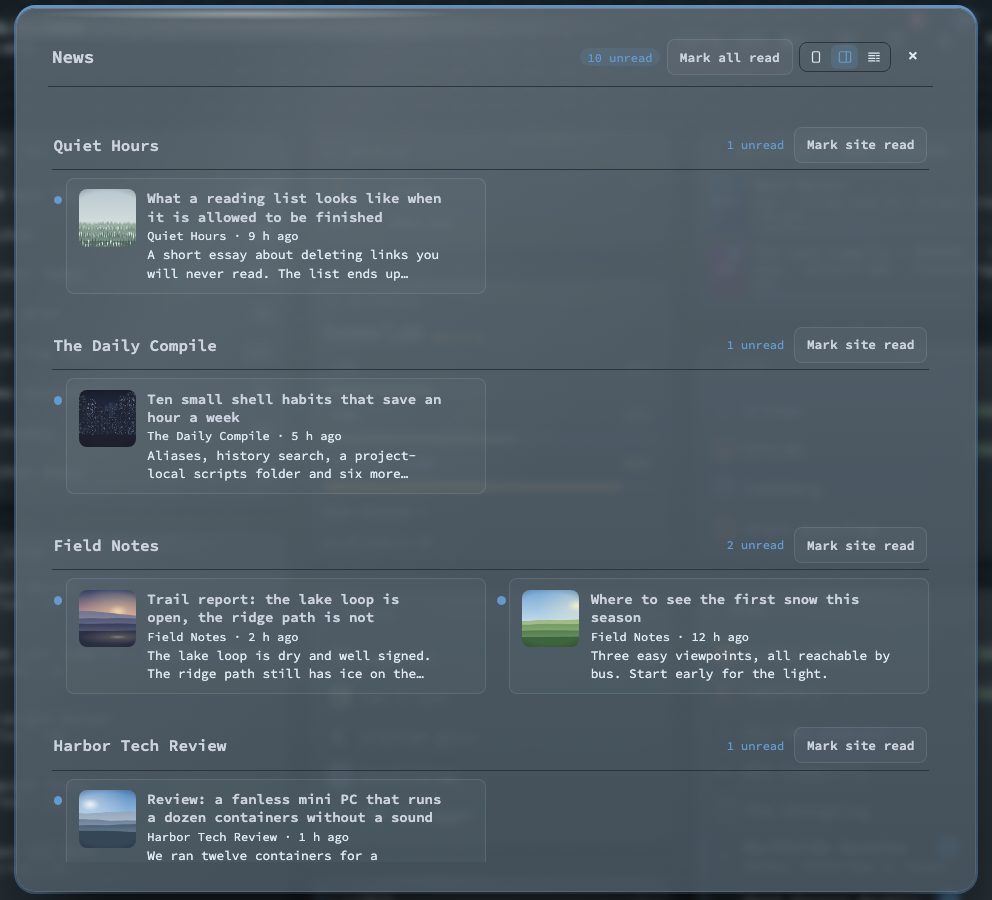
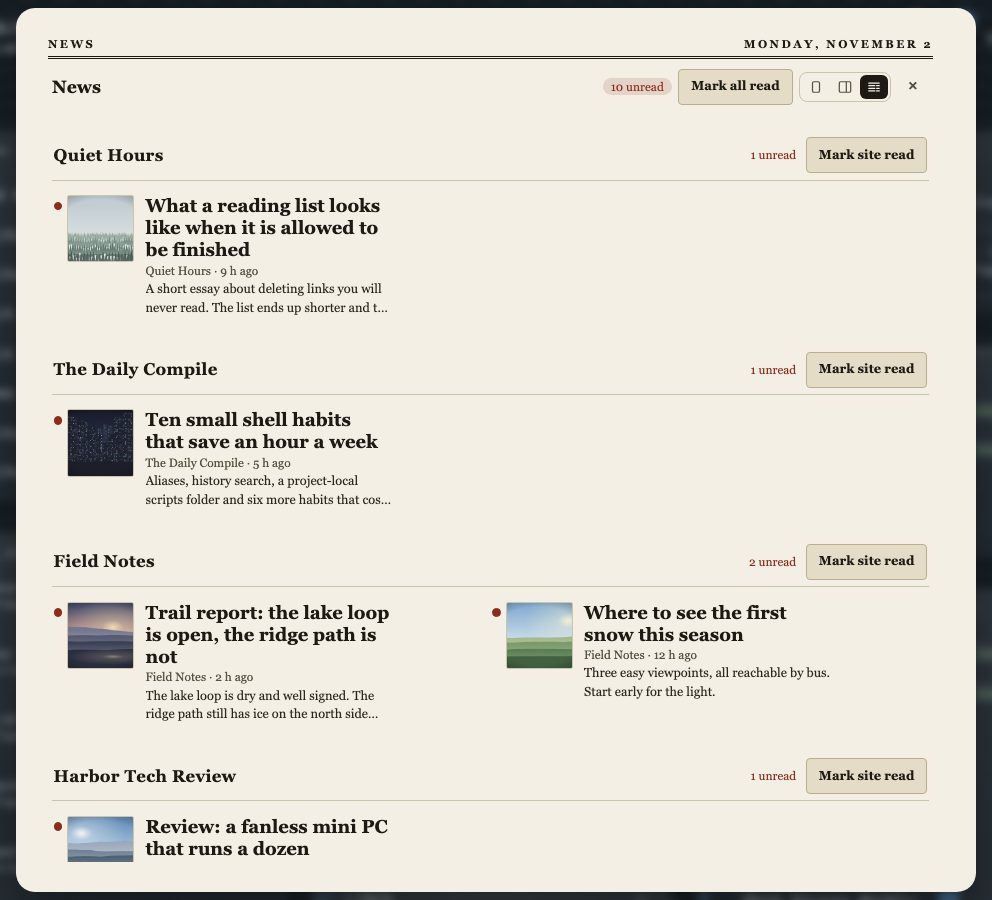
Shift + N opens one window for everything you watch, with read and unread per item. Choose its layout in the header or under Bookmarks → Watch feeds → Show news as: one column with one article per screen, two columns, or a newspaper front page. j and k move through the news, Index goes back to the front page and Esc closes the window at once. It follows the theme; only the newspaper keeps its own paper look.
Managing what you follow
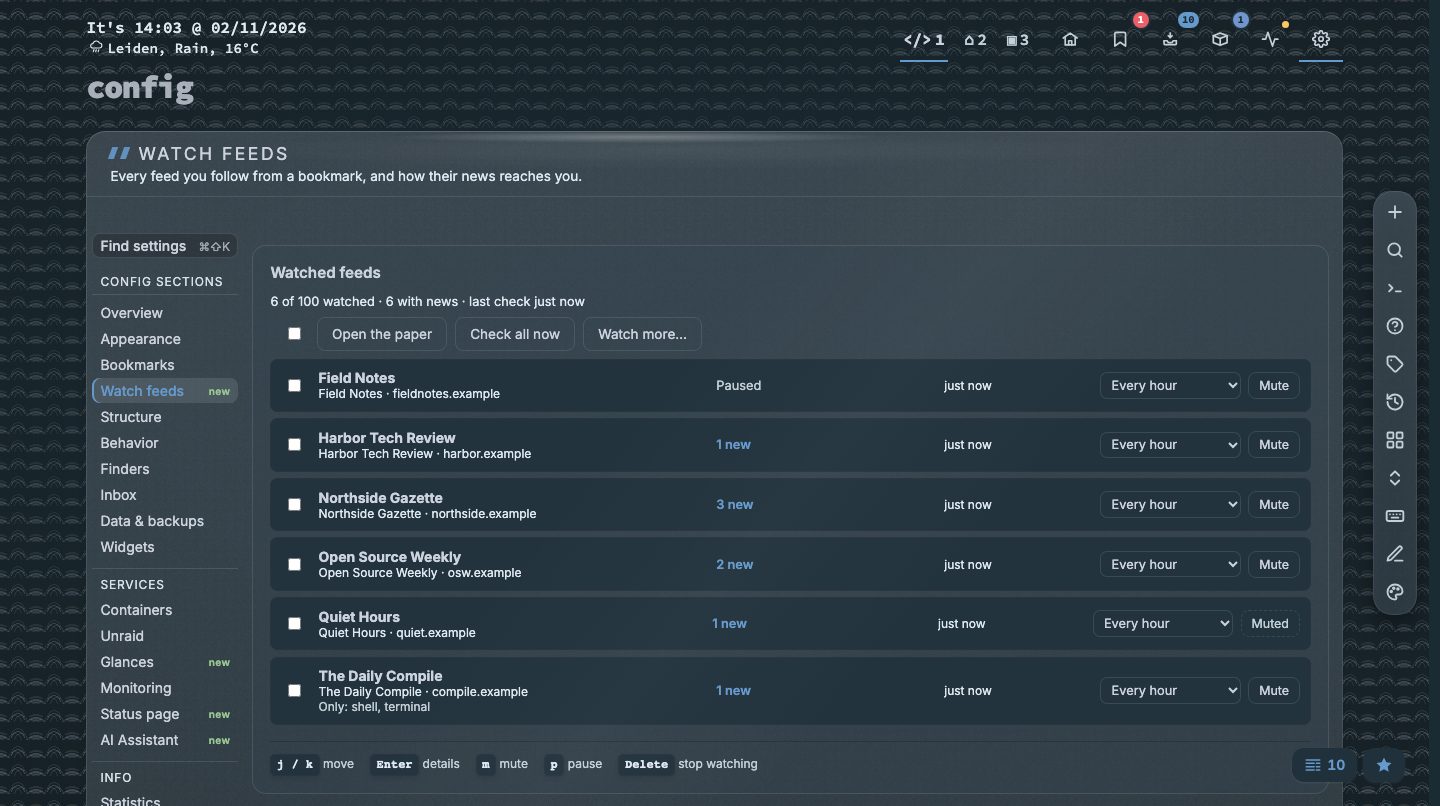
Config → Watch feeds lists every feed with its newest item; mute it, pause it or set a word filter per feed. Stats → Watch feeds shows what the feeds publish and what you read. A feed that fails five times in a row is paused and tried again once a day. nextDash keeps the ten newest new items of each feed with their text and picture, and remembers the last 75 entries so nothing counts as new twice.
Smaller changes
- Tidal Slate (dark) is the default theme on new installs.
Ctrl/Cmd + Aselects every bookmark the Bookmarks view shows.- A server with no connection no longer marks everything broken (issue #20), and the first 15 minutes after a start hold a first failed check;
NEXTDASH_HEALTH_STARTUP_GRACEsets the window. - A file nextDash cannot read is never overwritten with defaults.
- The MCP endpoint answers counts and queries, and the assistant has a guided tour.
Upgrading
docker pull ghcr.io/jordibrouwer/nextdash:latest
# or
docker pull foobar1452/nextdash:latest
Unraid users: update the container from the Docker tab. The full list is in the GitHub Release.