nextDash v1.22.4 — Edit mode, search that knows your hours and a richer digest
nextDash v1.22.4 lets you edit the dashboard where it is. The empty search panel now learns your hours, a checkup walks through what needs tidying, and the weekly digest gets figures and an overview.
Edit mode
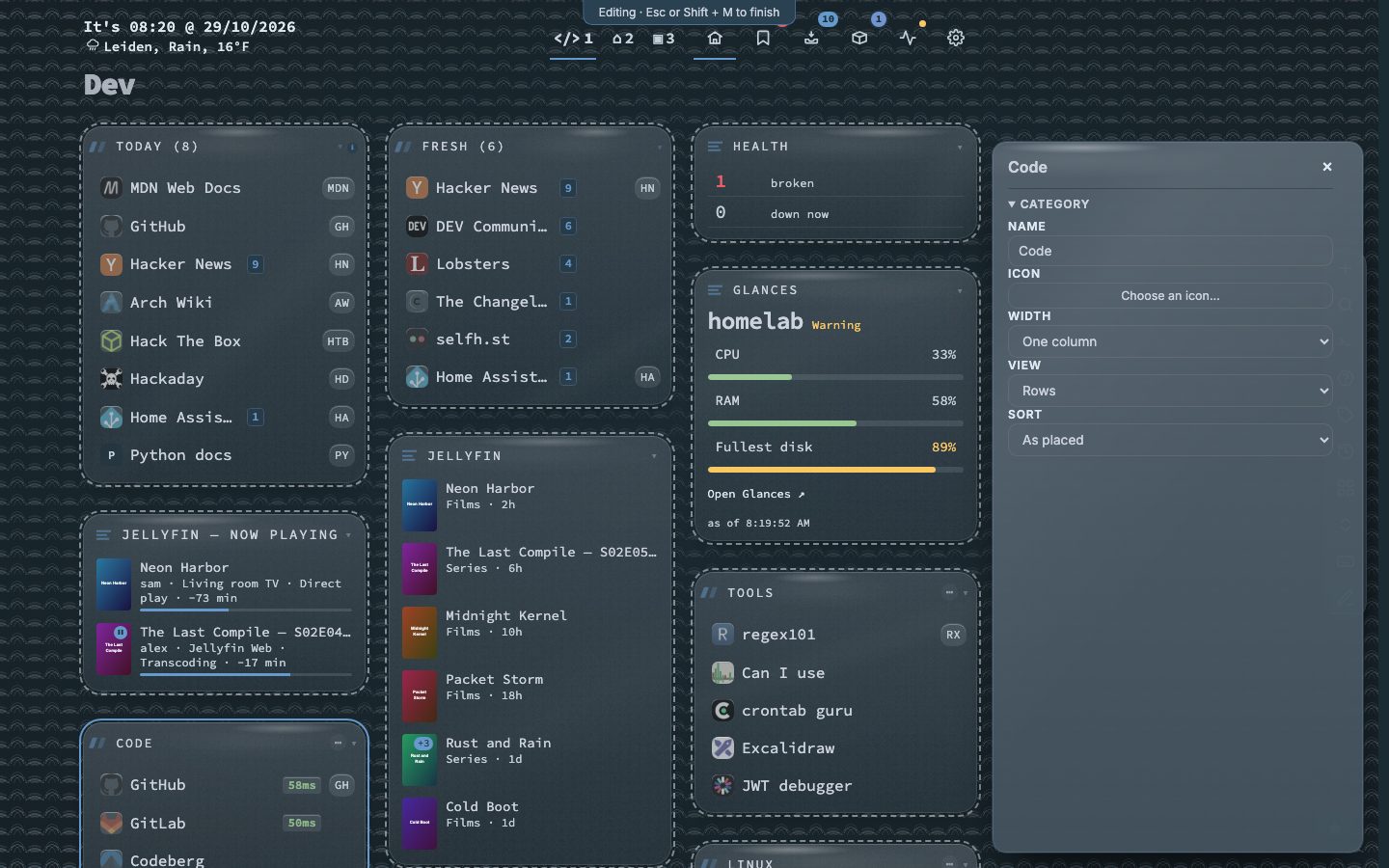
Press Shift+M with no bookmark selected, or click the pencil in the action bar. A click on a category, widget or page opens a panel beside the page: name, icon, width, view and sorting, or a widget’s settings. Changes are saved as you make them, and Esc leaves. Edit in panel… in the right-click menu of a category or widget starts the mode on that block. It is for computers and tablets; a phone layout does not enter it.
Search that knows your hours
The empty search panel starts with Usually now: up to three bookmarks you tend to open around this time, on this kind of day. It is worked out in your browser from your own open history. The right arrow on a result unfolds open, open in a new tab, edit, copy the address, show in the list and move.
A checkup and a richer weekly digest
Type :checkup for one round through dead links, duplicates, bookmarks never opened, empty categories and pages, and widgets that show an error. Nothing is removed before you have seen it.
The weekly digest now opens on an Overview with the week in figures: bookmarks opened, bookmarks added, uptime with its outages, and the Inbox, each next to the week before. A broken link shows its page, since when it is down and what the last check said.
Smaller changes
Adding a widget is a guided step: pick it, test the address or key before it is added, and say which page it goes on. Finders is a section of its own in Config.
Fixes
A page of uncategorised bookmarks no longer counts as empty in the checkup. The digest leaves out bookmarks whose stale flag is ignored. Inbox icons that the outbound limit refused are fetched again. The demo starts faster.
Upgrading
docker pull ghcr.io/jordibrouwer/nextdash:latest
# or
docker pull foobar1452/nextdash:latest
Unraid users update the container from the Docker tab. Full notes are in the GitHub Release.