nextDash v1.22.0 — every theme redrawn, 75 backdrops and a searchable cheat sheet
v1.22.0 redraws the dashboard. Every theme gets a surface that fits its material, backdrops are chosen per theme, and Aurora Glass becomes the default. The cheat sheet can be searched, and the bookmark form shows a live preview.
Every theme, redrawn
Each of the twelve materials now draws its own cards, headers, menus, dialogs and side panel. Paper reads as an index card, enamel as a glazed tile, and neon gets a glowing top edge. All 192 theme families are drawn again with it, in light and dark.
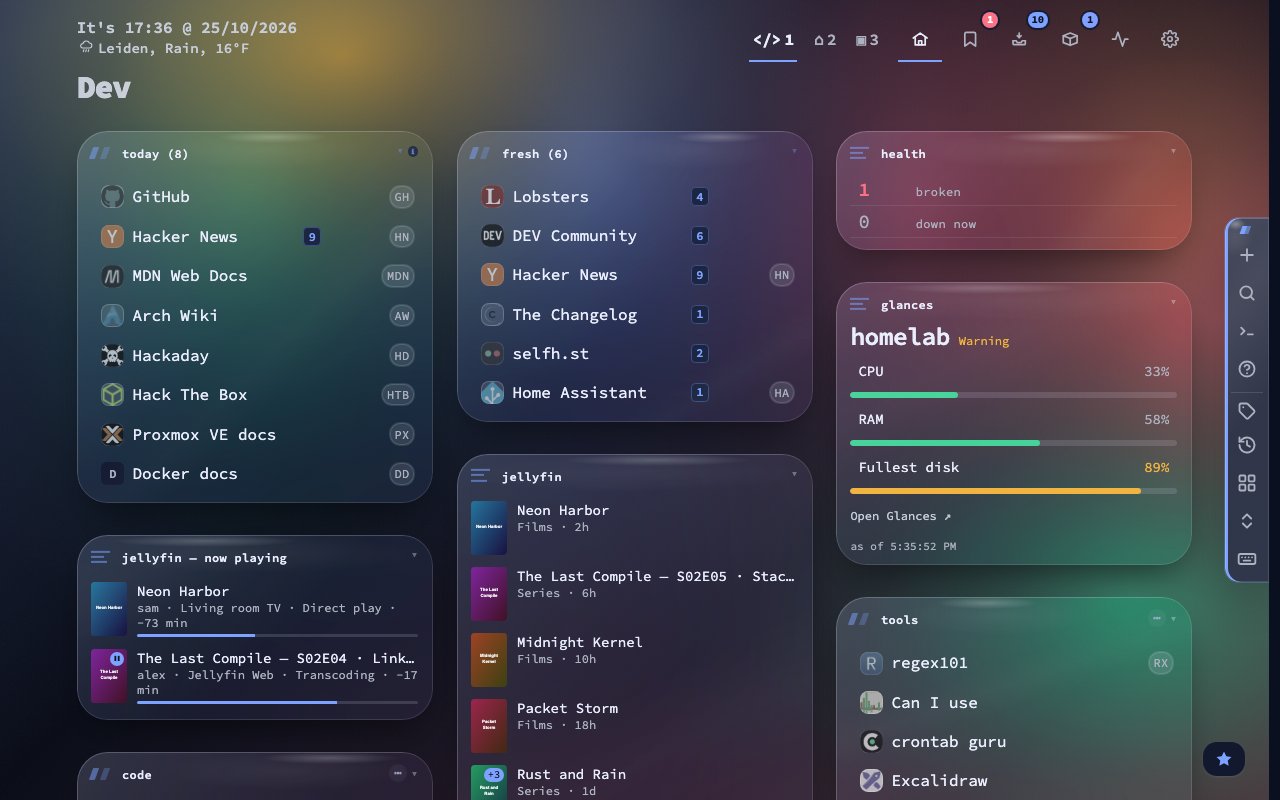
A fresh install starts on Aurora Glass, and every existing install moves onto it once, keeping the dark or light half it was on. A dialog shows the theme that was replaced and offers Go back in one click. Bookmarks, categories, settings and your own themes stay as they were. Prefer the flat look of before? Material style under Surface in the theme studio brings it back as Classic.
The eight neutral themes now sit on one lightness ladder, with a single accent you pick for all of them. ThinkDashboard Classic returns with its grid of dots, and the current one is renamed ThinkDashboard Modern. The Unraid themes get card panels, server colours and a calmer band.
75 backdrops and a quiet centre
Every material has a pool of backdrops of its own and each theme picks from it. Eighteen patterns replace the old colour washes, including haze, silk, caustics, linen and a small honeycomb for Bokeh. Each one carries the colour of its theme, and a dark page carries more of it.
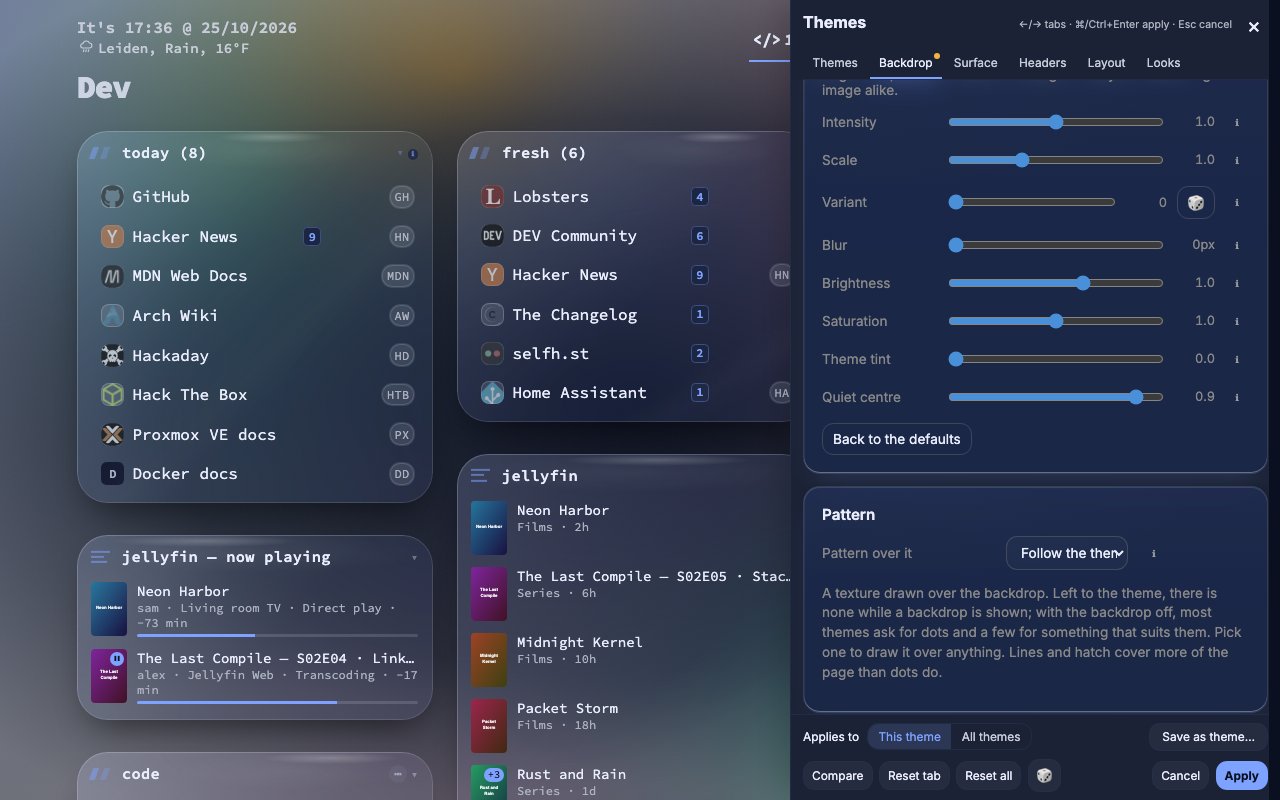
The new Quiet centre slider fades the backdrop behind your bookmarks. The text stays easy to read while the pattern stays at the edges. The value is kept per theme.
A cheat sheet you can search
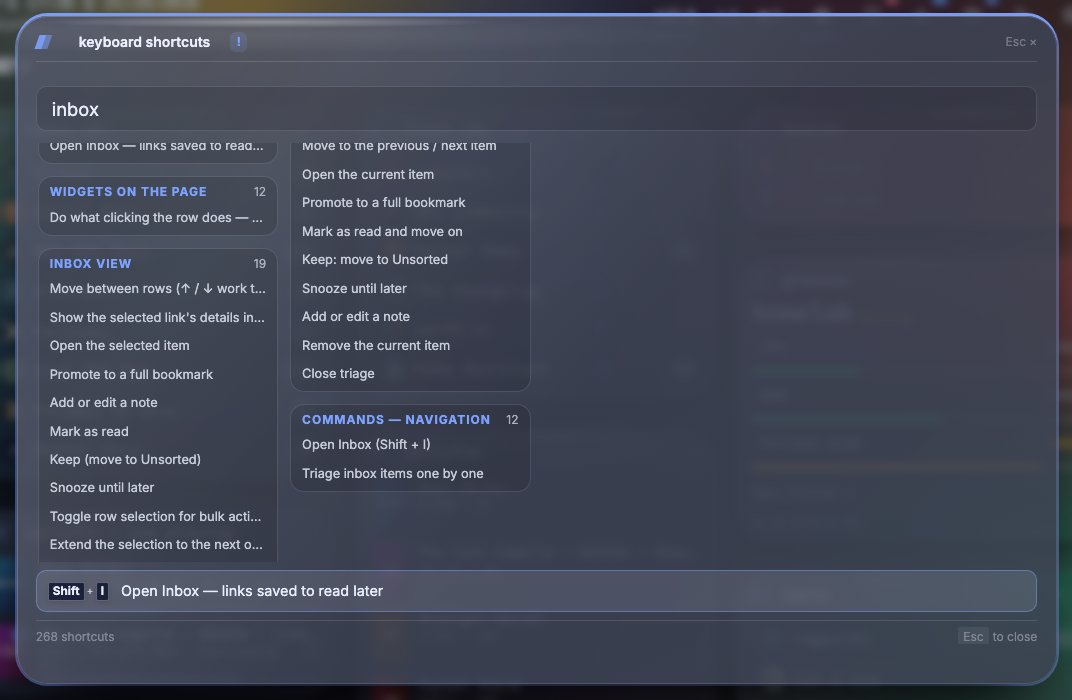
The cheat sheet has a search field, topics in columns and a dock along the bottom. The dock shows the keys of the row you pick and follows the keyboard focus. Shift+G now opens Glances from every view, and in lists End goes to the last row instead of G.
Add and edit in two columns
The add and edit bookmark form now has two columns on screens with a fine pointer. It shows the card as it will look on the dashboard while you type, and the icon picker opens inside the page instead of being clipped.
Fixes
- Taking a tag off a bookmark no longer undoes a settings save that landed at the same moment.
- A category deleted on another device stays deleted, and quick category changes on one page are saved in order.
- Restoring a backup with many local captures no longer runs the server out of memory.
- Remove stopped in Containers only removes the containers it listed, and undoing a repeated paste in the Inbox keeps one row.
- A page id below 1 is refused, and a failed page delete leaves no trash entry behind.
Upgrading
docker pull ghcr.io/jordibrouwer/nextdash:latest
# or
docker pull foobar1452/nextdash:latest
Unraid users: update the container from the Docker tab. No configuration changes are needed. Full notes are in the GitHub Release.