Backups and import
Weekly backups, a 30-day trash, and import and export for any browser.
- :backup Open Data and backups
- :export Download a backup
- :trash Open the trash
A backup is the thing you are glad you made. nextDash makes one every week, keeps the newest three and tells you what is in them. Anything you delete waits in a trash for 30 days first, and moving links in or out is one button: a bookmark file from any browser, or a spreadsheet.
Try it
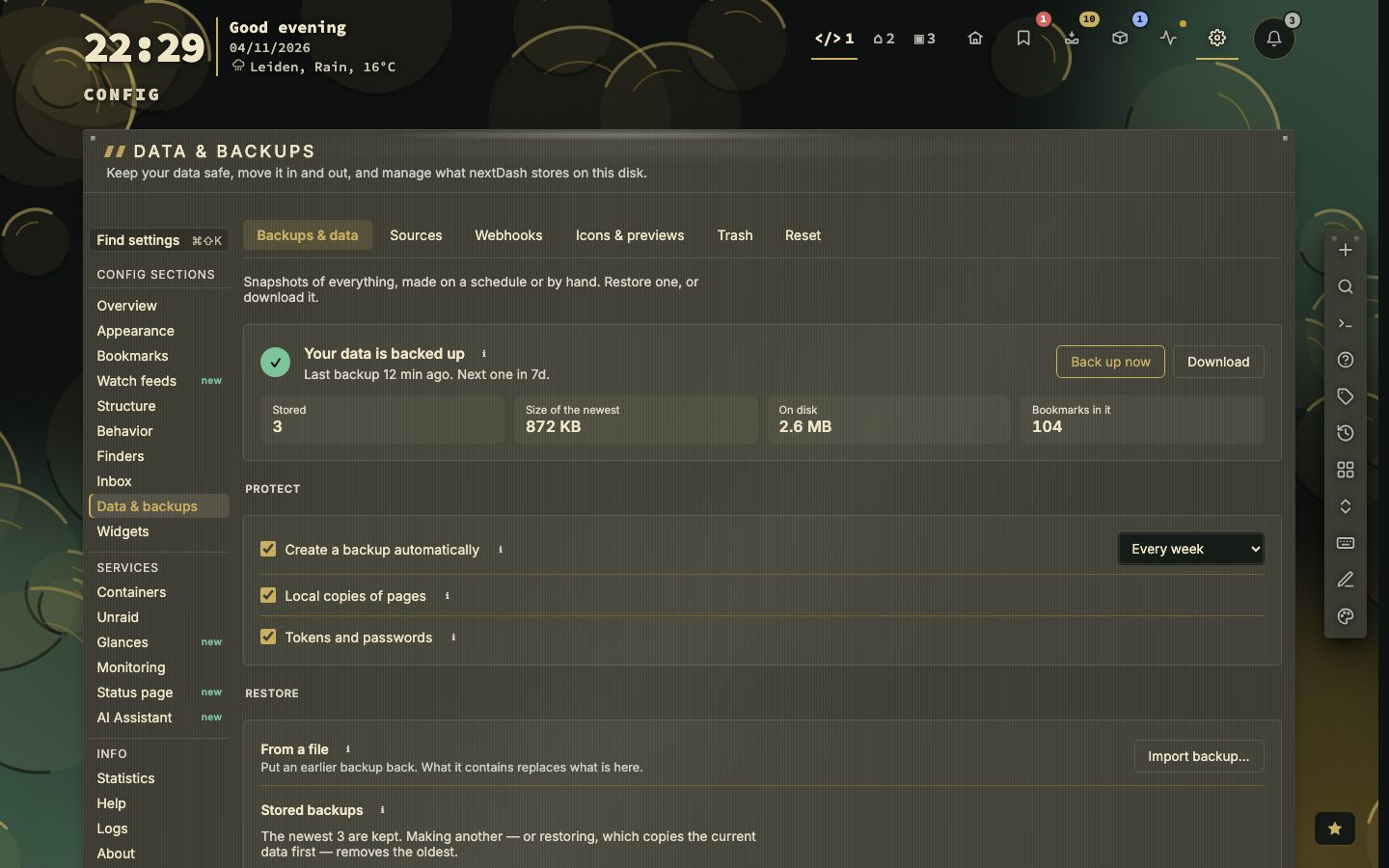
- Open Config, then Data & backups. The first tab says whether your data is backed up and when the next backup is due. The command palette gets there too: : then
backup. - Press Back up now to store a copy on the server, or Download to save a ZIP of everything on your computer.
- Delete a bookmark, then type : and
trashto find it again and put it back. - Under Move, press Import browser bookmarks and pick the HTML file your browser exported.
Backups that run themselves
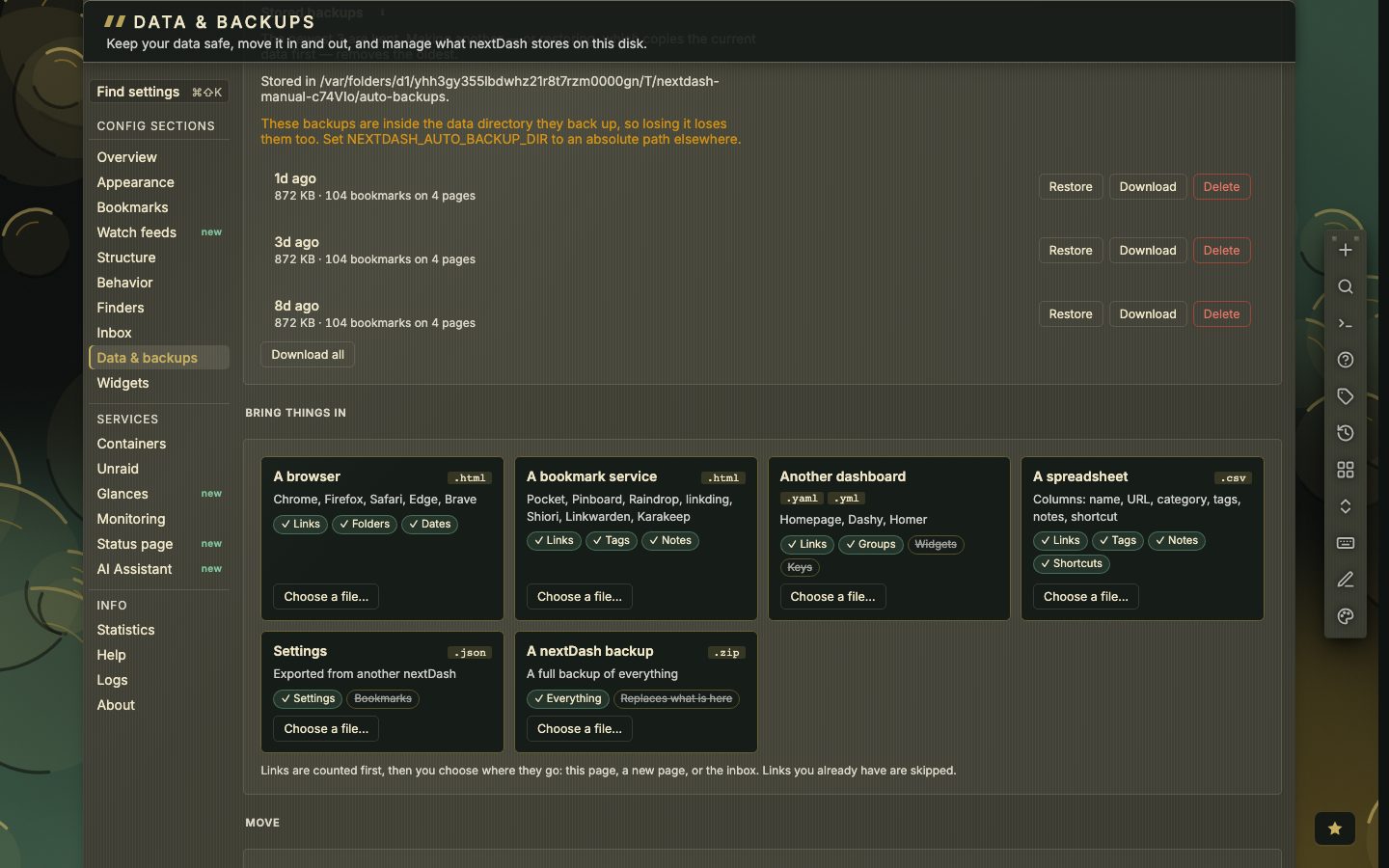
With Create a backup automatically on, a backup is made whenever the newest one is older than the interval you chose: every day, week (the default), two weeks or month. Restarting the server often does not skip one. The newest three are kept and older ones are removed. The panel names the folder it is writing to, and warns when that folder sits inside the data directory, because backups kept there are lost along with what they protect.
A backup holds the whole data directory: bookmarks, pages, finders, the inbox, settings, your themes, health history and icons. Two switches decide what else goes in. Local copies of pages is the largest part of a backup. Tokens and passwords covers the source tokens, webhook keys, the assistant keys and the secrets in the alert settings. Without them those fields are blanked in the backup and a restore keeps the ones you are using. With them in, a restore needs nothing typed again, and the ZIP itself becomes a secret.
Restore
Every stored backup shows its age, its size and what it holds, with Restore, Download and Delete beside it. Import backup restores a ZIP you saved elsewhere. A restore replaces everything, so nextDash first checks the archive and writes a backup of the current data, which means a restore can be undone. An archive with no bookmark page in it is refused.
The trash
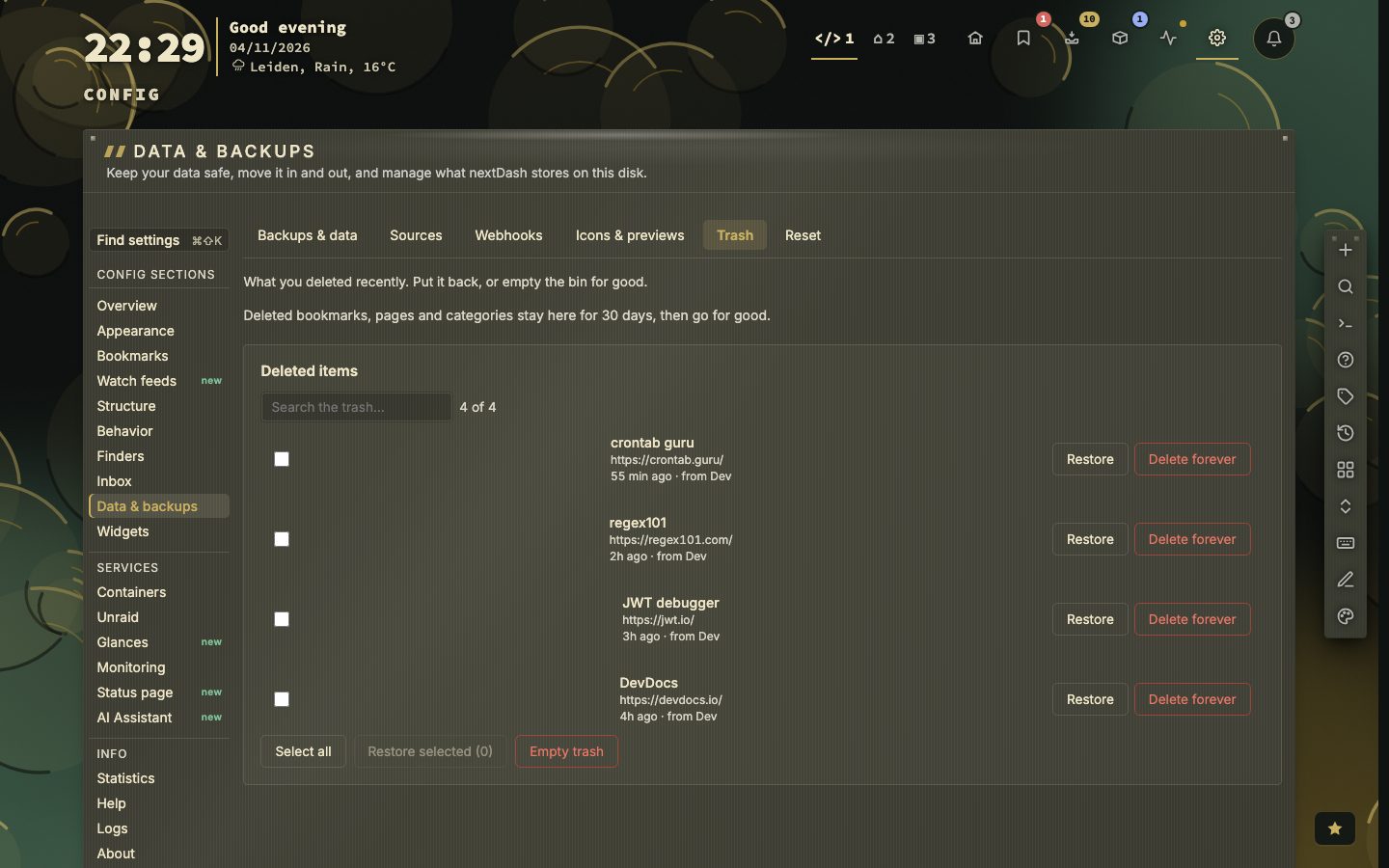
Deleted bookmarks, pages and categories stay in the trash for 30 days, up to 500 entries. A deleted page is one entry and comes back with its categories and bookmarks. You can search the trash, restore one entry or several at once, delete forever, or empty it, and the last two ask first.
Moving links in and out
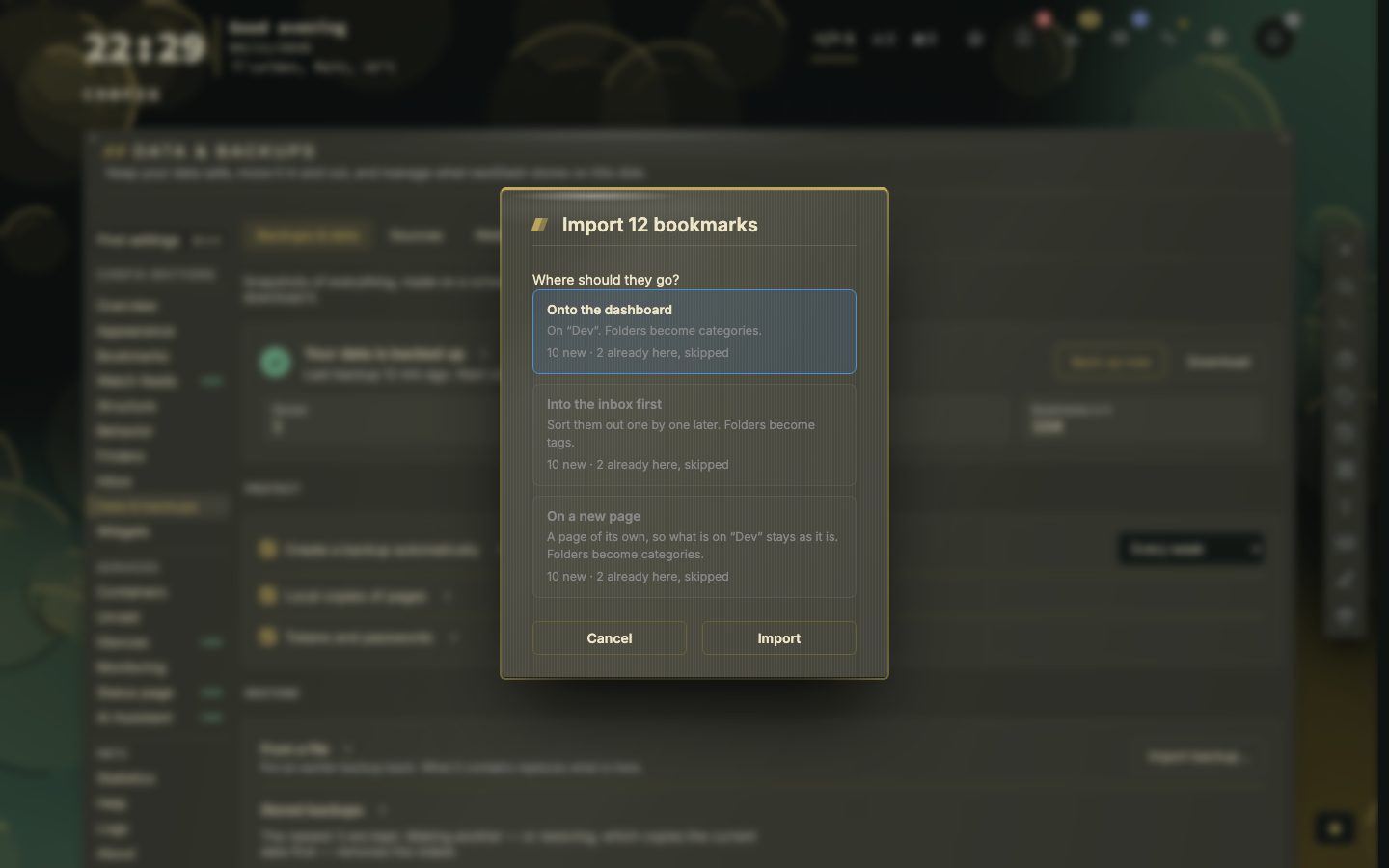
Import reads the HTML file every browser exports, and the exports of Pocket, Pinboard, Raindrop, linkding, Shiori, Linkwarden and Karakeep. It shows a preview first, such as ten new and two already here, and asks where the links go: onto the dashboard, on a new page of their own, or into the Inbox to be sorted one by one. Folders become categories, or tags when they go to the Inbox. Tags, notes and dates come along, links you already have are skipped, and missing icons are fetched afterwards.
Going the other way, export your bookmarks as an HTML file for a browser or another tool, or as CSV with name, address, category, page, shortcut, tags and notes. A CSV file you edited in a spreadsheet can be imported again; columns are matched by name and rows without an address are skipped. Settings can be exported and imported on their own as well.
Which one when
- Moving servers or recovering from a disaster: a ZIP backup.
- Leaving a browser or a read-later tool: import its file.
- Taking your collection elsewhere: export HTML.
- Tidying in a spreadsheet: CSV out and back in.
- Links that keep arriving from a service: a source, covered in the manual.
In Docker, keep the data folder on a mounted volume, or the automatic backups disappear with the container. What the data folder looks like is on the Data page. The manual covers all of this in chapter 20, Data, backups and import.
What a backup leaves out
- 3backups kept by default
- 30days in the trash
- 500trash entries
- 6kinds of file to import
Some things are left out on purpose, because they are rebuilt or belong to somewhere else: cached previews and pictures, the health cache, and browser push subscriptions, which register again after a restore. The Containers view keeps its timeline, update history, disk sizes and logs out as well, since they belong to the Docker host and not to your data. The conversations of the assistant always travel in a backup, whatever the two switches say.
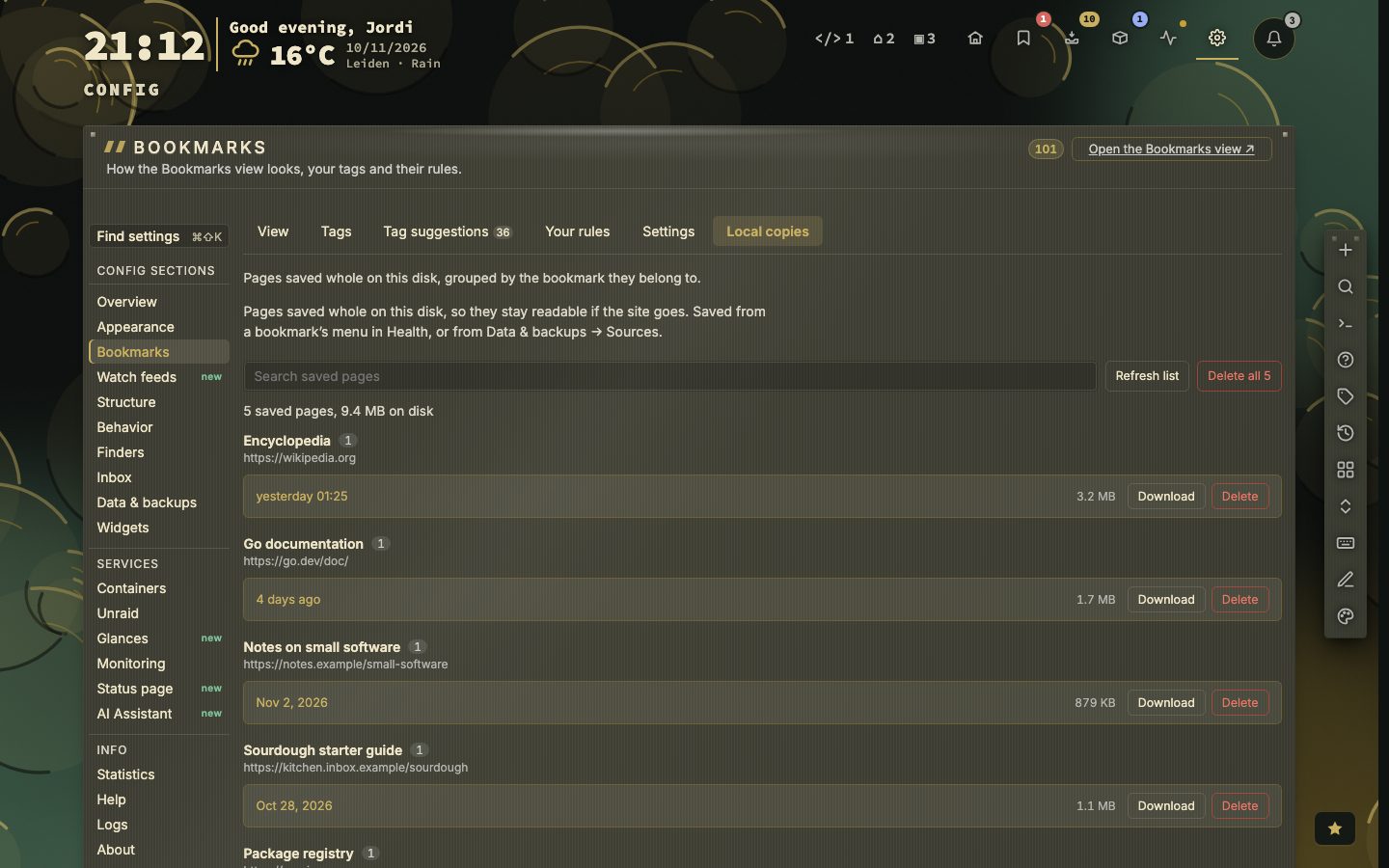
The pages you saved whole are listed under Config, then Bookmarks, then Local copies, with their size and a Download and Delete button each. They are the part that the Local copies of pages switch decides about.
Where the backups are kept
By default the stored backups are in data/auto-backups/, and that folder is not part of a backup itself. Two environment variables change this: NEXTDASH_AUTO_BACKUP_KEEP sets how many are kept (1 to 50) and NEXTDASH_AUTO_BACKUP_DIR takes an absolute path for another place. The panel always names the folder it is really using, so you can check it.
Restore a backup
- 1Open Config, then Data and backups
- 2Find the backup under Restore, or press Import backup for a ZIP you saved elsewhere
- 3Press Restore
- 4nextDash checks the archive and first writes a backup of the current data
- 5Everything is replaced in one step
An archive is refused when it holds no bookmark page, when it is over 1 GiB in total, when one file in it is over 64 MB, or when it has more than 50,000 entries. The page captures that nextDash writes itself do not count towards the total. The restore is atomic. A ZIP without finders.json or health-history.json leaves your current finders and health history alone. Bookmarks with an invalid address are skipped and counted, and the settings.json in the backup decides whether local addresses are allowed.
Links that keep arriving
A source is a service your bookmarks keep arriving from: GitHub stars (a personal access token), Raindrop.io (a test token), Hacker News favorites (your username), a YouTube channel (a handle or channel id) and Mastodon bookmarks (an access token from your instance). Each panel asks where the bookmarks go and offers import now. Every run shows a preview before it writes and remembers where it got to. nextDash only reads from these services. The tokens sit in sources.json with owner-only permissions, and a backup leaves them out unless you switch on Tokens and passwords.
When the trash says no
Restoring from the trash can be refused, and then the entry stays where it is. A bookmark or category whose page is gone needs that page back first. A page whose place was taken by another page cannot replace it. Restore selected restores each ticked entry on its own.
Before you reset
The Reset tab has two buttons. Delete all bookmarks keeps your pages, categories and settings and asks once. Reset all data deletes pages, categories, bookmarks, finders, settings, custom themes, uploads, icons and caches, brings back the example bookmarks and default settings, asks twice, and wants you to type RESET. Neither can be undone, so make a backup first.