nextDash v1.30.0 — more Docker hosts, Immich and widgets on every page
nextDash v1.30.0 reaches past the single Docker socket it started with. The Containers view can follow more than one host, Immich gets five widgets, and a widget can now live on every page.
More than one Docker host
Under Config → Containers → Connection → Other Docker hosts, up to four extra hosts can be added. Each one is reached through a Docker socket proxy over tcp, or through the daemon’s own TLS with a CA and an optional client certificate. Once a host is added, a strip of tabs above Containers | Disk picks the host, and the list, the side panel and the logs follow it.
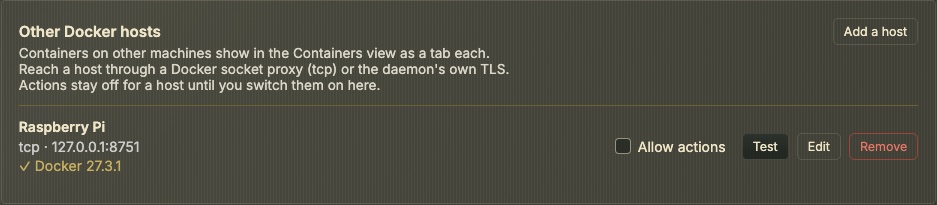
A host is read-only until its Allow actions switch is on. Only then do start, stop, restart, pause, unpause and remove work there, and NEXTDASH_DOCKER_CONTROL and the own-container guard apply to that host alone. Check for updates runs on every host’s tab. Hosts are stored in docker-hosts.json and their certificates in docker-secrets.json. An install with one host changes nothing.
Five Immich widgets
Photos, Slideshow, Albums, People and Status read one Immich library. The API key is set once in Config → Widgets and works for all five. Connect lists the albums and people to pick from. Photos and the slideshow can show the whole library, favorites, one album, one person, memories or On this day. Pictures are fetched through nextDash, so the key never reaches the browser.
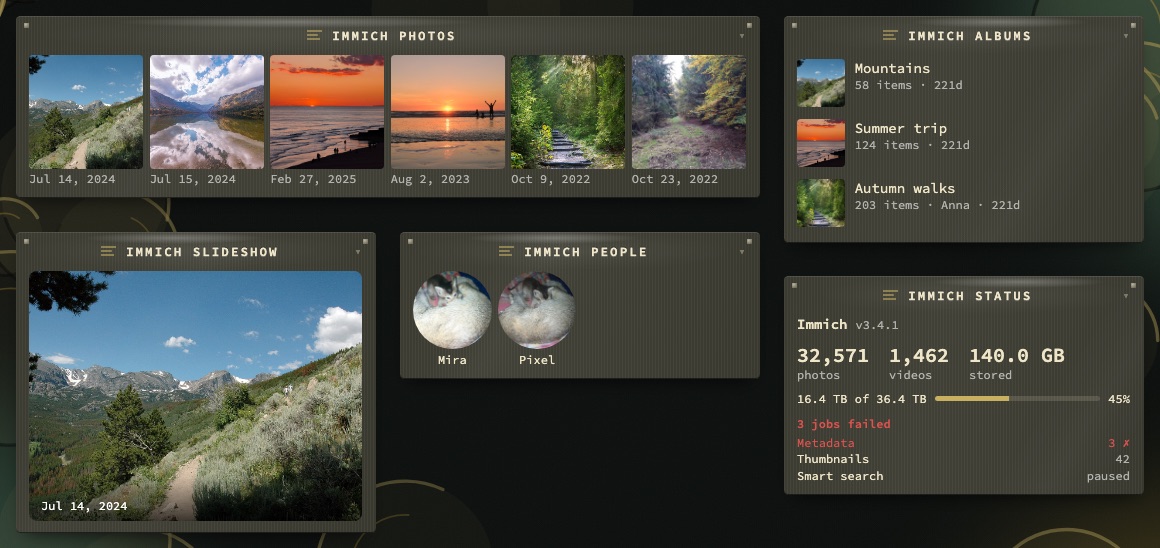
Status shows the library totals, the disk and the background jobs. A key that does not belong to an administrator gets neither totals nor jobs, and the panel says so. Failed jobs also get a quiet row in the bell. The slideshow changes photo every 3 to 300 seconds, waits while the tab is hidden and starts paused for anyone who asked their system for less motion.
A widget on every page
The edit panel of a widget has a Show on pages switch: This page or Every page. On Every page, the widget gets a copy on each other page. The copies are ordinary widgets that can be moved, resized, hidden or limited to a screen per page. Name and settings are shared, so a change on one page carries to the others.
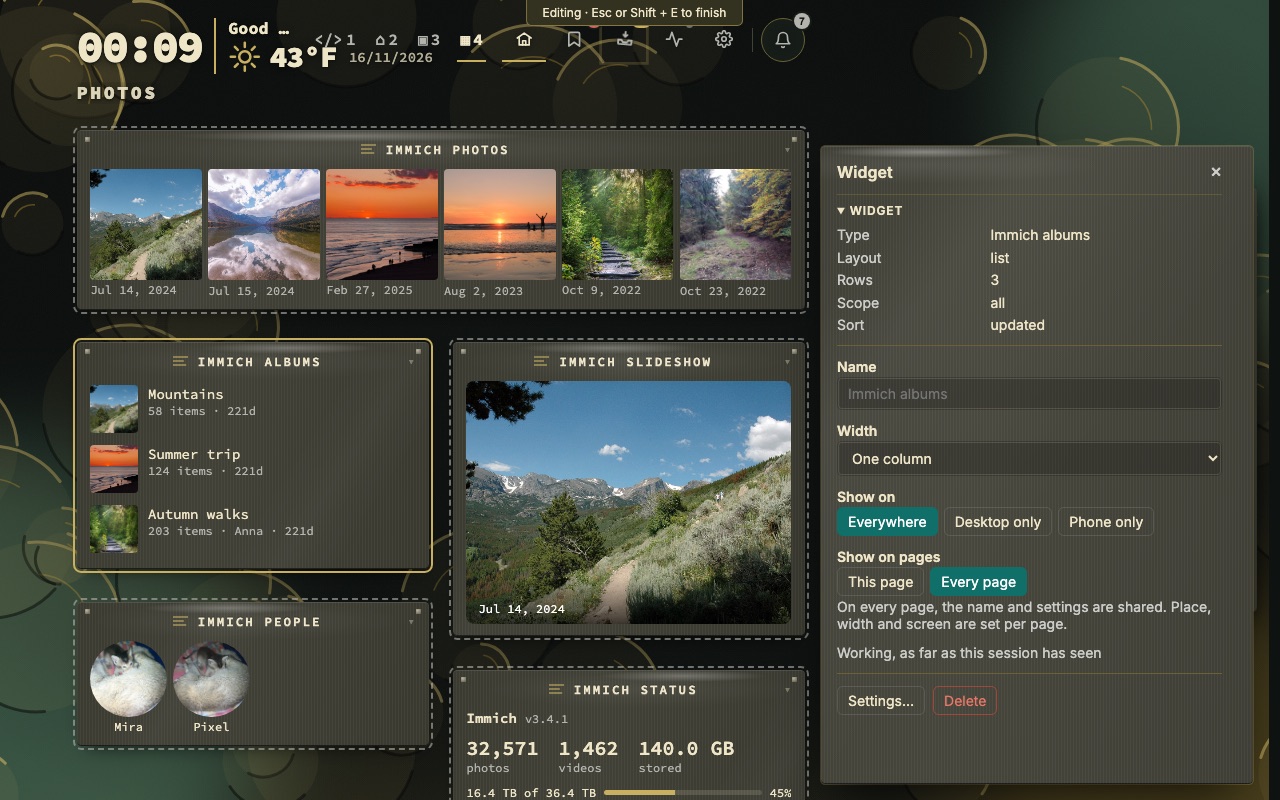
Deleting a copy takes it off that page only. Switching back to This page removes the copies from the other pages, and a page created later starts with them. A stack stays on its own page.
Smaller changes
- Drag a link in. A link, tab or address dropped on a category opens the bookmark form with the address, title, page and category filled in. Dropped elsewhere, it follows paste, and several links at once go to the Inbox.
- Phone. More → Quick settings has a Watch feeds switch that hides everything the watched feeds show on that phone. The feeds stay watched and desktop notices are unchanged.
- Themes. Three more Christmas themes in Holidays: Snow Globe, Paper Advent and Nutcracker Theatre, each with a dark and a light half. There are 446 themes now.
- Containers tour. The tour has a new step on other hosts and is seven steps long.
Upgrading
Pull the new image from either registry. Unraid users can update the container from the Docker tab. No configuration change is needed.
docker pull ghcr.io/jordibrouwer/nextdash:latest
# or
docker pull foobar1452/nextdash:latest
The full list is in the v1.30.0 release notes.